Here’s the ultimate solution for all your entertainment
navigation needs: the 3rd Gen Universal TV Remote
Control. Designed for seamless compatibility with a
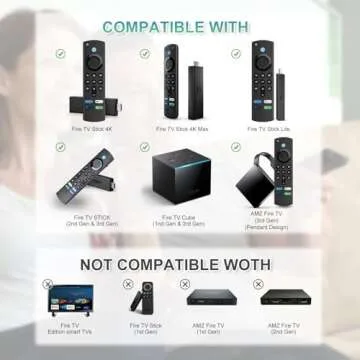
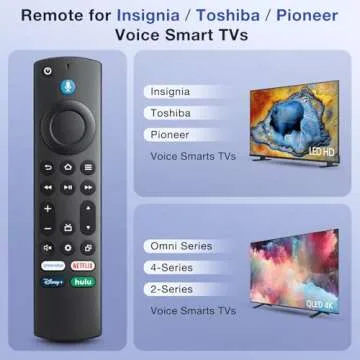
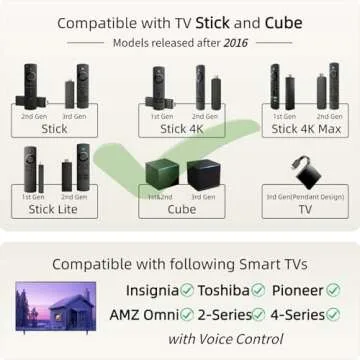
variety of devices, including the Fire Stick TV (2nd Gen, 3rd Gen,
4K, 4K Max), FireStick Lite, Fire TV Cube (1st Gen, 2nd Gen), and
the Amazon TV Pendant Design (3rd Gen), this advanced remote
elevates your viewing experience to new heights. If you've ever
faced the frustration of losing your remotes or the hassle of
complex programmable...
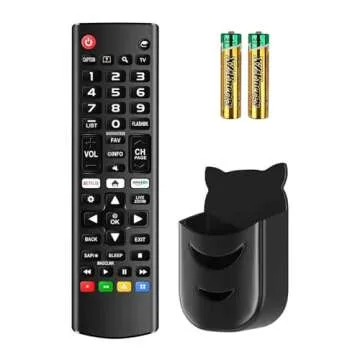
Show more Here’s the ultimate solution for all your entertainment navigation needs: the 3rd Gen Universal TV Remote Control. Designed for seamless compatibility with a variety of devices, including the Fire Stick TV (2nd Gen, 3rd Gen, 4K, 4K Max), FireStick Lite, Fire TV Cube (1st Gen, 2nd Gen), and the Amazon TV Pendant Design (3rd Gen), this advanced remote elevates your viewing experience to new heights. If you've ever faced the frustration of losing your remotes or the hassle of complex programmable alternatives, then this remote is engineered just for you.
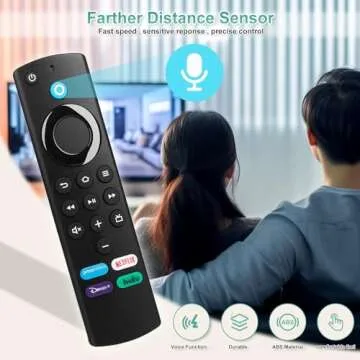
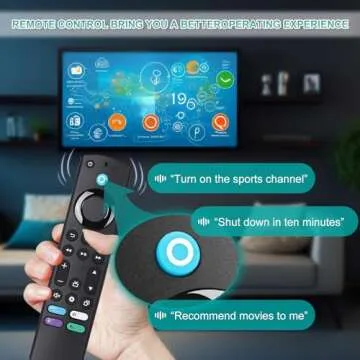
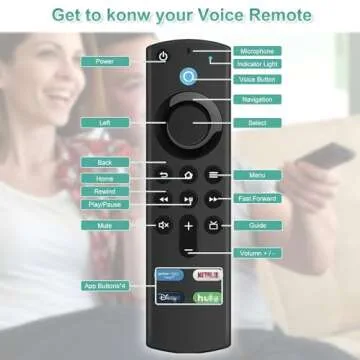
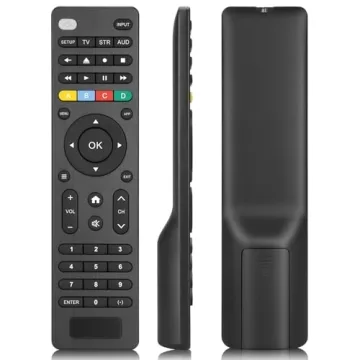
Among its standout features are the Voice Control and Hotkeys. With the voice function, finding your favorite shows is as effortless as speaking. Moreover, the remote comes equipped with four preset shortcut buttons, allowing for instant access to your most-used applications. This intelligent design ensures that the entertainment control you seek is always just a click away!
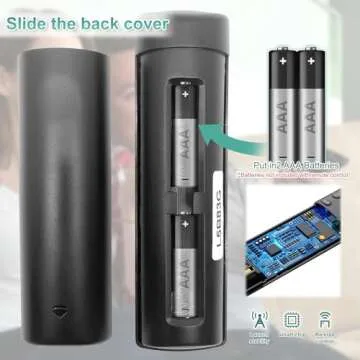
Worried about pairing? Fear not! The remote is exceptionally easy to sync. Just press and hold the HOME button for 10 to 15 seconds while the LED flashes, then let it rest for 30 to 60 seconds. Preparation is simple too; just grab 2 AAA batteries, check that your device is compatible, and remember to clear out any old battery remnants from previous remotes.
Customer feedback highlights the reliability and straightforward performance of this universal remote. Many users have applauded its efficient pairing procedure and the bonus of included batteries—there’s no need for extra trips to the store! It’s a fantastic option whether you need a replacement for a lost remote or just want a handy backup. Offering a design that closely mimics the original remote, it provides a sense of comfort and familiarity.
Furthermore, this remote doesn’t just function well—it looks sleek and is built to endure, ensuring that it remains a favorite among its competitors. Users have repeatedly noted its superior design, noting that many prefer it to other options available. So if comfort in usage is your priority, this remote is the standout choice.
Ultimately, invest in a gift that merges functionality with emotional satisfaction—this remote control promises to make binge-watching your favorite series a stress-free and joyful affair. Say goodbye to the frustration of lost remotes and tangled wires, and hello to a world of convenient entertainment at your fingertips!
Less








 Continue with Google