Introducing the BladeHawks Extra Large RGB Gaming Mouse
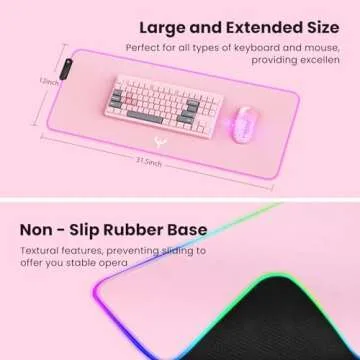
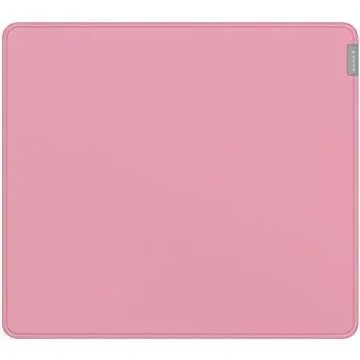
Pad, a must-have addition to your gaming setup. Measuring
a generous 800 x 300 mm (31.5 x 12 inches), this mouse pad offers
ample space for both your keyboard and mouse, alongside room for
additional peripherals like your phone and tablet. Whether you’re a
casual gamer or a serious competitor, you’ll appreciate the
expansive surface that enhances your efficiency and gameplay
experience.
With the LED backlight features,...
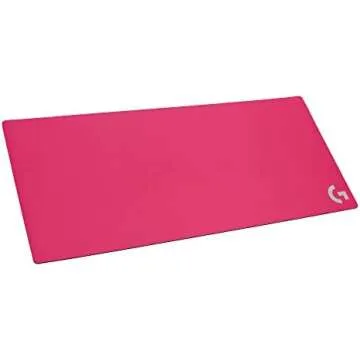
Show more Introducing the BladeHawks Extra Large RGB Gaming Mouse Pad, a must-have addition to your gaming setup. Measuring a generous 800 x 300 mm (31.5 x 12 inches), this mouse pad offers ample space for both your keyboard and mouse, alongside room for additional peripherals like your phone and tablet. Whether you’re a casual gamer or a serious competitor, you’ll appreciate the expansive surface that enhances your efficiency and gameplay experience.
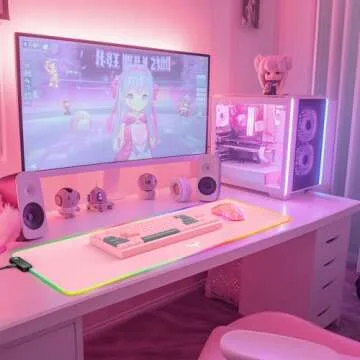
With the LED backlight features, this mouse pad stands out with 14 dynamic light options. It offers 7 static modes and 3 breathtaking dynamic modes that allow you to customize your gaming atmosphere easily. The power-off memory function remembers your last selected lighting mode, ensuring a seamless experience every time you power it on. The super glow fiber Chroma design ensures your setup looks just as vibrant as your gameplay.
Built for performance and durability, this gaming mouse pad features an anti-slip rubber base. Crafted from natural rubber, it clings steadfastly to your desktop surface, providing unparalleled precision during your most intense gaming sessions. Combined with its unique texture, you can be sure that the grip remains firm, allowing you to focus solely on your game without any distractions.
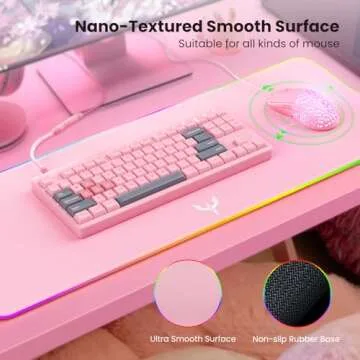
The smooth and waterproof surface boasts a micro-textured fabric that allows for precise mouse control and fluid motion, enhancing your overall gaming performance. Should any liquid spills happen, this mouse pad has you covered as it forms droplets that slide off without staining or damaging the surface, ensuring uninterrupted gameplay or work.
Installation is a breeze with the plug and play feature. Simply connect it via USB, and there’s no need for additional drivers. The one-button control simplifies navigating through light modes; just a single press cycles through the lighting options, and with a double press, you can easily adjust the brightness levels. Hold the button for about 3 seconds to power it on or off smoothly, making it user-friendly for gamers of all levels.
Less











 Continue with Google