Discover the endless possibilities with the Cricut Fine
QuickSwap Debossing Tip! This precision crafting tool is a
game-changer for DIY enthusiasts and professional creators alike.
Designed to work seamlessly with your Cricut machines, this
debossing tip allows you to create stunning embossed designs on
cards, envelopes, and a variety of materials. Whether you are
looking to enhance your paper crafts or add intricate details to
your projects, this tool is an essential addition to your
crafting...
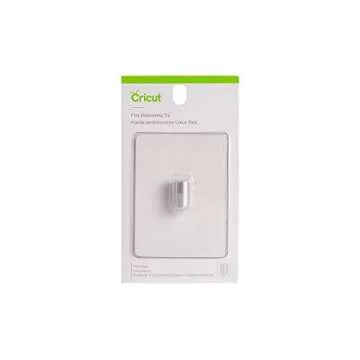
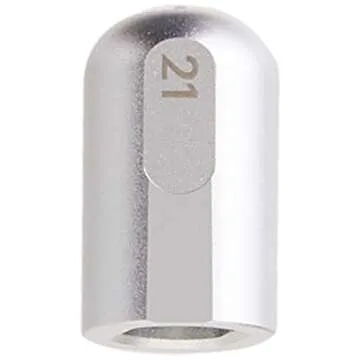
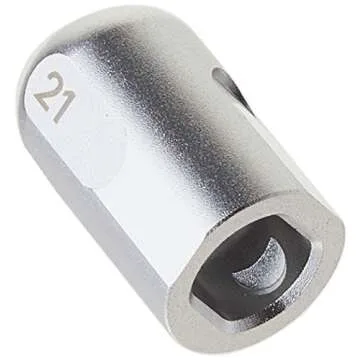
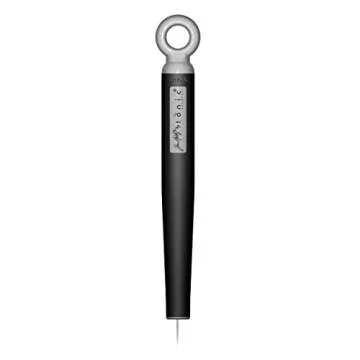
Show more Discover the endless possibilities with the Cricut Fine QuickSwap Debossing Tip! This precision crafting tool is a game-changer for DIY enthusiasts and professional creators alike. Designed to work seamlessly with your Cricut machines, this debossing tip allows you to create stunning embossed designs on cards, envelopes, and a variety of materials. Whether you are looking to enhance your paper crafts or add intricate details to your projects, this tool is an essential addition to your crafting arsenal. Its sleek silver finish not only guarantees durability but also ensures a perfect performance each time you use it!
- Precision Engineering: The Fine Debossing Tip is engineered to fit perfectly with Cricut machines for seamless functionality.
- Easy to Use: Effortlessly create beautiful embossed effects without the hassle. Gone are the days of complicated setups!
- Perfect Compatibility: This tip is designed for the Cricut Maker series and works effortlessly with the Design Space software.
- Versatile Applications: Ideal for a range of materials, including cardstock, foil, and more, allowing for creative freedom in your projects.
- A Cost-Effective Crafting Tool: Enjoy exceptional quality without breaking the bank, perfect for budget-savvy crafters!
Target Audience
- Avid crafters and DIY enthusiasts looking to enhance their projects.
- Small business owners who create custom greeting cards or invitations.
- Teachers and educators in need of creative tools for classroom projects.
- Event planners and decorators wanting unique, personalized touches.
- Hobbyists who enjoy scrapbooking and cardstock art.
Best Occasions to Use This Gift:
This debossing tip is perfect for special occasions where you want to add a personal touch to your creations, such as:
- Weddings – Create beautifully embossed invitations.
- Birthdays – Make personalized cards that stand out.
- Holidays – Enhance your festive decorations and crafts.
- Anniversaries – Craft heartfelt messages that will be cherished.
- Creative Workshops – Ideal for group crafting sessions.
Comparison with Competitors
When compared to other debossing tools in the market, the Cricut Fine QuickSwap Debossing Tip stands out due to its unparalleled versatility and ease of use. Many competitors require additional tools to achieve similar results, adding complexity to your crafting experience. With Cricut’s design and quality, you also receive an assurance of durability, allowing for countless creative projects without compromising performance. Plus, its compatibility with Cricut machines ensures that it integrates smoothly into your crafting routine, unlike other add-ons that may require modifications or additional setup time.
Why You Will Love This Product:
The Cricut Fine QuickSwap Debossing Tip isn’t just another crafting tool; it's a passion igniter! Imagine transforming your simple projects into beautiful works of art. This debossing tip empowers you to express your unique style, create heartfelt gifts, and leave a memorable impression on every recipient. Elevate your crafting game and enjoy the satisfaction of producing professional-quality designs that truly reflect your creativity.
Less


 Sign in / up





 Continue with Google