Introducing the Ugee M708 Drawing Tablet – a
remarkable tool designed to unleash your artistic potential with
every stroke. This graphics drawing tablet offers a generous
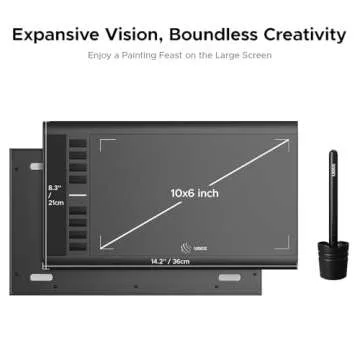
10 x 6 inch active area, providing ample space for
creativity, allowing artists of all skill levels to express
themselves without constraints. Its slim and sleek
design makes it incredibly lightweight and portable,
perfect for artists on the go, whether you are sketching in a cafe
or working...
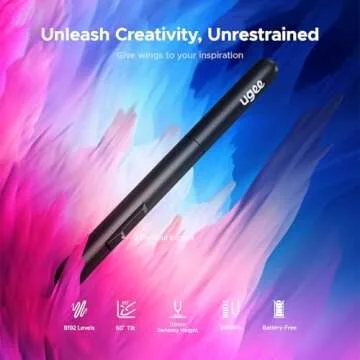
Show more Introducing the Ugee M708 Drawing Tablet – a remarkable tool designed to unleash your artistic potential with every stroke. This graphics drawing tablet offers a generous 10 x 6 inch active area, providing ample space for creativity, allowing artists of all skill levels to express themselves without constraints. Its slim and sleek design makes it incredibly lightweight and portable, perfect for artists on the go, whether you are sketching in a cafe or working from home. The advanced tablet is equipped with a stylus that boasts an impressive 8192 levels of pressure sensitivity. This ensures that every nuance of your touch is captured authentically on screen, giving you complete control over the thickness and darkness of your lines.
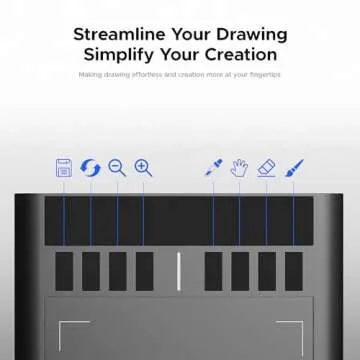
What sets the Ugee M708 apart is its paper-like surface, which delivers a natural drawing experience, reminiscent of using a traditional pencil on paper. This unique feature enhances drawing pleasure by providing a smoother and more realistic feel during creative sessions. Additionally, the tablet features 8 customizable shortcut keys that save you time and streamline your creative process. Effortlessly switch between brush sizes or undo your last stroke with just a quick click, allowing you to focus on what you love – creating art!
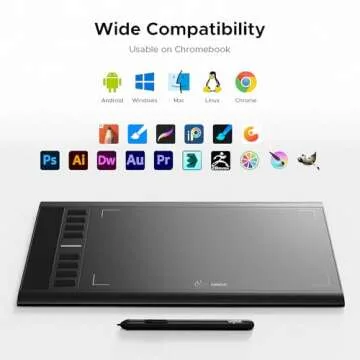
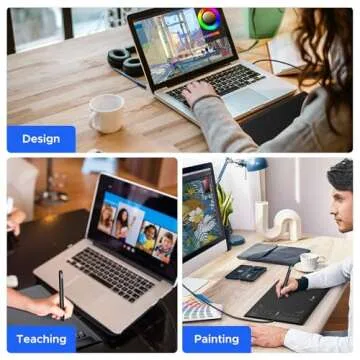
Compatibility is a stronghold of the Ugee M708. It works seamlessly with multiple operating systems including Windows 7/8/10, Linux, Mac OS, and even Chrome OS. This makes it a versatile choice for any artist, regardless of their preferred platform. Enhance your digital art experience as the tablet integrates effectively with popular design software such as Adobe Photoshop, Illustrator, and Corel Painter. Each stroke on this tablet is not just a mark; it’s an invitation to explore your creativity!
Setting up the Ugee M708 is a breeze, ideal for professionals, aspiring designers, and hobbyists of all ages. Customer experience matters, and the Ugee M708 is backed by a one-year warranty and reliable customer service. This way, you can draw with confidence every time you unleash your artistic journey. Embrace your creativity today with the Ugee M708 Drawing Tablet!
Less









 Continue with Google