Introducing the PIXMA TS5320 Wireless Inkjet All-In-One
Color Printer, your ideal companion for vibrant,
high-quality printing at home or in the office. With a stunning
1.44” OLED display that ensures easy navigation
and clear visibility of your printer's status, you can effortlessly
check your print progress and stay updated on important
notifications—even from across the room, thanks to the integrated
LED status bar. The OLED display enhances
every...
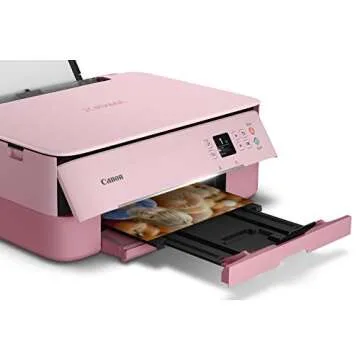
Show more Introducing the PIXMA TS5320 Wireless Inkjet All-In-One Color Printer, your ideal companion for vibrant, high-quality printing at home or in the office. With a stunning 1.44” OLED display that ensures easy navigation and clear visibility of your printer's status, you can effortlessly check your print progress and stay updated on important notifications—even from across the room, thanks to the integrated LED status bar. The OLED display enhances every detail with deep, accurate colors, making it a standout feature of this compact printer.
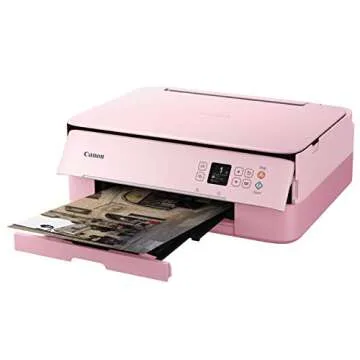
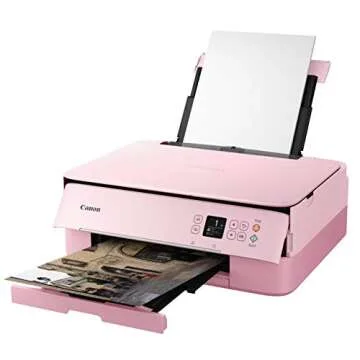
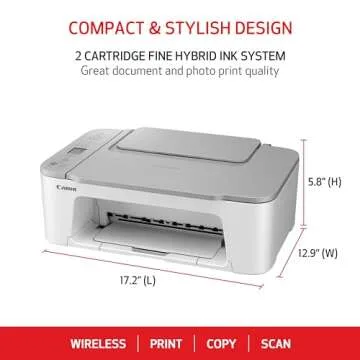
The PIXMA TS5320 not only excels in functionality but also in aesthetic appeal. Its stylish and compact design allows it to seamlessly fit into any space while reflecting your unique personality. Available in four vibrant colors: black, white, green, and pink, it adapts to your environment as well as your style.
Designed for effortless use, this printer utilizes just two high-capacity fine cartridges, making ink replacement a breeze without compromising on quality. Experience crystal-clear text documents and stunning photos, thanks to its advanced hybrid ink system, ensuring every print job looks professional and polished.
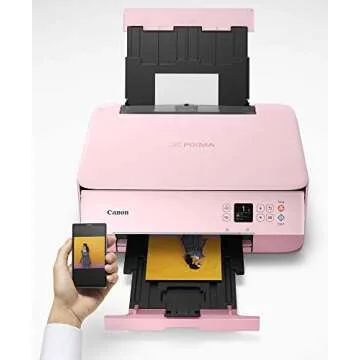
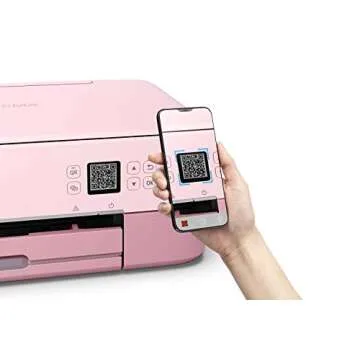
With integrated AirPrint functionality, you can easily print wirelessly from your iPhone, iPad, and Mac, eliminating the need for additional software or drivers. This means you can enjoy fast, convenient printing from anywhere within your home or office. Coupled with Bluetooth connectivity, the PIXMA TS5320 allows for even more versatile printing options, adapting to your lifestyle effortlessly.
- Max print speed: Up to 13.0 pages per minute for black & white
- Max print speed: Up to 6.8 pages per minute for color
- Supported paper sizes: Ranges from 3.5” x 3.5” (Square) to 8.5” x 14” Legal
- Easy installation: Simple cartridge replacement and setup process
Target Audience
- Students looking for a reliable printing solution for assignments and projects.
- Creative professionals needing a compact printer for vivid photo quality.
- Small business owners requiring efficient printing without sacrificing space.
- Families wanting a versatile printer for both documents and photo prints.
Best Occasions to Use This Gift:
The PIXMA TS5320 is perfect for numerous occasions, including:
- Back-to-school essentials for students
- Housewarming gifts for new homeowners
- Birthdays for tech enthusiasts and creatives
- Holiday gifts to encourage creativity
Comparison with Competitors
When compared to other printers in its category, the PIXMA TS5320 stands out due to its exceptional blend of design and functionality. While many printers offer basic printing features, few can match its vibrant OLED display and ease of connectivity via both AirPrint and Bluetooth. Additionally, its compact size and range of color options set it apart, making it not just a utility item, but a stylish addition to any workspace. Most competitors lack the advanced hybrid ink system that ensures both sharp text and beautiful images, making the PIXMA TS5320 a clear choice for those who value quality.
Why You Will Love This Product?
Imagine having a printer that not only meets your printing needs but also complements your lifestyle. The PIXMA TS5320 brings together artful design and modern functionality, ensuring that your printing tasks are both efficient and enjoyable. Whether you're printing cherished family memories or important documents, you’ll appreciate the quality and ease of use this printer offers. Elevate your printing experience with a device that truly reflects your style and keeps pace with your busy life.
Less


 Sign in / up









 Continue with Google