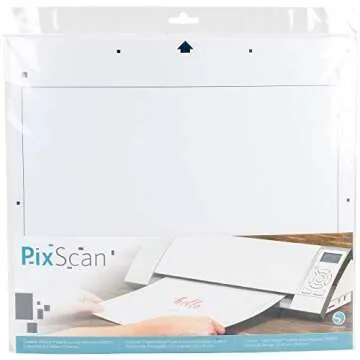
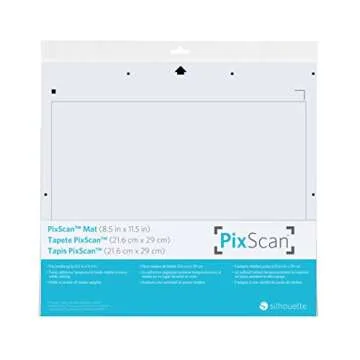
Silhouette PixScan Cutting Mat - Digitize & Create with Ease
S Visit Brand Page
- 32
- 0
- 100+ Sold in the past week
- 💥 300+ people added this to wishlists
- ⏳ Limited stock — order today
- 📈 Top-rated choice

 Sign in / up
11.25
Sign in / up
11.25
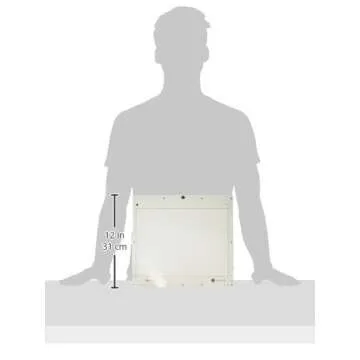
Unveil your creativity with the Silhouette PixScan Cutting Mat, meticulously designed for use with your CAMEO machine. This innovative mat enables you to easily turn hand-drawn sketches, customized lettering, and even unique fabric patterns into precision cut jobs. With a generous cutting area of 11.75" x 8.5", your artistic possibilities are boundless. Featuring high-quality adhesive backing, the mat ensures that your materials hold steady during the cutting process for...
Show more| manufacturer | Silhouette |
|---|---|
| color | Multicolor |
| height | 0.0393700787 |
| weight | 0.110231131 |
| width | 11.81102361 |
| size | 8.5"x11.5" |
| length | 12.992125971 |
| languages | [ Translation Value = Spanish ] [ Manual Value = Italian ] [ Manual Value = German ] [ Manual Value = French ] [ Manual Value = English ] [ Manual Value = Spanish ] |
| productGroup | Home |
The PixScan Cutting Mat is compatible with various materials, including cardstock, vinyl, fabric, and more, providing flexibility for all your crafting needs.
PixScan technology works by using your device's camera to capture images of your designs, which are then matched to cut lines for precise cutting.
Yes! The PixScan Cutting Mat is designed for multiple uses. Just clean the adhesive surface to maintain its stickiness for optimal performance.
While the standard cutting area is 11.75" x 8.5", multiple mats can be used for larger projects by aligning the designs accurately.
11.25








 Continue with Google