Elevate your digital art experience with the XPPen
Updated Deco 01 V3 Drawing Tablet. Designed meticulously
for aspiring artists and seasoned creators alike, this tablet
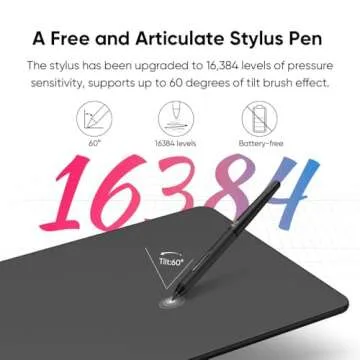
boasts a remarkable 16,384 levels of pressure
sensitivity, enabling you to draw with finesse and precision.
Whether you're sketching, shading, or painting, the tablet
seamlessly captures every nuance of your hand movements. The
inclusion of a tilt sensitivity feature allows you to create
realistic effects,...
Show more Elevate your digital art experience with the XPPen Updated Deco 01 V3 Drawing Tablet. Designed meticulously for aspiring artists and seasoned creators alike, this tablet boasts a remarkable 16,384 levels of pressure sensitivity, enabling you to draw with finesse and precision. Whether you're sketching, shading, or painting, the tablet seamlessly captures every nuance of your hand movements. The inclusion of a tilt sensitivity feature allows you to create realistic effects, simulating the feel of a traditional pencil or brush. The absence of batteries means there’s zero fuss—just pick it up and let your creativity flow smoothly without interruptions. Perfect for beginners, this tablet invites you to explore your artistic potential without the intimidation of complex equipment.
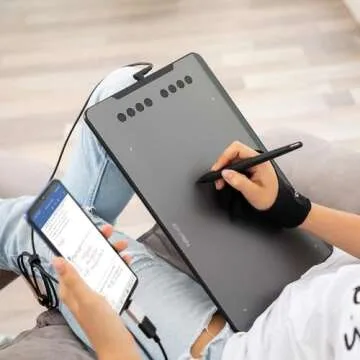
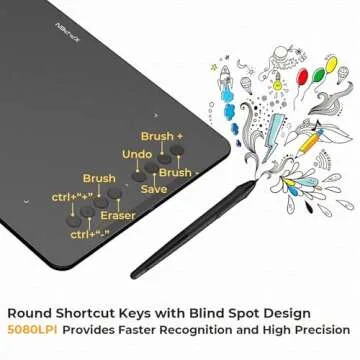
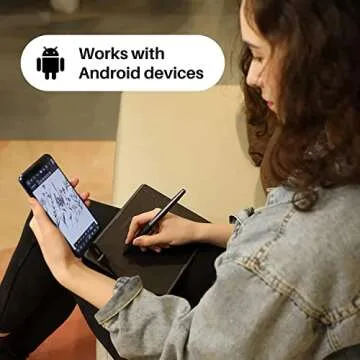
Along with its superior performance, the Deco 01 V3 is equipped with 8 customizable shortcut keys designed for both right and left-handed users, ensuring a comfortable and ergonomic platform for your creative endeavors. Whether you're using it in portrait mode or landscape, the tablet operates responsively on Android devices, adapting seamlessly to a range of screen aspect ratios. This wide adaptability not only facilitates effortless operation but also enhances your overall drawing experience.
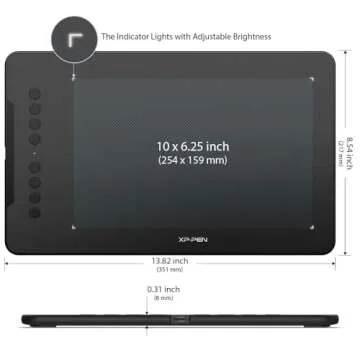
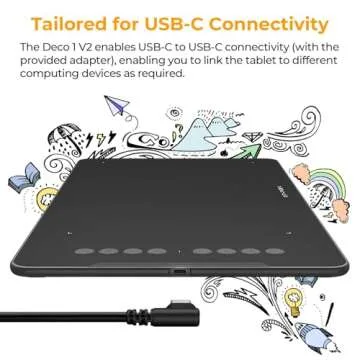
With a large 10 x 6.25-inch drawing area, the XPPen Deco 01 V3 provides ample room to let your imagination run wild. This generous space is ideal for a variety of tasks—from painting intricate art pieces to taking quick notes—all while keeping your workspace uncluttered and organized. Connectivity is a breeze with USB-C compatibility, along with adapters included for USB connectivity. Whether you’re using a laptop, tablet, or desktop, setting up is straightforward, allowing you to channel your focus entirely on your creative journey without the hassle of technical issues.
Designed for artists on the move, the Deco 01 V3 is lightweight and just 8mm thin, easily fitting into any backpack. It encourages artists to practice their craft wherever inspiration strikes, ensuring that you can refine your skills anytime, anywhere. Compatible with Windows, macOS, and even Android devices, this digital drawing tablet is a versatile choice. You can enjoy a strong performance with leading design software such as Photoshop, Illustrator, and Clip Studio. With the latest high-tech IC, your lines flow smoothly, even in dim lighting, as the tablet features illuminated ends for visibility in the dark. Your creative adventure awaits with the Deco 01 V3!
Less







 Continue with Google