



Tools I Use for Filming My Content at Home!
In today’s digital age, having the right tools for filming content at home isn’t just a luxury; it’s a necessity for creators, bloggers, and anyone looking to engage an audience through video or photography. Whether you are a seasoned professional or just starting your journey into content creation, having the right arsenal of gear can significantly impact the quality and appeal of your work. It's all about making your content visually appealing and technically sound!
This curated list describes the essential tools that I personally rely on for creating content right from the comfort of my home. Whether you’re looking to upgrade your current setup or start fresh with the fundamentals, these tools can help elevate your projects and offer stunning visuals.
Elevate Your Aesthetic with Stunning Backdrops
One of the first steps in creating visually captivating content is investing in good backdrops. The right backdrop can drastically enhance your photography and videography. For example, the Flat Lay Marble Backdrops Set includes three beautiful, double-sided options that cater perfectly to food photography and product showcases. Measuring 34x21 inches, these backdrops can serve as glamorous settings for jewelry, tabletop displays, or any product you wish to feature.
Another great choice is the BEIYANG Photo Backdrop Boards, which comes with two brackets for easy setup. The versatility of these boards means you can effortlessly change backgrounds for different scenes, keeping your content fresh and engaging.
Stabilize Your Shots with a Reliable Tripod
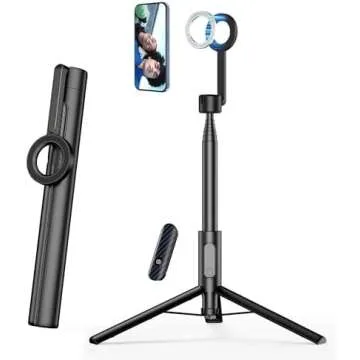
No matter how talented you are at framing, shaky hands can turn a perfect shot into a blurry mess. That’s why a sturdy tripod is essential. The Amazon Basics 50-inch Lightweight Portable Tripod is an excellent option for those who need reliability and portability. It’s lightweight yet robust enough to support your camera or smartphone for stable, crisp images.
Having a reliable tripod also means you can take self-portraits or film yourself without the anxiety of unintentional movement. This level of stability will allow your content to reflect professionalism, making a significant difference during editing and post-production.
Elevate Your Audio with Professional Microphones
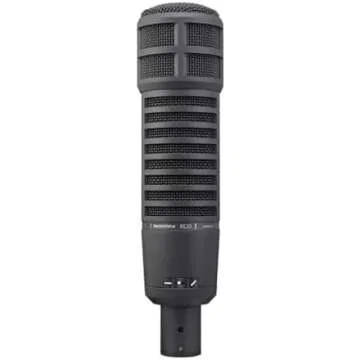
Even if your visuals are on point, poor audio can ruin the whole experience. For crystal-clear sound, consider investing in the RØDE Wireless Go II, a dual-channel wireless microphone system that is perfect for interviews, vlogs, or any setup requiring multiple sound sources. Its compact design makes it incredibly user-friendly, and it provides superb sound quality, ensuring your audience won’t miss a word.
If you prefer a more discreet option, the Rode Lavalier GO is a professional-grade wearable microphone that captures audio with exceptional clarity. It’s perfect for on-the-go creators, allowing you to maintain a professional sound without the bulk of traditional microphones.
Additional Essentials for Smooth Filming
When filming at home, don’t overlook the importance of power. Keeping your devices charged and ready to shoot is crucial. The Anker Portable Charger PowerCore Slim 10K is lightweight and powerful, providing you with 10,000mAh of power to keep your devices alive during longer shoots. Its compact design makes it easy to carry around for remote filming sessions.
Backing up your footage is equally crucial. The WD 2TB Elements Portable External Hard Drive offers fast, reliable storage for all your video materials. It’s essential to have a backup plan; this hard drive ensures that your valuable content is saved safely.
Listening Experience Poetry with AirPods
Sound is as crucial to content creation as visuals. The Apple AirPods Pro (2nd Generation) offer superior sound quality and active noise cancellation, making them perfect for when you’re editing your videos. These wireless earbuds allow you to immerse yourself in your work without distractions, ensuring you catch every detail during the editing process.
Imagine being able to edit your audio tracks, free from surrounding noise. The crystal-clear sound quality will help you ensure that every element of your content is pitch perfect.
Frequently Asked Questions
- What do I need for shooting videos at home?
To shoot quality videos at home, you will need a good camera, a reliable tripod, proper lighting, and quality sound equipment, such as microphones. Backdrops can also enhance the visual aspect of your content. - Why is audio quality important in video creation?
Audio quality can make or break a video. Clear and professional sound ensures that your message is conveyed effectively, keeping your viewers engaged throughout. - How can I improve my lighting at home for filming?
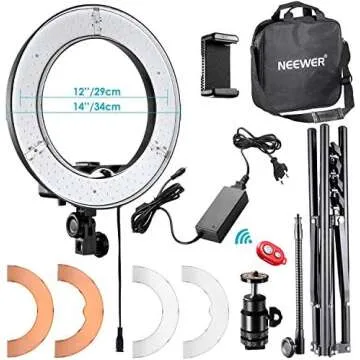
Natural light is excellent, but for consistent quality, consider ring lights or softboxes. These tools can help you create well-lit shots, reducing harsh shadows and enhancing your video quality. - Can I use my smartphone for creating content?
Absolutely! Many smartphones have excellent cameras and can be paired with microphones and tripods for professional-quality video content.
In conclusion, the tools you choose significantly affect your content creation journey. With the right equipment, you can transform your home into a professional studio that yields stunning results. From visual tools like backdrops to audio essentials such as microphones and headphones, this list ensures you have a solid foundation for your creative projects. Explore your favorites now, and embark on your content creation adventure with confidence and the right tools that resonate with your style. Happy filming!



 Continue with Google