




Your Ultimate Gaming and Editing PC Build
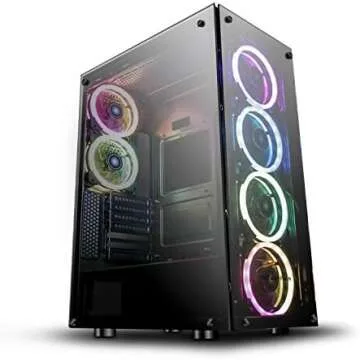
If you're a gamer or video editor looking to elevate your desktop setup, you've come to the right place! Building the perfect PC can seem daunting with so many options available, but we’ve streamlined the choices to give you a powerful configuration that meets all your gaming and content-creation needs. In this guide, we'll explore our current build, focusing on performance, quality, and user experience.
Whether you’re searching for the perfect gift for a gamer in your life or upgrading your own equipment, our curated list of products is designed for those who want to achieve greatness in gaming and video editing. Let’s dive into the essentials you won’t want to miss!
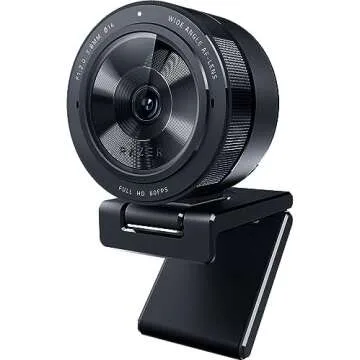
1. Capture Every Moment with the Logitech C920x HD Pro Webcam
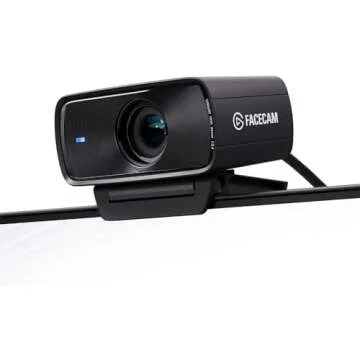
For streamers and content creators, a reliable webcam is crucial. The Logitech C920x HD Pro Webcam ensures that your audience sees you in stunning detail with Full HD 1080p video quality. Ideal for video calls or live streaming, this device includes features like autofocus and low-light correction, making it an excellent gift for anyone wanting to enhance their video presence.
Imagine setting up your streaming space or video conferences with this top-notch camera. The ease of use and superior image quality will surely make your sessions more engaging and professional. It's perfect for both gamers streaming their sessions and editors recording tutorials.
2. Precision and Control with the Razer Basilisk Ultimate Gaming Mouse
No gamer’s setup is complete without a high-performance mouse. The Razer Basilisk Ultimate Wireless Gaming Mouse stands out with its 20K DPI optical sensor and customizable switching capabilities. With 11 programmable buttons, it allows gamers to execute complex maneuvers perfectly timed to enhance gameplay.
Besides gaming, the intuitive controls make it great for video editing, where precision is key. Plus, with an impressive 100-hour battery life, you won't have to worry about interruptions during long sessions. It’s the ideal tool for those who demand total control over their gaming and creative pursuits.
3. Power Your Build with a Reliable Power Supply
When building a powerful PC, ensuring you have a reliable power source is essential. The Corsair RMX Series RM750x offers 750 watts of uninterrupted power along with 80+ Gold certification. This fully modular power supply is not only efficient but also minimizes cable clutter, allowing for a clean setup.
With features like low noise operation and zero RPM fan mode, it’s perfect for creating a quiet workspace. Whether gaming or editing, you can trust this power supply to keep your PC running smoothly. It’s a smart investment for anyone who values stability in their system.
4. Keep Your CPU Cool with the CoolerMaster ML240L RGB V2
To maintain optimal performance, effective cooling is a must. The CoolerMaster MasterLiquid ML240L RGB V2 is an all-in-one liquid CPU cooler that not only ensures your system stays cool but also adds stylish RGB lighting to your setup.
This cooler is especially useful during extensive gaming sessions or video rendering where heat builds up. Its efficient cooling method means you can push your PC to its limits without worrying about overheating, making it ideal for hardcore gamers and video editors alike.
5. The Heartbeat of Your Build: ASUS Prime Z390-A Motherboard
Your motherboard is the backbone of your PC, and the ASUS Prime Z390-A stands out for its reliability and features. Designed to support Intel's 8th and 9th generation processors, it boasts several connectivity options, including USB 3.1 and M.2 for high-speed data transfer.
This board is perfect for gamers and content creators who require robust performance and stability. Plus, its customizable RGB lighting lets you personalize your build, helping you create a workstation that embodies your style.
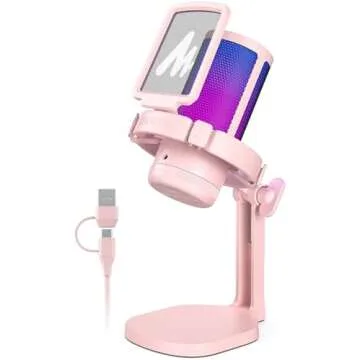
6. Elevate Your Audio with the Logitech Blue Yeti X Microphone
For those who value sound quality, especially in video production, the Logitech Blue Yeti X USB Microphone is a game-changer. Known for its studio-quality sound, this microphone delivers crisp and clear audio, making it a top choice for podcasters, streamers, and YouTubers.
Imagine delivering a flawless audio commentary for your gameplay or tutorials. Its intuitive controls and multiple pickup patterns adapt to any recording situation, ensuring that your voice is heard loud and clear. This microphone is undoubtedly a great addition to your content-creation toolkit.
7. Agile and Responsive: Ducky One 2 SF RGB Mechanical Keyboard
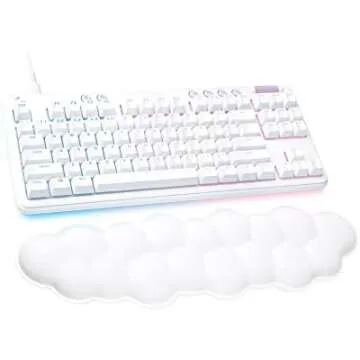
No gaming setup is complete without a premium keyboard. The Ducky One 2 SF RGB Mechanical Keyboard boasts Cherry MX switches that offer tactile feedback and speed, ideal for both gaming and typing.
This compact keyboard also has customizable RGB lighting, providing aesthetics that can enhance your overall gaming atmosphere. It’s perfect for both gaming marathons and long editing sessions, ensuring your hands are comfortable and ready for action.
8. Immerse Yourself with Status Audio CB-1 Headphones
Your audio experience can significantly affect your gaming and editing endeavors. The Status Audio CB-1 Closed Back Studio Monitor Headphones features 50mm drivers to deliver stunning sound quality for both gaming and music production, ensuring you immerse yourself in every beat.
These headphones are crafted for comfort, making them suitable for extended use, whether you’re lost in a gaming world or meticulously editing the next big project. They’re a worthy investment for those who appreciate fine audio quality.
FAQ Section
- What do I need for a gaming and editing setup?
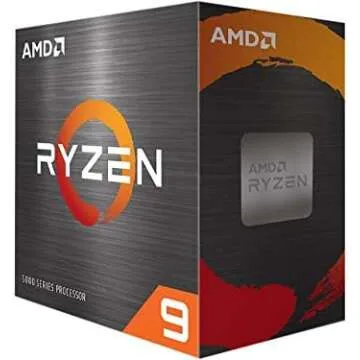
At minimum, you should have a powerful CPU, quality RAM, a good graphics card, adequate cooling, and a reliable power supply. Our build covers all these essentials with high-quality options. - How do I select the right monitor for gaming?
Look for a monitor with a high refresh rate (at least 144Hz) and low response times for gaming, while also considering color accuracy if you'll use it for editing. - What is the advantage of liquid cooling over air cooling?
Liquid cooling can provide better thermal management with quieter operation, especially beneficial for high-performance CPUs during heavy workloads. - Can I use a gaming setup for video editing?
Absolutely! The components in a gaming setup are often ideal for video editing due to their power and performance capabilities.
In conclusion, our carefully crafted gaming and editing PC build features a selection of must-have products designed to enhance your experience. Every item prioritizes quality, performance, and user satisfaction, making it easier for you to enjoy your gaming or editing journey. Explore your favorites now and elevate your setup today!



 Continue with Google