




Your Ultimate Guide to Launching Your Podcast
Starting a podcast can seem overwhelming, especially if you’re not familiar with the technical aspects involved. Whether you’re an aspiring podcaster or switching over from Twitter Spaces, this guide aims to help you navigate the essential tools and equipment for your new venture. We’ll discuss everything from high-quality microphones to the best cables for seamless audio, ensuring your podcasting journey is smooth and successful.
It's not just about choosing the right gear; it's about enhancing your recording experience and delivering a professional audio quality that keeps your listeners engaged. This list is designed for anyone eager to embark on their podcasting journey, offering thoughtful recommendations and equipment that will elevate your recording setup. Let's dive into the basics and explore the must-have items for creating compelling content.
1. The Essential Microphone: Audio-Technica AT2035PK
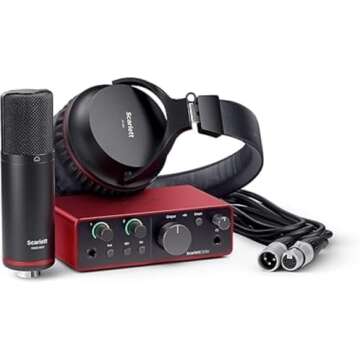
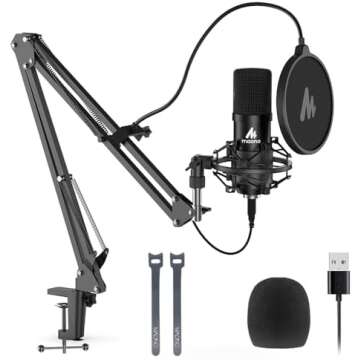
The first step to achieving professional-sounding audio is investing in a quality microphone, and the Audio-Technica AT2035PK Vocal Microphone Pack is a fantastic choice. This versatile microphone is perfect for both streaming and podcasting, capturing crisp vocals and delivering high-fidelity sound. It’s also great if you plan to have guests, as it excels in capturing multiple voices in a natural way.
Not only does this package include the microphone, but you will also receive a shock mount and pop filter that will help reduce unwanted noise and sound artifacts. Whether you are recording in a professional studio or a home setup, this microphone ensures your voice shines through with clarity and richness.
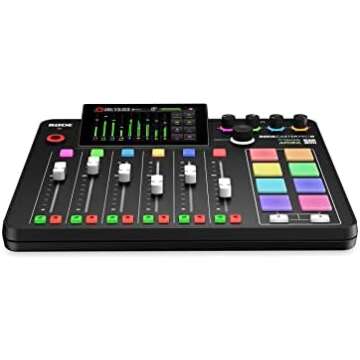
2. Connect with Confidence: RØDE RØDECaster Pro II
The RØDE RØDECaster Pro II is an all-in-one podcasting console that simplifies the entire recording process. With its intuitive user interface, you can easily manage multiple audio inputs, record directly to your device, and even add sound effects live as you record. This console is particularly beneficial for those who prefer a streamlined approach, allowing less time worrying about technicalities and more time creating engaging content.
This equipment also comes with integrated Bluetooth capabilities, enabling you to bring in remote interviews or discussions seamlessly. It’s a game-changer for those wanting to connect with guests from different locations without sacrificing audio quality.
3. Perfect Your Audio: LyxPro 10 Feet XLR Microphone Cable
Connecting your microphone to the podcasting console requires reliable cabling, and the LyxPro 10 Feet XLR Cable is ideal for this purpose. This balanced male-to-female microphone cord will ensure that your sound quality remains crisp and clear, eliminating unwanted interference and noise. With its length, you won’t feel restricted in your movement while recording, offering flexibility in positioning your setup.
Moreover, the durability of this cable means it can withstand the rigors of frequent use. If you’re planning on hosting numerous episodes, securing a high-quality cable is essential to maintain that professional sound you desire for your podcast.
4. Bridge the Gap with Essential Cables: CableCreation TRRS Cable
The CableCreation TRRS Cable is a must-have in your podcasting toolkit. This 10-feet audio stereo cable enables you to connect your microphone or headphones directly to your devices, including your MacBook and iPhone. Its compact and right-angle design is particularly handy for managing your setup without creating a messy environment.
With gold-plated connectors, this cable provides excellent connectivity and minimizes signal loss, ensuring each recording is as clean as the last. Being prepared with the right cable means less time troubleshooting and more time focusing on creating quality content.
5. Enhance Your Recording Flexibility: DIGITNOW Audio Adapter
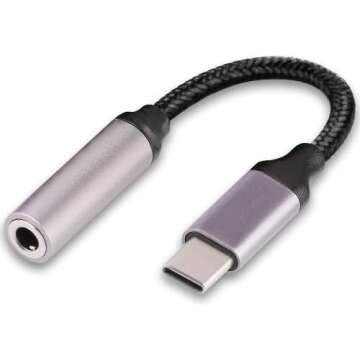
If you plan to use various audio equipment, the DIGITNOW 6.35mm to 3.5mm Audio Adapter is an incredibly useful tool. This adapter allows you to connect larger audio devices to smaller jacks, giving you the flexibility needed for diverse audio setups and recording scenarios.
By incorporating this adapter into your toolkit, you will have the freedom to switch up your gear without missing a beat, allowing for greater creativity in your podcasting sessions. Adapter cables are often overlooked, but they can make a significant difference in ensuring all your audio devices work harmoniously together.
6. Capture Every Visual Detail: Logitech Brio 4K HD Webcam
If you’re keen on incorporating video into your podcasts or social media, the Logitech Brio 4K HD Webcam will provide you with the ultimate visual clarity. This webcam delivers stunning 4K video quality, ensuring that your audience can see every detail as you engage with them. It’s an excellent way to enhance the personal connection you have with your listeners.
Additionally, this webcam's versatile mounting options make it easy to set up on any surface, whether you’re at your desk or recording in different locations. The superior image quality adds a professional touch, making your content stand out in a crowded online landscape.
Frequently Asked Questions
- What equipment do I need to start a podcast?
To start a podcast, you’ll need a good microphone, podcasting console, cables for connectivity, and possibly a webcam for video recordings. - How do I connect my microphone to my MacBook?
Typically, you'll use an XLR to USB audio interface or a TRRS cable to connect your microphone to your MacBook. - Do I need special cables for podcasting?
Yes, using high-quality cables such as XLR and TRRS cables ensures better sound quality and a reliable connection.
In summary, starting your podcast can be a rewarding experience filled with creativity and connection. The right equipment is essential, whether you're recording audio, managing video, or ensuring clear and professional sound quality. Each recommendation mentioned here caters to various needs and budget levels as you embark on this exciting journey.
Explore your favorites now, and take that first step toward creating engaging and impactful content. Remember, every great podcast starts with a passionate voice, powerful tools, and a connection to listeners. Let’s get started on your podcasting adventure together!



 Continue with Google