




Creating the Ideal Editing Haven
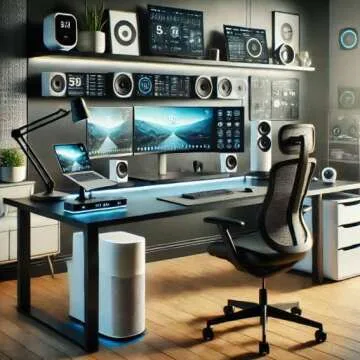
Setting up a home office is more than just placing a desk and computer in a room—it's about crafting a sanctuary that enhances your productivity and creativity. For those who edit photographs, videos, or written content from the comfort of home, having the right tools can make all the difference. With the right home office gear for effective editing, you can transform your workspace into a hub of inspiration and efficiency.
If you’re a budding video editor, a seasoned writer, or a visual artist, this list is tailored just for you. Here, you'll discover essential computer gear that elevates your editing experience. Say goodbye to frustrating setups and hello to a well-equipped editing space that fosters creativity and focus!
Ultimate Computer Power: The Apple Mac Mini M1
The backbone of any editing setup is a reliable computer, and the (Open Box) Apple Mac Mini M1 is a gem that packs a punch with its Apple M1 chip. With 16GB of RAM and a 512GB SSD, this compact powerhouse delivers impressive performance without taking up much desk space. The 8-core CPU and GPU mean that whether you're rendering videos or working with high-resolution photos, this little device can handle it with ease.
Imagine effortlessly multitasking as you run editing software while also having your music app and web browser open. The Mac Mini is designed to make your workflow seamless, so you can focus more on creating and less on waiting for your software to catch up. Plus, its sleek design means it won’t clutter your aesthetic—important for those of us who enjoy a tidy workspace!
Sound Matters: Audioengine D1 Desktop DAC
When it comes to editing, sound quality is crucial. The Audioengine D1 32-bit Desktop DAC and Headphone Amp not only enhances audio output but is also a handy tool for gamers and musicians. It’s ideal for critical listening and accurate sound production. Whether you’re checking audio levels for your video or mixing tracks, this DAC ensures that you hear every detail.
The compact size means it fits perfectly into your home office setup, while delivering superior sound quality that is essential for any successful editing or production environment. There's nothing worse than missing out on subtle audio cues because of poor sound quality. Invest in your audio quality with the D1 for a more enriched editing experience.
Ergonomics and Comfort: Apple Magic Keyboard and Mouse
Editing often requires long hours of focused work, making comfort vital. The Apple Magic Keyboard with Touch ID & Numeric Keypad combines functionality with a sleek design that feels great to use. Its low-profile keys and sustainable design means that you can type for hours without discomfort, maintaining your focus on the task at hand.
Complement this with the Apple Magic Mouse 2 which provides a smooth navigation experience. Its rechargeable feature means less downtime replacing batteries, so you can stay productive. Together, this dynamic duo not only boosts your comfort during long editing marathons but also enhances your efficiency.
High-Fidelity Audio with Studio Monitors
Editing isn’t solely visual; having high-quality audio is equally important. The M-Audio BX5 Studio Monitor Speakers are an excellent choice for those serious about sound quality. With their 100W output and 2-way active design, these speakers ensure that every note and nuance in your audio can be enhanced. This is crucial for producing polished final edits.
Alongside these speakers, consider investing in KEF LS50 Meta Passive Bookshelf Speakers for an even richer audio experience. They are designed for optimal sound reproduction, giving you that professional edge when working on audio projects that require precision.
Essential Equipment: Scanning and Docking Solutions
Completing your home office setup isn’t just about computers and speakers—accessories like a good scanner and dock can make your life easier. The Epson Perfection V600 Color Scanner offers high-quality scanning capabilities, allowing you to digitize photos and documents with stunning clarity. This means faster workflows as you can seamlessly incorporate scanned materials into your editing projects.
Additionally, enhance your connection ports with the CalDigit TS3 Plus Thunderbolt 3 Dock. This dock allows multiple connections and faster data transfer, making it vital for any modern home office. It enables you to plug in all your devices without hassle, helping keep your workspace tidy and efficient.
Organize and Optimize Your Space
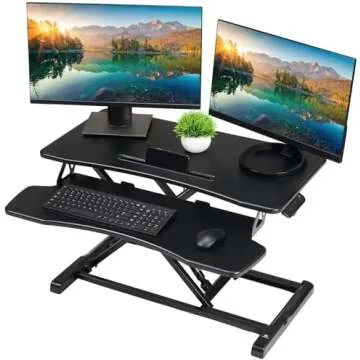
Having a beautifully organized workspace is just as important as the gear you use. With products like the Atlantic Bookshelf Speaker Stands, you can create a clean and organized setup. These stands not only elevate your speakers to the right height for optimal sound but also reduce clutter and improve your overall aesthetic.
By incorporating thoughtful organization solutions, you’ll find that your productivity increases as you spend less time searching for tools and more time creating. Keeping your workspace optimized for creativity is key for any editor.
FAQ
- What is the best computer for editing at home?
The Apple Mac Mini M1 is highly recommended for its powerful performance and compact design, making it ideal for home editing. - Do I need studio monitors for editing?
Yes, studio monitors like the M-Audio BX5 provide accurate audio playback critical for sound editing. - Are docking stations worth the investment?
Absolutely! They greatly enhance connectivity options and streamline your workspace for efficiency. - How can I keep my workspace clutter-free?
Using stands for monitors and speakers, along with docking stations for cables, can significantly reduce desktop clutter.
Equipping your home office with the right gear is essential for anyone looking to maximize their editing potential. The curated selection of products listed above ensures that you have everything you need within reach, so you can create without distractions. From powerful computers to audio monitors, investing in quality gear will enhance your workflow and productivity.
Explore your favorites now and transform your editing space into a productive haven!



 Continue with Google