



Top Wireless Keyboards and Mice of 2025: Best Picks for Every Need
"Which Wireless Keyboard and Mouse Combo is Right for You in 2025?"

Are you searching for the best wireless keyboard & mouse to upgrade your setup in 2025? With the latest innovations, finding a wireless keyboard & mouse that balances performance, comfort, and affordability has never been easier. Whether you're a gamer looking for a gaming keyboard and mouse with ultra-fast response times or a professional seeking a sleek Bluetooth keyboard and mouse for a clutter-free desk, there's a perfect match for your needs. Brands like Logitech continue to dominate with high-quality options, including the Logitech wireless keyboard & mouse combos that offer seamless connectivity and long battery life. In this guide, we’ve rounded up the best affordable keyboard & mouse combos, from feature-packed models to budget-friendly choices. Ready to enhance your computing experience? Explore our top picks for the ultimate keyboard & mouse solutions that deliver efficiency, style, and comfort in 2025!
How to Choose the Best Keyboard and Mouse in 2025?
1. Purpose & Usage:
- General Use: Basic models work well for everyday tasks.
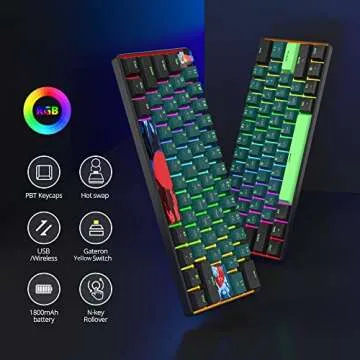
- Gaming: Look for high responsiveness, customizable buttons, and RGB lighting.
- Professional Work: ergonomic designs help reduce strain during long hours.
2. Connectivity:
- Wired: Provides a stable connection without battery concerns.
- Wireless: Offers flexibility but requires charging or battery replacements.
3. Keyboard switches:
- Mechanical: Offers tactile feedback, durability, and better typing accuracy.
- Membrane: Quieter and budget-friendly but lacks tactile responsiveness.
4. Ergonomics & Features:
- Ergonomic keyboards and mice reduce wrist strain.
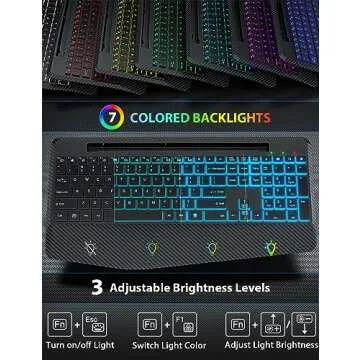
- Backlighting is helpful for low-light environments.
- Adjustable DPI improves mouse sensitivity control.
5. Compatibility & Budget:
- Ensure the devices are compatible with your OS and software.
- Balance features with affordability.
6. Reviews and Recommendations:
- Checking user reviews can help assess performance and durability.
Find the Best Wireless Keyboards & Mice of 2025 with GiftPals
GiftPals is your go-to online shopping assistant, carefully categorizing every product to help you find the perfect choice in the shortest time possible. If you're looking for the best wireless keyboards and mice in 2025, GiftPals has curated a selection of top models from leading brands, ensuring you get the best fit for your needs.
From mechanical gaming keyboards to high-precision wireless mice for designers and professionals, we’ve categorized the best options based on performance, battery life, ergonomics, and price. Additionally, GiftPals provides top-rated lists to make your decision even easier, guiding you toward the most suitable product based on your preferences.
With GiftPals, the best choice is always within your reach!
1. Best Keyboard and Mouse
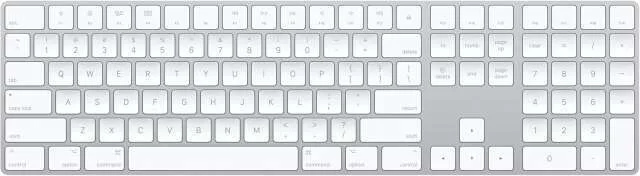
Keyboard: Apple Magic Keyboard with Numeric Keypad
A sleek, rechargeable keyboard with an extended layout, including a numeric keypad. Designed for Mac users, it offers a smooth and precise typing experience.
- Price Range: $100 - $150
- Key Features: Low-profile scissor-switch keys, rechargeable battery, numeric keypad, and aluminum build.
- Why It’s Great: Perfect for Mac users, offering excellent build quality and long battery life.
- Purpose and Usage: Ideal for office work, typing, and productivity tasks.
- Connectivity: Wireless via Bluetooth or Lightning cable.
- Switch Types: Scissor switches.
- Additional Features: Function keys for quick access to Mac functions.
- Reviews and Recommendations: Highly rated for its smooth typing experience and compatibility with macOS.
-
Pros and Cons:
✅ Sleek and compact design
✅ Numeric keypad for productivity
✅ Long battery life
❌ Expensive compared to alternatives
❌ No backlighting - Ideal Users: Mac users, professionals, and office workers.
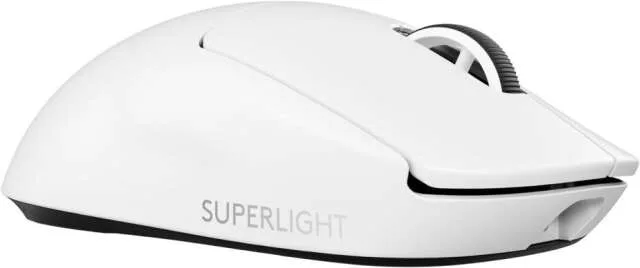
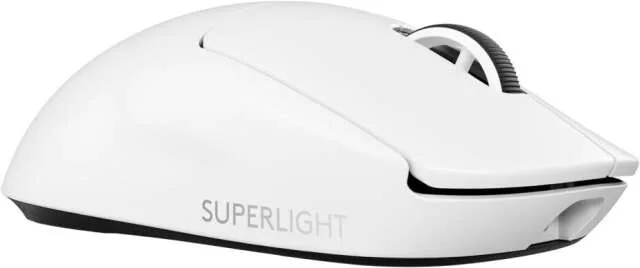
Mouse: Logitech G PRO X SUPERLIGHT 2 LIGHTSPEED
A high-performance gaming mouse known for its ultra-lightweight design and precise tracking.
- Price Range: $120 - $160
- Key Features: HERO 2 sensor, ultra-lightweight (under 63g), LIGHTSPEED wireless technology, and up to 95-hour battery life.
- Why It’s Great: One of the lightest gaming mice with excellent responsiveness and durability.
- Purpose and Usage: Competitive gaming, esports, and precision tasks.
- Connectivity: Wireless (LIGHTSPEED).
- Additional Features: PTFE feet for smooth glide, zero-additive coating.
- Reviews and Recommendations: Highly praised by esports professionals for its performance.
-
Pros and Cons:
✅ Incredibly lightweight
✅ Precise and responsive sensor
✅ Long battery life
❌ No RGB lighting
❌ Expensive - Ideal Users: Gamers, esports players, and professionals needing a high-precision mouse.
Best Logitech Black Friday deals
2. Best Wireless Keyboard and Mouse
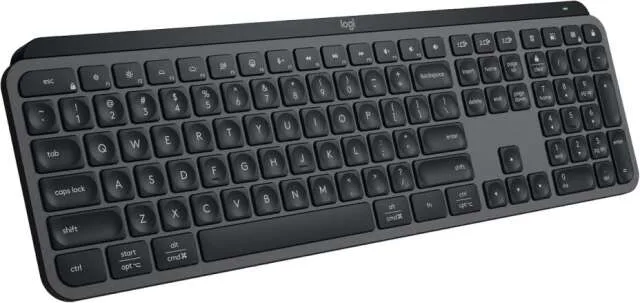
Keyboard: Logitech MX Keys S Wireless Keyboard
- Description: A premium wireless keyboard designed for productivity, featuring smart backlighting and multi-device pairing.
- Price Range: $100 - $130
- Key Features: Smart backlighting, USB-C rechargeable, multi-device connectivity.
- Why It’s Great: Comfortable, quiet typing with intelligent features.
- Purpose and Usage: Productivity, office work, and content creation.
- Connectivity: Bluetooth & USB receiver.
- Switch Types: Scissor switches.
- Additional Features: Customizable function keys, flow control for seamless multi-device use.
- Reviews and Recommendations: Well-loved for its comfortable keys and excellent build.
-
Pros and Cons:
✅ Premium typing experience
✅ Multi-device pairing
✅ Smart backlighting
❌ No mechanical switches
❌ Expensive - Ideal Users: Professionals, writers, and remote workers.
Best Logitech Black Friday deals
Mouse: Razer Basilisk V3 Pro Wireless Gaming Mouse
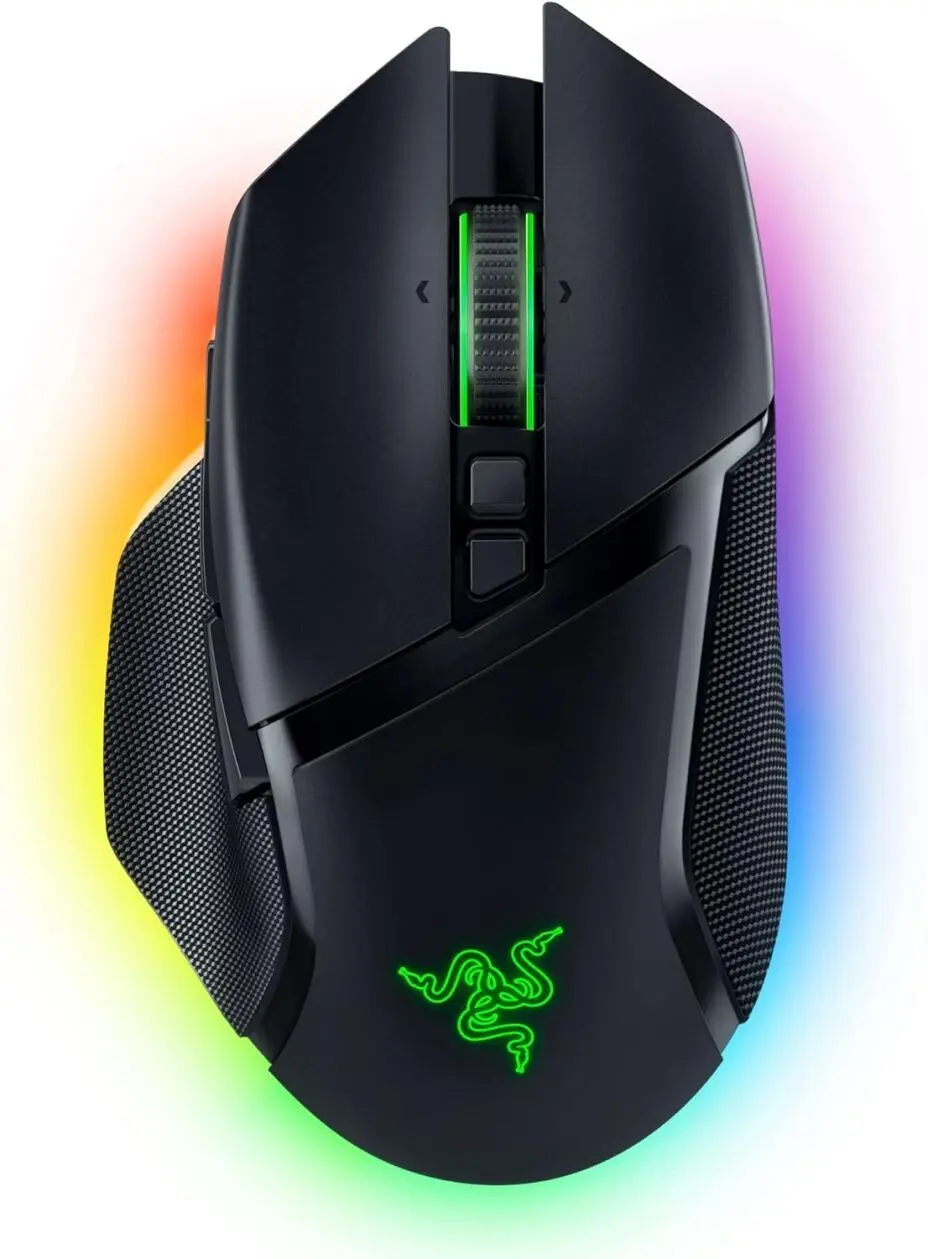
- Description: A customizable wireless gaming mouse with top-tier precision and adjustable scroll wheel.
- Price Range: $120 - $160
- Key Features: Razer HyperSpeed Wireless, Focus Pro 30K sensor, customizable buttons.
- Why It’s Great: Versatile with smooth performance and ergonomic design.
- Purpose and Usage: Gaming, productivity, and multitasking.
- Connectivity: Bluetooth & 2.4GHz wireless.
- Additional Features: RGB lighting, customizable side buttons, magnetic charging dock support.
- Reviews and Recommendations: Highly rated for comfort and customization.
-
Pros and Cons:
✅ Customizable buttons
✅ Precision tracking
✅ Wireless & wired options
❌ Heavier than ultra-light mice
❌ Expensive - Ideal Users: Gamers, streamers, and professionals needing customization.
10 Best Razer Mouse
3. Best Gaming Keyboard and Mouse
Keyboard: ASUS ROG Strix Scope II 96 Wireless Gaming Keyboard
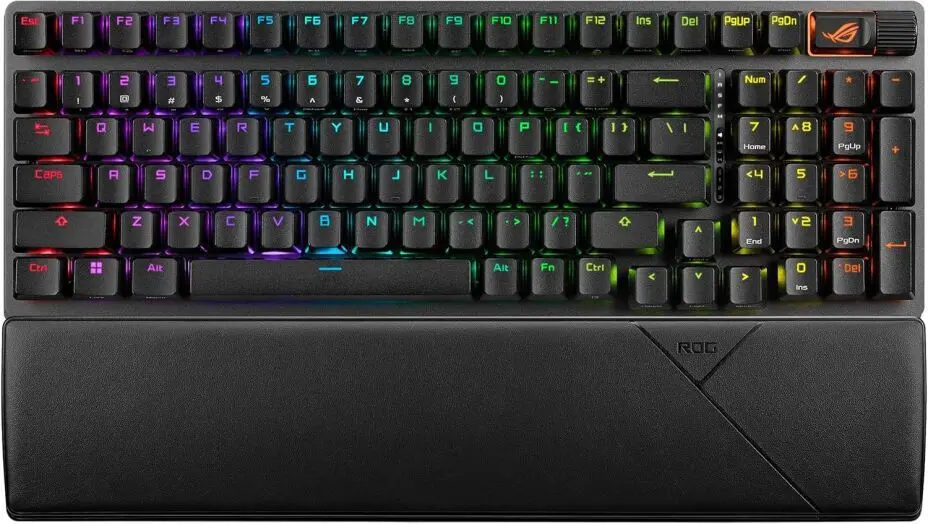
- Description: A gaming-focused mechanical keyboard with fast switches and customizable RGB.
- Price Range: $180 - $250
- Key Features: Hot-swappable switches, RGB lighting, 96% layout.
- Why It’s Great: Compact yet functional, designed for pro gamers.
- Purpose and Usage: Gaming, streaming, and performance-heavy tasks.
- Connectivity: USB-C, Bluetooth, and 2.4GHz wireless.
- Switch Types: ROG NX mechanical switches.
- Additional Features: Macro support, fast response time.
- Reviews and Recommendations: Highly rated for performance and responsiveness.
-
Pros and Cons:
✅ High-quality switches
✅ Multiple connectivity options
✅ Compact but full-featured
❌ Expensive
❌ No wrist rest - Ideal Users: Gamers and esports professionals.
Mouse: Logitech G PRO X SUPERLIGHT 2 LIGHTSPEED (Same as in Best Keyboard and Mouse category)
4. Best Wireless Gaming Keyboard and Mouse
Keyboard: Razer BlackWidow V4 Pro 75% Wireless Gaming Keyboard
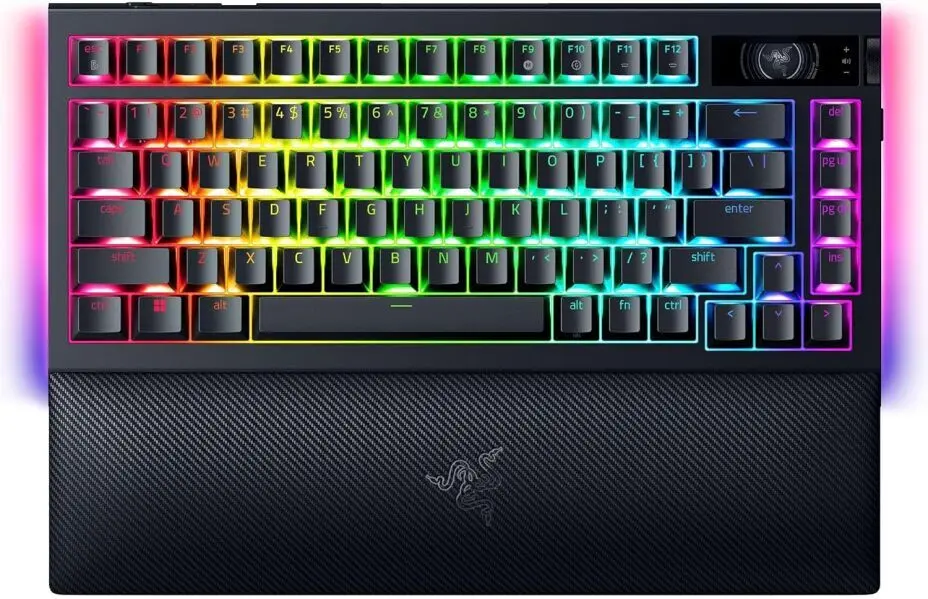
- Description: A premium wireless gaming keyboard with Razer's mechanical switches and RGB customization.
- Price Range: $150 - $200
- Key Features: Razer Green or Yellow switches, per-key RGB lighting, programmable macros.
- Why It’s Great: Compact yet powerful, with great wireless performance.
- Purpose and Usage: Gaming and work.
- Connectivity: Bluetooth, 2.4GHz, and USB-C.
- Switch Types: Razer mechanical switches.
- Additional Features: Programmable macros, dedicated media controls.
- Reviews and Recommendations: Highly praised for speed and comfort.
-
Pros and Cons:
✅ Customizable lighting and macros
✅ Fast and responsive switches
✅ Compact design
❌ No wrist rest
❌ Expensive - Ideal Users: Competitive gamers and professionals.
Mouse: Razer Basilisk V3 Pro Wireless Gaming Mouse (Same as in Best Wireless Keyboard and Mouse category)
5. Best Bluetooth Keyboard and Mouse
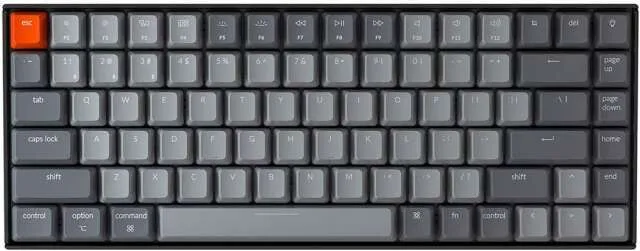
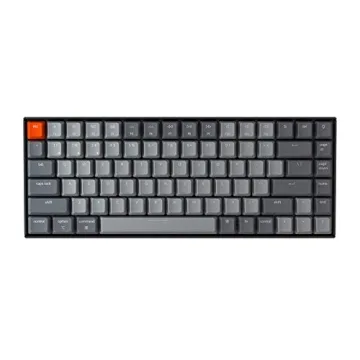
Keyboard: Keychron K2 75% Layout Bluetooth Wireless
- Description: A versatile wireless mechanical keyboard with a compact layout.
- Price Range: $80 - $120
- Key Features: Hot-swappable switches, Bluetooth & wired modes, RGB lighting.
- Why It’s Great: Affordable, mechanical, and highly portable.
- Purpose and Usage: Productivity, casual gaming.
- Connectivity: Bluetooth 5.1 & USB-C.
- Switch Types: Gateron mechanical switches.
- Additional Features: Mac & Windows compatibility.
- Reviews and Recommendations: Loved for its flexibility and build quality.
-
Pros and Cons:
✅ Great price-to-performance
✅ Multi-device support
✅ Compact design
❌ No dedicated arrow keys
❌ Limited battery life - Ideal Users: Professionals, students, and casual gamers.
Mouse: Logitech MX Master 3S for Mac - Wireless Bluetooth Mouse
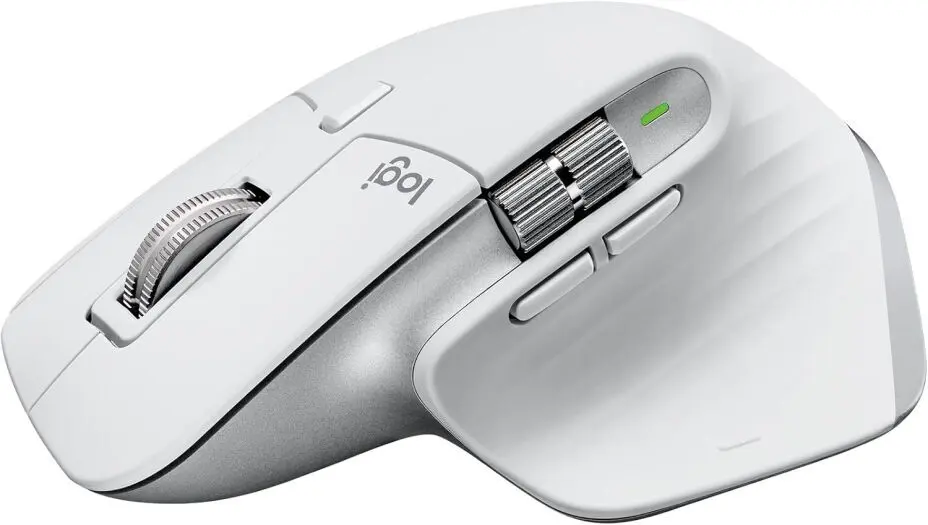
- Description: A productivity-focused mouse with precision tracking and ergonomic comfort.
- Price Range: $90 - $130
- Key Features: 8K DPI sensor, silent clicks, ergonomic design.
- Why It’s Great: Ideal for creatives and professionals.
- Purpose and Usage: Office work, video editing, and content creation.
- Connectivity: Bluetooth & USB-C.
- Additional Features: Customizable buttons, multi-device support.
- Reviews and Recommendations: Top choice for Mac users.
-
Pros and Cons:
✅ Comfortable grip
✅ Precise and responsive
✅ Multi-device support
❌ Heavy
❌ Expensive - Ideal Users: Designers, professionals, and remote workers.
6. Best Logitech Keyboard and Mouse
Keyboard: Logitech G PRO X TKL LIGHTSPEED Wireless Gaming Keyboard
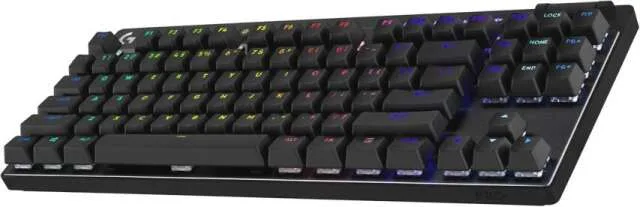
- Description: A compact tenkeyless wireless keyboard designed for competitive gaming, featuring Logitech’s high-performance switches.
- Price Range: $180 - $220
- Key Features: LIGHTSPEED wireless, hot-swappable GX mechanical switches, RGB lighting.
- Why It’s Great: Ultra-responsive and lightweight, ideal for professional gamers.
- Purpose and Usage: Esports, gaming, and high-speed typing.
- Connectivity: LIGHTSPEED Wireless, Bluetooth, and USB-C.
- Switch Types: GX Brown, Red, or Blue mechanical switches.
- Additional Features: Detachable cable, programmable macros.
- Reviews and Recommendations: Highly rated for reliability and speed.
-
Pros and Cons:
✅ Compact and lightweight
✅ Excellent wireless performance
✅ Swappable switches
❌ No numpad
❌ Expensive - Ideal Users: Gamers, streamers, and professionals needing a compact setup.
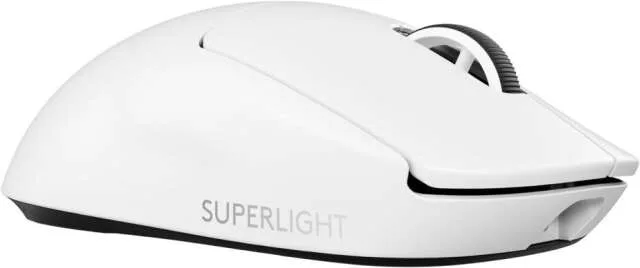
Mouse: Logitech G PRO X SUPERLIGHT 2 LIGHTSPEED (Same as in Best Keyboard and Mouse category)
7. Best Logitech Wireless Keyboard and Mouse
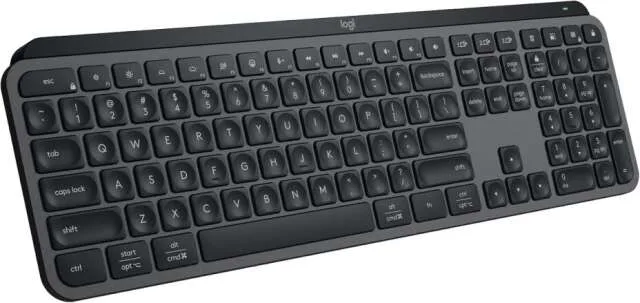
Keyboard: Logitech MX Keys S Wireless Keyboard (Same as in Best Wireless Keyboard and Mouse category)
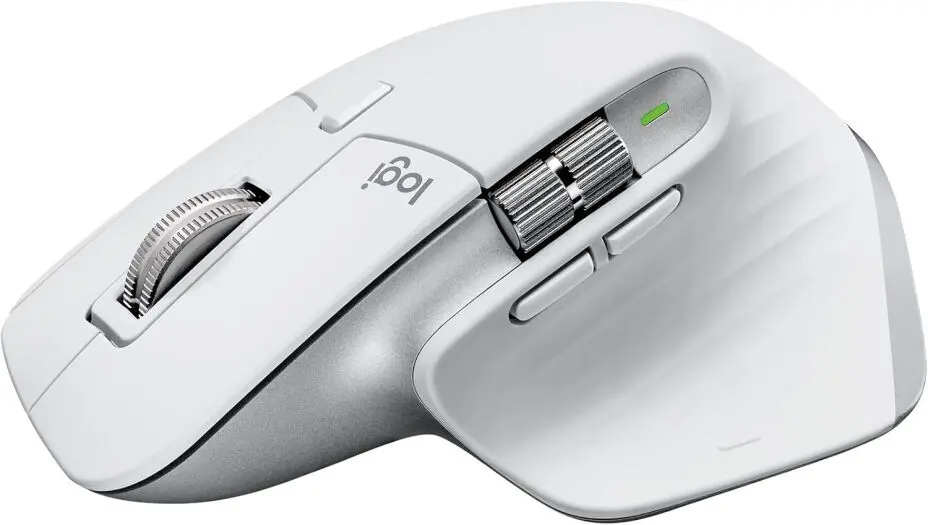
Mouse: Logitech MX Master 3S for Mac - Wireless Bluetooth Mouse (Same as in Best Bluetooth Keyboard and Mouse category)
8. Best Budget Keyboard and Mouse
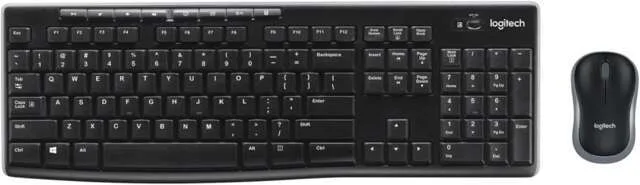
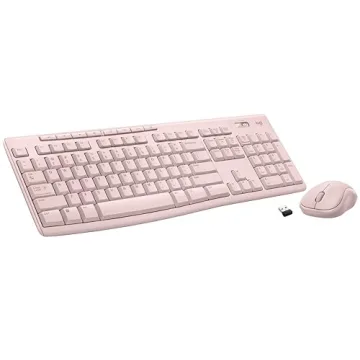
Keyboard: Logitech MK270 Wireless Keyboard
- Description: A budget-friendly wireless keyboard with a simple design and reliable performance.
- Price Range: $25 - $40
- Key Features: Full-size layout, spill-resistant design, long battery life.
- Why It’s Great: Affordable and reliable for everyday use.
- Purpose and Usage: General typing, office work, and casual use.
- Connectivity: 2.4GHz wireless with USB receiver.
- Switch Types: Membrane keys.
- Additional Features: Function keys for shortcuts.
- Reviews and Recommendations: Best-selling budget keyboard with solid ratings.
-
Pros and Cons:
✅ Affordable
✅ Reliable wireless performance
✅ Long battery life
❌ Basic typing experience
❌ No backlighting - Ideal Users: Budget-conscious users, students, and casual office workers.
Mouse: Logitech MK270 Wireless Mouse
- Description: A simple, compact wireless mouse bundled with the MK270 keyboard.
- Price Range: Included with MK270 set.
- Key Features: Optical sensor, ambidextrous design, compact size.
- Why It’s Great: Reliable and budget-friendly.
- Purpose and Usage: Everyday tasks and office use.
- Connectivity: 2.4GHz wireless.
- Additional Features: Plug-and-play USB receiver.
- Reviews and Recommendations: Well-received for its price and reliability.
-
Pros and Cons:
✅ Affordable
✅ Compact and lightweight
✅ Easy setup
❌ Basic features
❌ Not ideal for gaming - Ideal Users: Casual users, students, and office workers.
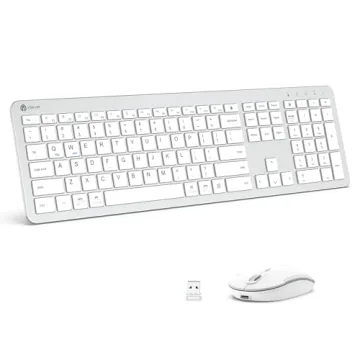
9. Best Keyboard and Mouse Combo
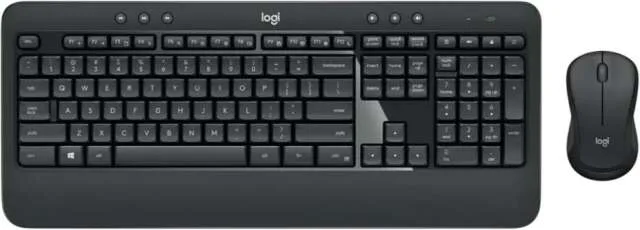
Keyboard & Mouse: Logitech MK540 Advanced Wireless Keyboard and Mouse Combo
- Description: A well-rounded keyboard and mouse combo designed for productivity and comfort.
- Price Range: $50 - $70
- Key Features: Full-size keyboard, wireless connectivity, ergonomic design.
- Why It’s Great: A perfect balance between price and features.
- Purpose and Usage: Office work, general productivity, and casual browsing.
- Connectivity: 2.4GHz wireless with USB receiver.
- Switch Types: Membrane keys.
- Additional Features: Adjustable keyboard tilt, precision mouse sensor.
- Reviews and Recommendations: Popular for home and office use.
-
Pros and Cons:
✅ Comfortable typing experience
✅ Reliable wireless connection
✅ Includes ergonomic mouse
❌ No RGB or advanced features
❌ No Bluetooth connectivity - Ideal Users: Office workers, students, and those who need an all-in-one wireless setup.
Mechanical vs. Membrane Keyboards: Which One Is Right for You?
When choosing between mechanical and membrane keyboards, it's essential to understand their distinct characteristics to determine which aligns best with your needs. MECHANICAL VS. MEMBRANE KEYBOARDS: WHICH IS BETTER FOR YOU IN 2025?
Mechanical Keyboards: Each key operates via an individual mechanical switch, offering a tactile and often audible response. This design enhances typing accuracy and speed, making them favored by gamers and professionals. Mechanical keyboards are also known for their durability, with lifespans ranging from 20 to 50 million keystrokes. However, they tend to be more expensive and can be noisier compared to membrane keyboards.Nelson Miller Group Reddit
Membrane Keyboards: These utilize a pressure pad system beneath the keys, resulting in a quieter and softer typing experience. They are generally more affordable and lightweight, making them suitable for casual users or environments where noise is a concern. However, membrane keyboards typically have a shorter lifespan, often rated up to 10 million keystrokes, and may lack the tactile feedback desired by some users. Nelson Miller Group
Decision Factors: If you prioritize tactile feedback, durability, and are willing to invest more, a mechanical keyboard is advisable. Conversely, if you seek a quieter, more affordable option for general use, a membrane keyboard may suffice.
Best Keyboards and Mice of 2025: Top Picks for Every User
| Category | Keyboard | Price | Mouse | Price | Best For |
|---|---|---|---|---|---|
| Best Keyboard and Mouse | Apple Magic Keyboard with Numeric Keypad | $128 | Logitech G PRO X SUPERLIGHT 2 LIGHTSPEED | $140 | Mac users, professionals, and office workers |
| Best Wireless Keyboard and Mouse | Logitech MX Keys S Wireless Keyboard | $103 | Razer Basilisk V3 Pro Wireless Gaming Mouse | $107 | Professionals, writers, and remote workers |
| Best Gaming Keyboard and Mouse | ASUS ROG Strix Scope II 96 Wireless Gaming | $149 | Logitech G PRO X SUPERLIGHT 2 LIGHTSPEED | $140 | Gamers and esports professionals |
| Best Wireless Gaming Keyboard and Mouse | Razer BlackWidow V4 Pro 75% Wireless Gaming | $229 | Razer Basilisk V3 Pro Wireless Gaming Mouse | $117 | Competitive gamers and professionals |
| Best Bluetooth Keyboard and Mouse | Keychron K2 75% Layout Bluetooth Wireless | $79 | Logitech MX Master 3S for Mac - Wireless Bluetooth | $89 | Professionals, students, and casual gamers |
| Best Logitech Keyboard and Mouse | Logitech G PRO X TKL LIGHTSPEED Wireless Gaming | $199 | Logitech G PRO X SUPERLIGHT 2 LIGHTSPEED | $140 | Gamers, streamers, and professionals needing a compact setup |
| Best Logitech Wireless Keyboard and Mouse | Logitech MX Keys S Wireless Keyboard | $104 | Logitech MX Master 3S for Mac | $89 | Professionals and remote workers |
| Best Budget Keyboard and Mouse | Logitech MK270 Wireless Keyboard | $27 | Budget-conscious users, students, and casual office workers | ||
| Best Keyboard and Mouse Combo | Logitech MK540 Advanced Wireless Keyboard | $48 | Office workers, students, and those needing an all-in-one wireless setup |
FAQs
Q1: What are the top gaming keyboards and mice in
2025?
A1: The Asus ROG Strix Scope II 96
Wireless and NuPhy Field75HE are top
gaming keyboards, while the Razer Viper V3 Pro
and Logitech G Pro X Superlight 2 are the best
gaming mice, offering ultra-fast response times and high DPI
sensors.
Q2: Which keyboard and mouse combo is best for
productivity in 2025?
A2: The Logitech MX Mechanical
keyboard and MX Master 3S mouse provide
excellent ergonomics, silent typing, and seamless multi-device
connectivity, making them ideal for professionals.
Q3: What should I consider when choosing an ergonomic
keyboard and mouse?
A3: Look for split designs and wrist-friendly
shapes like the Microsoft Sculpt Ergonomic
Desktop, which reduces strain and enhances long-term
comfort.
Q4: How does DPI affect mouse performance in gaming?
A4: DPI (dots per inch) measures a mouse's sensitivity; higher DPI allows for faster cursor movement, which is crucial for precise aiming in gaming.
Q5: Are wireless keyboards and mice reliable for gaming in 2025?
A5: Yes, advancements in wireless technology have reduced latency, making wireless peripherals like the Razer BlackWidow V3 Pro suitable for gaming.
Finding the best wireless keyboard & mouse in 2025 doesn’t have to be overwhelming. With advanced technology, ergonomic designs, and seamless connectivity, the right wireless keyboard & mouse can significantly enhance your productivity and comfort. Whether you need a gaming keyboard & mouse with lightning-fast response times or a Bluetooth keyboard & mouse for effortless pairing across devices, the options are endless. Brands like Logitech keyboard & mouse continue to lead the market with high-quality, durable, and feature-rich choices.
Now that you’ve explored the best affordable keyboard & mouse combos, it's time to upgrade your setup. Which option suits your needs best? Let us know in the comments! If you found this guide helpful, don’t forget to share it with others looking for the perfect mouse & keyboard combo. For more expert recommendations, stay tuned for our latest tech reviews and buying guides! 🚀








 Continue with Google
Reviews