


Amazing Tablets 2025: Top 10 Picks for Work & Play
"Which Tablet is Best for You in 2025?"

The tablet market in 2025 is packed with exciting innovations, blending powerful performance, AI-enhanced features, and ultra-portable designs. This year’s models push boundaries with foldable screens, desktop-class processing power, and longer battery life. Expect better stylus support, improved displays with higher refresh rates, and deeper AI integration for enhanced productivity. These advancements position the latest devices as the best tablets of 2025, catering to professionals, students, and casual users alike.
Whether you're a student, professional, content creator, or just want an entertainment hub, we’ve rounded up the top 10 tablets of 2025 to help you pick the perfect one! Stay updated with the latest tablet technology to make the right choice for your needs.
Top Tablet Brands of 2025
Apple leads with premium design, M-series chips, and seamless Apple ecosystem integration, making it ideal for creatives and professionals.
Samsung dominates Android tablets with AMOLED displays, S Pen support, and DeX mode for multitasking.
Microsoft excels in 2-in-1 tablets, offering Windows-powered productivity with detachable keyboards and Surface Pen.
How to Choose the Best Tablet?
Before buying a tablet, consider these key factors to ensure you pick the right one for your needs:
1. Purpose & Use Case
- For work and productivity: Opt for a tablet with a powerful processor, multitasking capabilities, and keyboard compatibility (e.g., Surface Pro 10, iPad Pro M4).
- For creativity and design: A tablet with stylus support, high-resolution display, and powerful graphics processing (e.g., iPad Pro M4, Galaxy Tab S10 Ultra) is best.
- For gaming: Look for high refresh rates, dedicated GPUs, and performance optimization (e.g., Asus ROG Flow Z13).
- For students: Consider affordability, note-taking capabilities, and battery life (e.g., Surface Pro 10, Google Pixel Tablet 2).
- For entertainment and casual use: A media-friendly display, long battery life, and good speakers (e.g., Amazon Fire Max 11, Pixel Tablet 2) are essential.
2. Operating System & Ecosystem
- iPadOS (Apple): Best for creative professionals and seamless integration with Apple devices.
- Android: Offers flexibility, customization, and support for a wide range of apps.
- Windows: Ideal for productivity and professionals needing a full desktop experience.
- HarmonyOS & FireOS: Great for budget-friendly users and specific brand integrations.
3. Display & Size
- Smaller screens (10-11 inches) = More portable and budget-friendly.
- Larger screens (12-14 inches) = Best for productivity, creative work, and multitasking.
4. Performance & Battery Life
- Processor & RAM: Higher-end processors (Apple M3, Snapdragon 8 Gen 4) with 8GB+ RAM ensure smooth performance.
- Battery life: For travel or long work hours, a battery life of 10+ hours is crucial.
5. Budget & Price-to-Performance Ratio
- Premium tablets ($1,000+): feature-packed with top-tier specs.
- Mid-range tablets ($500-$999): balanced performance and price.
- Budget tablets ($300-$499): Great for casual users and students.
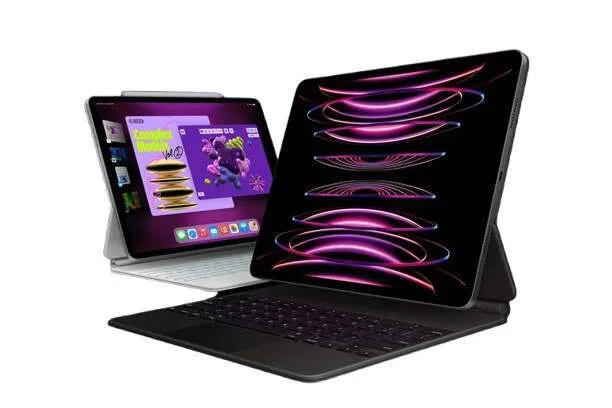
1. Apple iPad Pro M4 – Best Overall
💰 Starting at $1,147
✅ Pros:
✔️ Blazing fast M3 chip
✔️ Stunning display with ProMotion
✔️ Excellent stylus and keyboard support
❌ Cons:
❌ Expensive
❌ iPadOS limitations vs. full macOS
| Key Specifications | Details |
|---|---|
| CPU | Apple M4 chip |
| Camera Resolution | 12MP rear + 12MP Ultra Wide front |
| Display | 12.9-inch Liquid Retina XDR, 120Hz ProMotion |
| Storage | 256GB, 512GB, 1TB, 2TB |
| Processor | Apple M4 |
| RAM | 8GB / 16GB |
| Resolution | 2732 x 2048 pixels |
| Battery Life | Up to 10 hours |
| Operating System | iPadOS 18 |
| Stylus & Keyboard Support | Apple Pencil Pro & Magic Keyboard |
| Connectivity & Ports | Thunderbolt 4, Wi-Fi 6E, 5G (optional) |
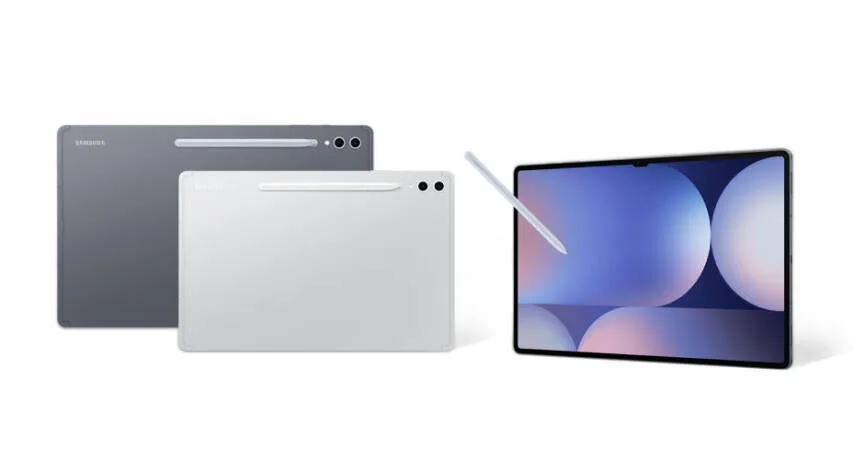
2. Samsung Galaxy Tab S10 Ultra – Best Android Tablet
💰 Starting at $1,385
✅ Pros:
✔️ Best Android display with 120Hz refresh rate
✔️ S Pen with AI enhancements included
✔️ Powerful DeX mode for desktop experience
❌ Cons:
❌ Expensive
❌ Limited tablet-optimized Android apps
| Key Specifications | Details |
|---|---|
| CPU | Snapdragon 8 Gen 4 |
| Camera Resolution | 13MP + 8MP rear, 12MP front |
| Display | 14.6-inch Dynamic AMOLED 2X, 120Hz |
| Storage | 256GB, 512GB, 1TB |
| Processor | Snapdragon 8 Gen 4 |
| RAM | 12GB / 16GB |
| Resolution | 2960 x 1848 pixels |
| Battery Life | Up to 14 hours |
| Operating System | Android 15 |
| Stylus & Keyboard Support | S Pen included, Keyboard optional |
| Connectivity & Ports | USB-C, Wi-Fi 7, 5G |
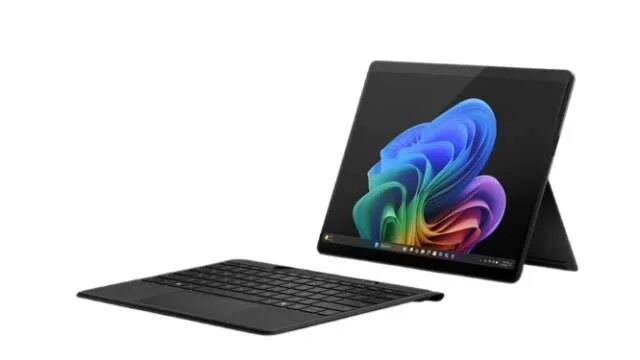
3. Microsoft Surface Pro 10: Best 2-in-1 Tablet
💰 Starting at $1,099
✅ Pros:
✔️ Full Windows 11 experience
✔️ Excellent for work and productivity
✔️ Detachable keyboard and stylus support
❌ Cons:
❌ Expensive accessories
❌ Can overheat under heavy loads
| Key Specifications | Details |
|---|---|
| CPU | Intel Core Ultra |
| Camera Resolution | 10MP rear, 5MP front |
| Display | 13-inch PixelSense touchscreen |
| Storage | 256GB, 512GB, 1TB |
| Processor | Intel Core Ultra |
| RAM | 8GB / 16GB / 32GB |
| Resolution | 2880 x 1920 pixels |
| Battery Life | Up to 13 hours |
| Operating System | Windows 11 |
| Stylus & Keyboard Support | Surface Pen 2 & detachable keyboard |
| Connectivity & Ports | USB-C, USB-A, Wi-Fi 6E, 5G (optional) |
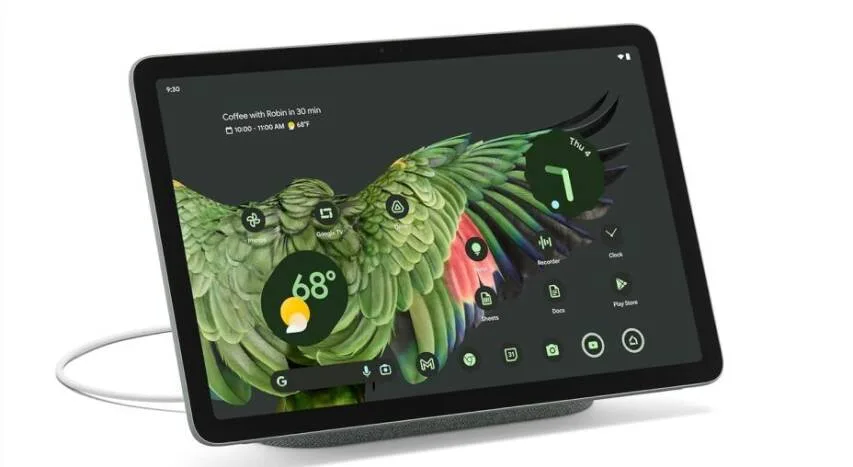
4. Google Pixel Tablet 2: Best for Smart Home Users
💰 Starting at $499
✅ Pros:
✔️ Affordable smart hub features
✔️ Great for Google ecosystem users
✔️ AI-powered multitasking
❌ Cons:
❌ Limited app optimization
❌ Not ideal for power users
| Key Specifications | Details |
|---|---|
| CPU | Google Tensor G3 |
| Camera Resolution | 8MP rear + 8MP front |
| Display | 10.95-inch LCD |
| Storage | 128GB, 256GB |
| Processor | Google Tensor G3 |
| RAM | 8GB |
| Resolution | 2560 x 1600 pixels |
| Battery Life | Up to 12 hours |
| Operating System | Android 15 |
| Stylus & Keyboard Support | Stylus support |
| Connectivity & Ports | USB-C, Wi-Fi 6E |
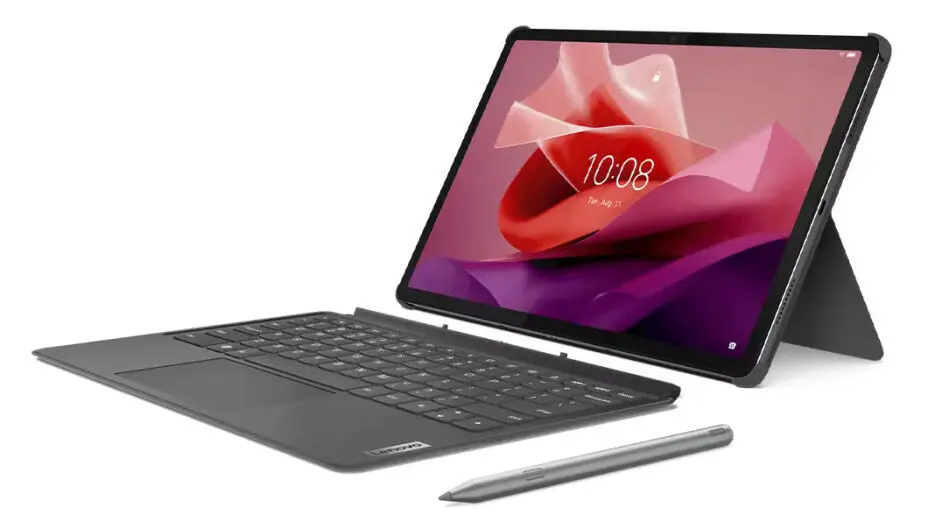
5. Lenovo Tab P12-2024 – Best for Multitasking
💰 Starting at $289
✅ Pros:
✔️ High refresh rate OLED display
✔️ Excellent multitasking features
✔️ 5G & WiFi 7 support
❌ Cons:
❌ Pricey for an Android tablet
❌ Lenovo software support isn't the best
| Key Specifications | Details |
|---|---|
| CPU | |
| Camera Resolution | 8 MP autofocus - Front Camera: 13 MP ultrawide |
| Display | 12.7-inch OLED, 144Hz |
| Storage | 128 GB UFS 2.2 |
| Processor | MediaTek Dimensity 9300 |
| RAM | 8 GB LPDDR4X |
| Resolution | 2944 x 1840 pixels |
| Battery Life | 10,200 mAh, up to 10 hours of web browsing |
| Operating System | Android 13 |
| Stylus & Keyboard Support | Compatible with Lenovo Tab Pen Plus and Keyboard Pack |
| Connectivity & Ports | Wi-Fi 6, Bluetooth 5.1, USB-C 2.0 |
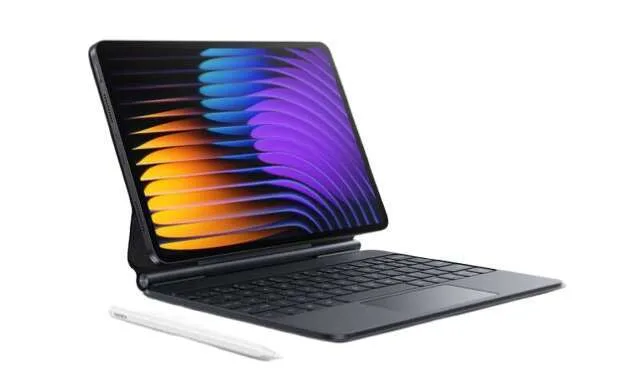
6. Xiaomi Pad 7 Pro – Best Budget Performance Tablet
💰 Starting at $649
✅ Pros:
✔️ Best budget performance tablet
✔️ High refresh rate for smooth experience
✔️ Great value for the price
❌ Cons:
❌ MIUI can be bloated
❌ Limited software optimization for tablets
| Key Specifications | Details |
|---|---|
| CPU | Snapdragon 8 Gen 3 |
| Camera Resolution | 13MP rear + 8MP front |
| Display | 11-inch LCD, 144Hz |
| Storage | 128GB, 256GB |
| Processor | Snapdragon 8 Gen 3 |
| RAM | 8GB / 12GB |
| Resolution | 2560 x 1600 pixels |
| Battery Life | Up to 11 hours |
| Operating System | MIUI for Pad |
| Stylus & Keyboard Support | Supports Xiaomi stylus & keyboard |
| Connectivity & Ports | USB-C, Wi-Fi 6 |
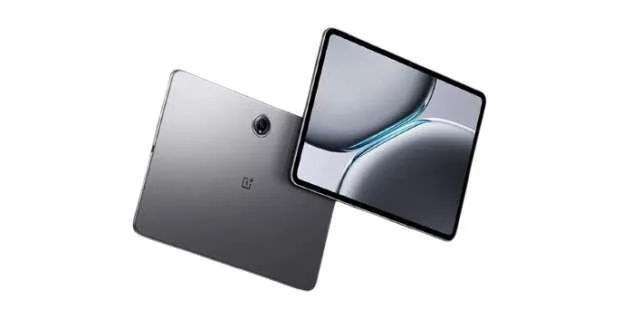
7. OnePlus Pad 2 – Best Mid-Range Android Tablet
💰 Starting at $499
✅ Pros:
✔️ High refresh rate display
✔️ Well-optimized OxygenOS experience
✔️ Good battery life
❌ Cons:
❌ Limited accessories compared to competitors
❌ No cellular connectivity option
| Key Specifications | Details |
|---|---|
| CPU | MediaTek Dimensity 9200+ |
| Camera Resolution | 13MP rear + 8MP front |
| Display | 12.1-inch LCD, 144Hz |
| Storage | 128GB, 256GB |
| Processor | MediaTek Dimensity 9200+ |
| RAM | 8GB / 12GB |
| Resolution | 2800 x 2000 pixels |
| Battery Life | Up to 11 hours |
| Operating System | OxygenOS for Pad |
| Stylus & Keyboard Support | OnePlus stylus & keyboard |
| Connectivity & Ports | USB-C, Wi-Fi 6E |
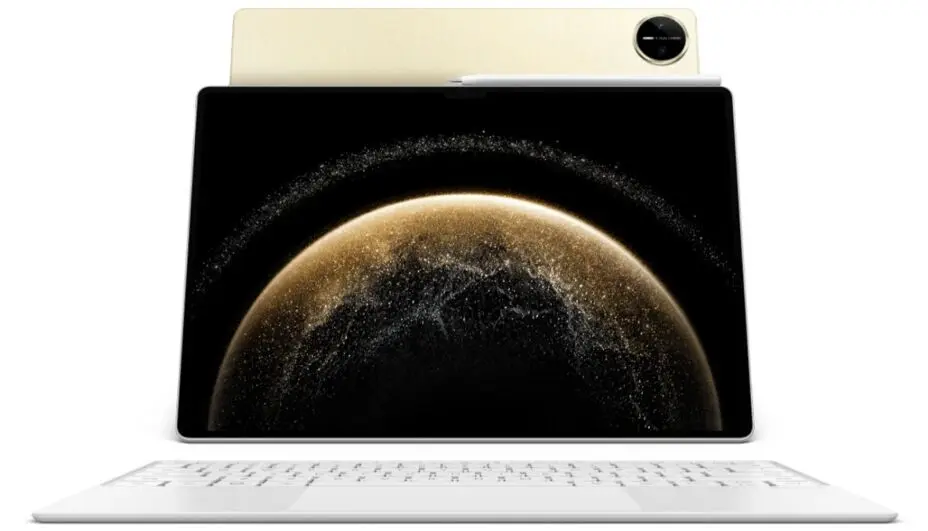
8. Huawei MatePad Pro 2025 – Best for Battery Life
💰 Starting at $1,196
✅ Pros:
✔️ Longest battery life (up to 18 hours)
✔️ Beautiful OLED display
✔️ AI-powered multitasking
❌ Cons:
❌ Limited app support due to HarmonyOS
❌ No Google Play Store
| Key Specifications | Details |
|---|---|
| CPU | Kirin 9100 |
| Camera Resolution | 13MP rear + 8MP front |
| Display | 13-inch OLED, 120Hz |
| Storage | 256GB, 512GB |
| Processor | Kirin 9100 |
| RAM | 8GB / 12GB |
| Resolution | 2880 x 1920 pixels |
| Battery Life | Up to 18 hours |
| Operating System | HarmonyOS 4 |
| Stylus & Keyboard Support | Huawei M-Pencil & keyboard support |
| Connectivity & Ports | USB-C, Wi-Fi 6, 5G |
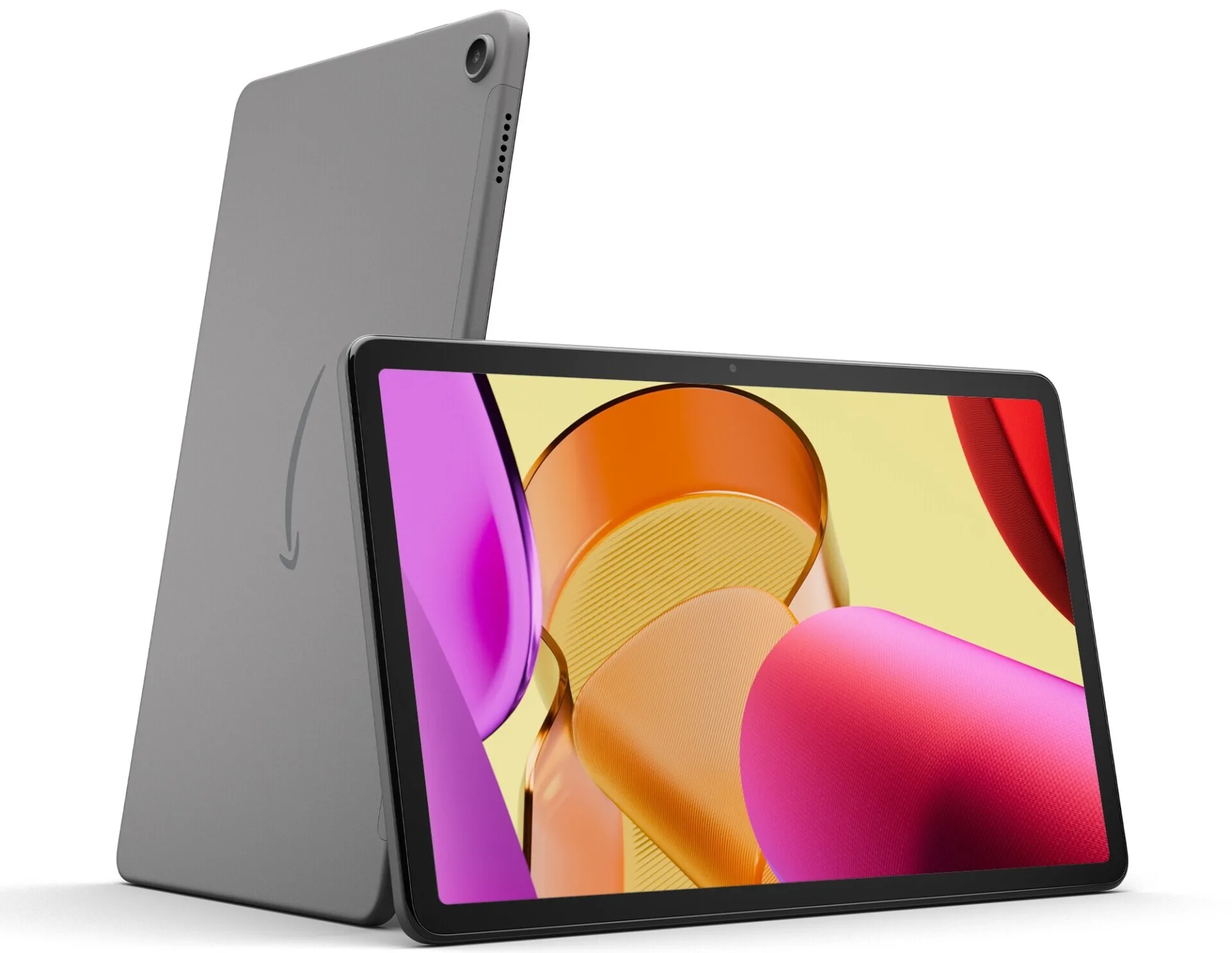
9. Amazon Fire Max 11 – Best for Media Consumption
💰 Starting at $299
✅ Pros:
✔️ Budget-friendly
✔️ Perfect for Prime Video, Kindle, and Alexa
✔️ Decent battery life
❌ Cons:
❌ Limited app selection
❌ Slower performance compared to competitors
| Key Specifications | Details |
|---|---|
| CPU | MediaTek (FireOS optimized) |
| Camera Resolution | 8MP rear + 5MP front |
| Display | 11-inch LCD, 90Hz |
| Storage | 64GB, 128GB |
| Processor | MediaTek |
| RAM | 4GB |
| Resolution | 2000 x 1200 pixels |
| Battery Life | Up to 12 hours |
| Operating System | FireOS |
| Stylus & Keyboard Support | No stylus, optional keyboard |
| Connectivity & Ports | USB-C, Wi-Fi 6 |
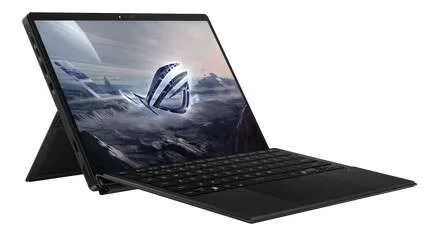
10. Asus ROG Flow Z13 – Best for Gaming
💰 Starting at $1,999
✅ Pros:
✔️ High-end gaming performance
✔️ 165Hz refresh rate for smooth gameplay
✔️ External GPU support for extra power
❌ Cons:
❌ Expensive
❌ Shorter battery life
| Key Specifications | Details |
|---|---|
| CPU | Intel Core i9-14900HX |
| Camera Resolution | 13MP rear + 5MP front |
| Display | 13.4-inch Mini LED, 165Hz |
| Storage | 512GB, 1TB |
| Processor | Intel Core i9-14900HX |
| RAM | 16GB / 32GB |
| Resolution | 2560 x 1600 pixels |
| Battery Life | Up to 8 hours |
| Operating System | Windows 11 |
| Stylus & Keyboard Support | Detachable keyboard, stylus support |
| Connectivity & Ports | USB-C, Thunderbolt 4, Wi-Fi 6E, XG Mobile port |
Which Tablet is Right for You?
Choosing the right tablet depends on your specific needs, whether it’s for work, creativity, gaming, or entertainment. With so many options available, a proper tablet comparison can help determine which model fits your lifestyle best. Whether you’re looking for the best tablet for work, a device for multitasking, or a budget-friendly option, this guide will help you find the perfect match.
Here’s a quick guide to help you choose the best tablet based on your needs:
🔹 For Creative Professionals: iPad Pro M3, Galaxy Tab
S10 Ultra, Surface Pro 10
🔹 For Power Users & Multitasking:
Lenovo Tab
Extreme, Xiaomi Pad 7 Pro, OnePlus Pad
2
🔹 For Budget Buyers: Amazon Fire Max 11, Xiaomi
Pad 7 Pro
🔹 For Gaming: Asus ROG Flow
Z13
🔹 For Students & Productivity: Surface Pro 10, Google
Pixel Tablet 2
🔹 For Battery Life & Travel: Huawei MatePad Pro
2025
🔹 For Entertainment: Amazon Fire Max 11, Pixel
Tablet 2
FAQs
Q1: Which is the best tablet for students in 2025?
A1: The Microsoft Surface Pro 10 and Google Pixel Tablet 2 are great choices for students, offering productivity tools, stylus support, and long battery life.
Q2: What is the best budget tablet in 2025?
A2: The Xiaomi Pad 7 Pro and Amazon Fire Max 11 offer great performance at an affordable price.
Q3: Which tablet is best for gaming?
A3: The Asus ROG Flow Z13 is the top gaming tablet with high-end specs and support for external GPUs.
Final Thoughts: Make Your Decision!
The tablet market in 2025 is more exciting than ever, with options for every budget and need. Whether you’re a creative professional, a student, or someone looking for entertainment on the go, there’s a perfect tablet waiting for you.
Looking for a more detailed buying guide? Check out our comprehensive tablet comparison and reviews to help you make the best choice.
💡 Which tablet are you considering in 2025? Let us know in the comments!







 Continue with Google
Reviews