



Best VR Glasses for Gaming, Work, & iPhone in 2025
"Which VR Glasses Are Best for Your Gaming & Professional Needs?"
Virtual reality
(VR) glasses have revolutionized the way we
interact with technology. From gamers experiencing immersive
digital worlds to professionals using VR for training and design,
these devices have become an essential part of our tech
ecosystem. Whether you’re a gamer, tech enthusiast, business
professional, or student, understanding how VR glasses work and
choosing the right pair for your needs is crucial.
In this comprehensive guide, we’ll dive into the world of VR glasses—explaining the technology behind them, reviewing popular options, addressing common questions, and offering tips to help you make an informed decision when purchasing. Whether you’re looking for the best VR glasses for your iPhone or need a pair to enhance your gaming experience, this article will cover all the details.
What Are VR Glasses?
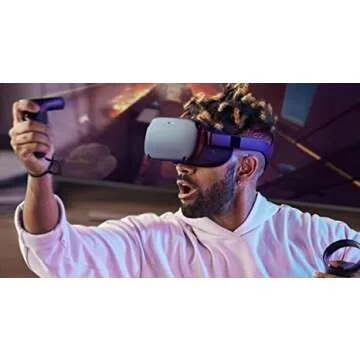
VR glasses, also known as virtual reality headsets, are devices that allow users to experience immersive virtual environments. By wearing the glasses, users are transported into a simulated 3D world, where they can interact with digital elements, explore new environments, and experience things as if they were real.
VR glasses typically include a pair of lenses, motion sensors, and software that track the user’s head movements. These glasses work by creating two slightly different images for each eye, simulating depth and providing a sense of realism. The combination of wide field-of-view lenses and precise motion tracking makes VR a unique and engaging experience.
How Do VR Glasses Work?
The key to VR glasses is the use of stereoscopic displays, which show different images to each eye, tricking the brain into perceiving depth. VR headsets are powered by either a connected computer, console, or mobile device. Here's a breakdown of how they work:
- Displays: VR glasses use two screens (or one large screen split into two parts) to display images. The high resolution of these displays is essential for creating a clear, realistic virtual world.
- Lenses: The lenses in VR glasses help to focus and magnify the display, ensuring the images fill the user’s field of vision and create a more immersive experience.
- Sensors: VR headsets use accelerometers, gyroscopes, and sometimes external cameras to track head movements, allowing the virtual environment to shift and adjust in real time as the user moves their head.
- Audio: Some VR glasses also come with built-in spatial audio to enhance the experience, making it feel even more lifelike.
Who Should Use VR Glasses?
VR glasses have a wide range of applications, making them suitable for different audiences:
- Gamers: VR has transformed gaming by offering immersive, interactive experiences. Whether you're diving into a first-person shooter or exploring a virtual world, VR gaming is an entirely new way to play.
- Tech Enthusiasts: For those who love exploring the latest in technology, VR is an exciting space to delve into. New advancements in VR technology, such as Apple VR glasses, are constantly pushing the boundaries of what’s possible.
- Professionals & Businesses: VR is increasingly being used in business settings for virtual meetings, training simulations, and product design. Professionals can use VR glasses to interact with virtual environments for better collaboration and design prototyping.
- Students: VR technology is becoming a powerful educational tool. Students can use VR glasses to explore historical sites, conduct virtual science experiments, or participate in simulations that would otherwise be impossible in a traditional classroom.
TOP 10 VR Headsets on Amazon!
Types of VR Glasses: What’s Right for You?
When choosing VR glasses, it's important to consider your specific needs and what device you’re planning to use them with. Here's a look at the different types of VR glasses available:
1. VR Glasses for iPhone
If you’re an iPhone user, finding VR glasses compatible with your device is crucial. While many VR headsets work with a variety of smartphones, including Android devices, some models are specifically designed for iPhones. For example, the Apple VR glasses (rumored for release) are expected to seamlessly integrate with the iPhone and its ecosystem, offering an unparalleled experience for Apple users.
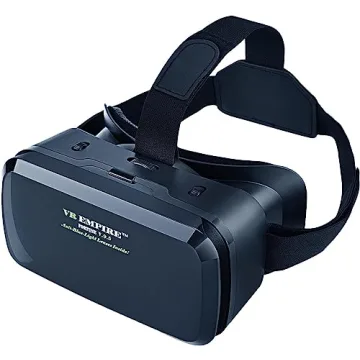
Additionally, third-party options like the Merge VR and Pansonite VR headsets are designed to work with both iPhones and Android devices, offering a solid entry-level VR experience for casual users.
Apple Vision Pro
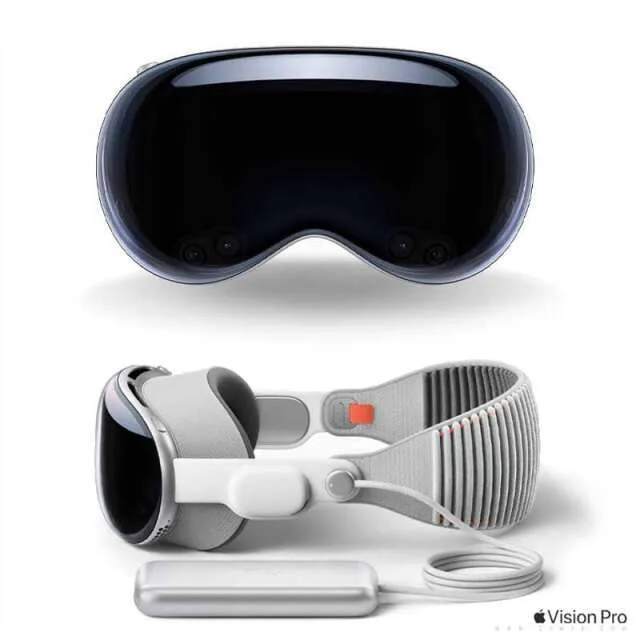
| Feature | Details |
|---|---|
| Display & Visual Quality | 4K Micro-OLED per eye, high refresh rate, ~120° FoV |
| Tracking & Controllers | Inside-out tracking, advanced hand tracking, eye tracking |
| Comfort & Design | Premium build, balanced weight, active cooling |
| Performance | Apple M2 & R1 chips, standalone with up to 1TB storage |
| Connectivity | Apple-exclusive ecosystem, limited cross-platform support |
| Battery Life & Charging | ~2 hours with external battery pack, wired use possible |
| Price & Value | Premium price ($3,499), no controllers included |
| Special Features | Advanced MR passthrough, spatial computing, eye tracking |
| Why It’s Great | Best for productivity, entertainment, and high-end MR |
Merge VR Headset
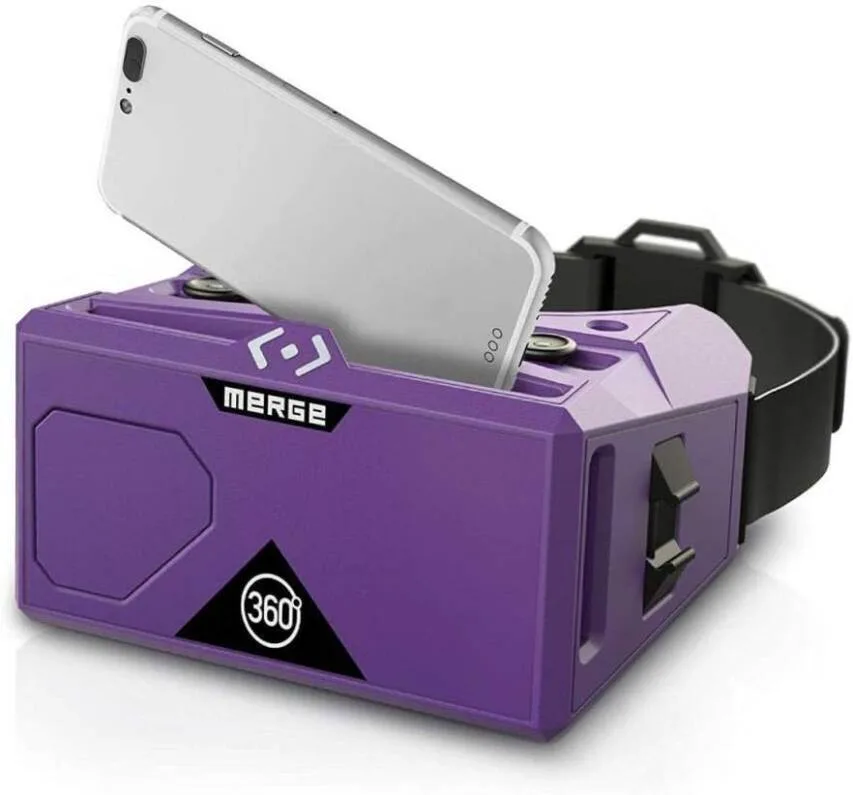
| Feature | Details |
|---|---|
| Display & Visual Quality | Uses smartphone display, resolution depends on phone, moderate FoV |
| Tracking & Controllers | No built-in tracking, uses phone sensors, no controllers |
| Comfort & Design | Soft foam material, lightweight, fits over glasses |
| Performance | Mobile VR, relies on smartphone performance |
| Connectivity | Works with iOS & Android, AR compatibility |
| Battery Life & Charging | Depends on smartphone battery life |
| Price & Value | Budget-friendly (~$50), no additional costs |
| Special Features | Designed for education and kids, simple AR integration |
| Why It’s Great | Best for kids and educational VR experiences |
Pansonite VR Headset with Remote Controller (New Version)
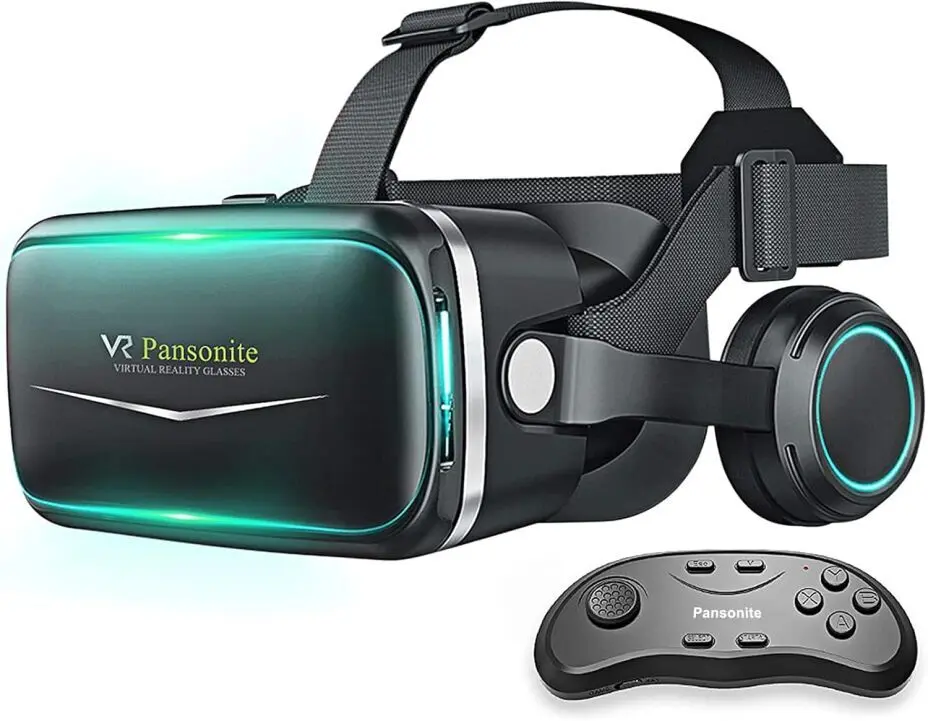
| Feature | Details |
|---|---|
| Display & Visual Quality | Uses smartphone display, resolution depends on phone, moderate FoV |
| Tracking & Controllers | No built-in tracking, Bluetooth remote controller |
| Comfort & Design | Adjustable head strap, ergonomic lightweight design |
| Performance | No onboard processor, mobile VR |
| Connectivity | Compatible with Android & iOS |
| Battery Life & Charging | Depends on smartphone battery life |
| Price & Value | Budget-friendly (~$60), no subscription fees |
| Special Features | Universal smartphone compatibility, includes remote controller |
| Why It’s Great | Affordable option for casual VR users and watching 360° videos |
2. Meta VR Glasses (Formerly Oculus)
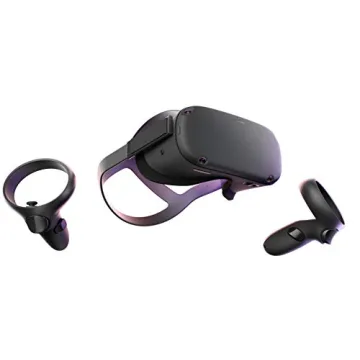
Meta’s VR headsets, such as the Meta Quest 2 and the upcoming Meta Quest 3, are among the most popular VR glasses on the market. These headsets are known for their impressive graphics, wide field of view, and ease of use. Meta VR glasses are perfect for gamers, as they offer a standalone experience without needing to be connected to a computer.
With Meta VR glasses, you can explore VR worlds, engage in multiplayer gaming, and even use the device for work-related tasks. The Meta Quest 2 offers great value for the price and is ideal for users who want a high-quality VR experience without breaking the bank.
Meta Quest 2
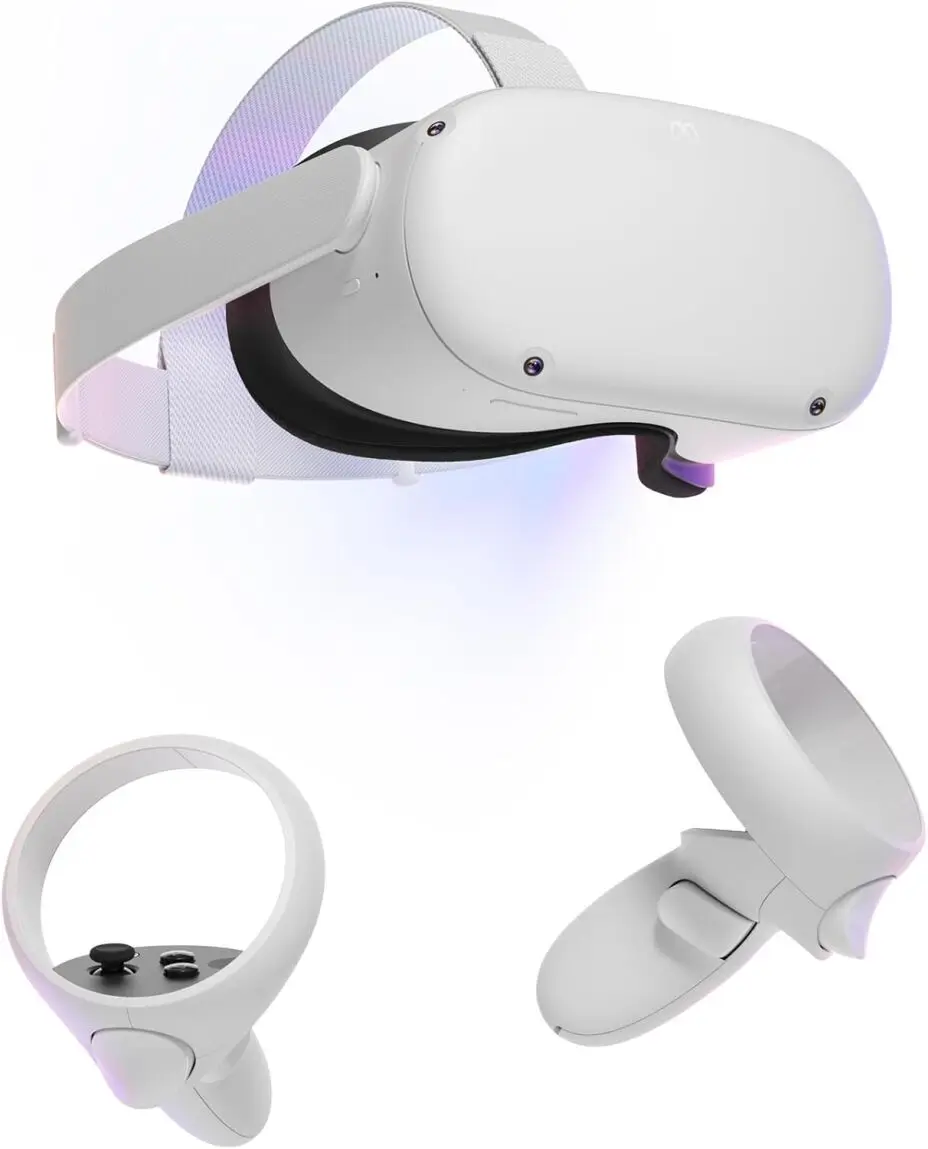
| Feature | Details |
|---|---|
| Display & Visual Quality | LCD, 1832x1920 per eye, 90Hz refresh rate, ~100° FoV |
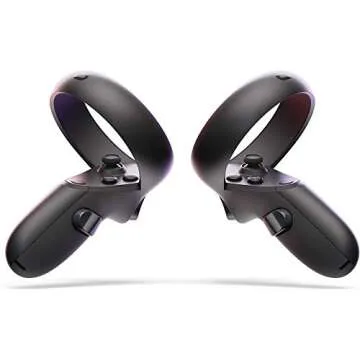
| Tracking & Controllers | Inside-out tracking, hand tracking, Oculus Touch controllers |
| Comfort & Design | Lightweight but front-heavy, adjustable head strap |
| Performance | Standalone (Snapdragon XR2), PCVR support via Link/Air Link |
| Connectivity | Oculus Store, Wi-Fi 6, PCVR compatibility |
| Battery Life & Charging | 2-3 hours standalone use, rechargeable |
| Price & Value | Mid-range ($249-$349), strong game library, no subscription required |
| Special Features | Hand tracking, wireless PCVR capability, basic MR passthrough |
| Why It’s Great | Best standalone VR for budget-conscious users with great game selection |
Best Oculus Quest Black Friday deals 2024 & Cyber Monday
Meta Quest 3
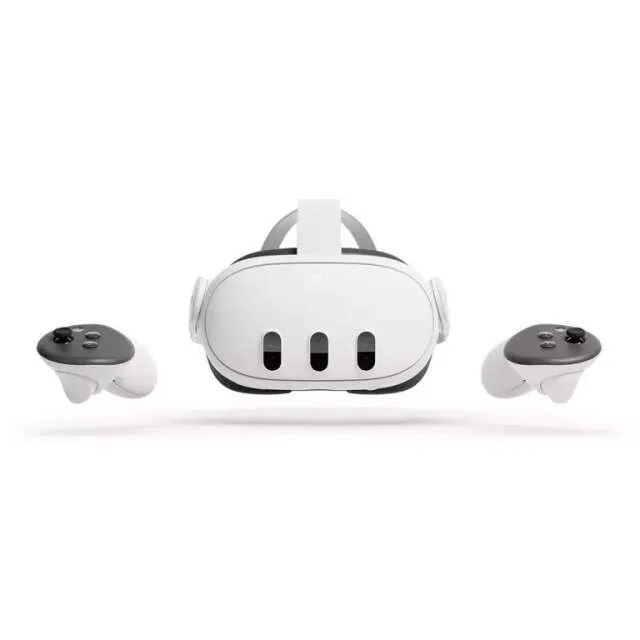
| Feature | Details |
|---|---|
| Display & Visual Quality | LCD, 2064x2208 per eye, 120Hz refresh rate, ~110° FoV |
| Tracking & Controllers | Inside-out tracking, improved hand tracking, redesigned controllers |
| Comfort & Design | Slimmer & more balanced than Quest 2, improved head strap |
| Performance | Standalone (Snapdragon XR2 Gen 2), PCVR support |
| Connectivity | Oculus Store, Wi-Fi 6E, PCVR via Air Link/USB-C |
| Battery Life & Charging | 2-3 hours battery life, faster charging |
| Price & Value | Mid-range to premium ($499+), significant visual and tracking upgrades |
| Special Features | Advanced MR passthrough, better hand tracking, improved PCVR performance |
| Why It’s Great | Best all-around VR headset with high-quality standalone and MR features |
Meta Quest 3/3S + Accessories
3. High-End VR Glasses for Professionals
For those looking for top-tier VR experiences, especially in professional settings, high-end headsets like the HTC Vive Pro and Valve Index provide advanced features like higher resolution, precision tracking, and premium build quality. These devices are designed for professionals who require immersive VR experiences for design, simulation, or training.
These headsets are often used in industries like architecture, automotive, and healthcare to simulate real-world scenarios and provide detailed virtual environments for various use cases.
HTC Vive Pro 2 (Headset Only)
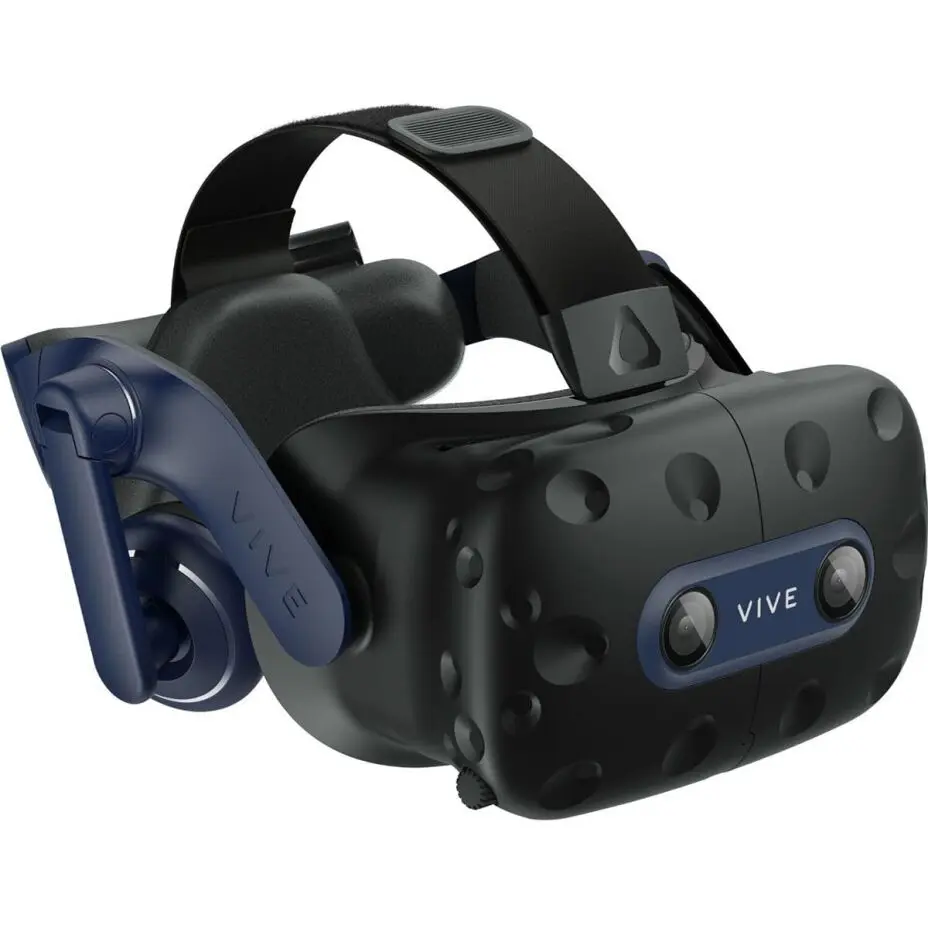
| Feature | Details |
|---|---|
| Display & Visual Quality | 2448x2448 per eye, 120Hz refresh rate, 120° FoV |
| Tracking & Controllers | External SteamVR tracking, precise tracking, Vive controllers |
| Comfort & Design | Heavier than competitors, adjustable strap, premium build |
| Performance | PCVR only, requires high-end PC for best experience |
| Connectivity | SteamVR ecosystem, tethered via DisplayPort |
| Battery Life & Charging | No battery, PC-powered |
| Price & Value | High-end ($799 headset only), additional costs for base stations/controllers |
| Special Features | Best-in-class visual fidelity, wide FoV |
| Why It’s Great | Ideal for professionals and VR enthusiasts needing top-tier visuals |
8 Top Black Friday HTC VIVE Deals (2024) & Cyber Monday - Get Early
Valve Index VR Full Kit
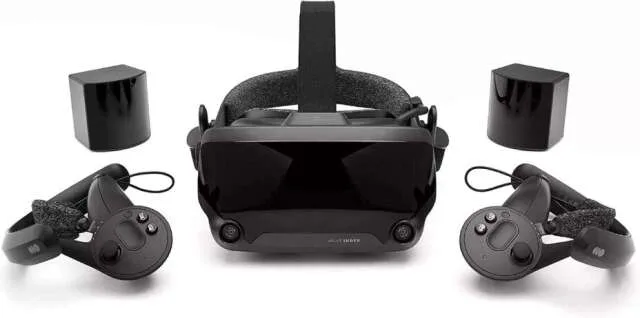
| Feature | Details |
|---|---|
| Display & Visual Quality | LCD, 1440x1600 per eye, 120/144Hz refresh rate, ~130° FoV |
| Tracking & Controllers | External tracking (Lighthouse), best-in-class finger-tracking controllers |
| Comfort & Design | Well-balanced weight, plush padding, sturdy build |
| Performance | PCVR only, requires powerful PC for high-fidelity graphics |
| Connectivity | SteamVR exclusive, DisplayPort tethered |
| Battery Life & Charging | No battery, PC-powered |
| Price & Value | Expensive ($999 full kit), premium controllers, best-in-class tracking |
| Special Features | Ultra-low latency tracking, best refresh rate for VR gaming |
| Why It’s Great | Ultimate VR experience for serious PC gamers and enthusiasts |
How to Choose the Best VR Glasses for Your Needs
Selecting the right VR glasses can be overwhelming due to the variety of options available. Here are a few factors to consider before making your purchase:
1. Compatibility
First and foremost, check whether the VR glasses are compatible with your device. Are you planning to use them with your iPhone? If so, ensure that the VR glasses you choose are compatible with iOS. For gaming, consider whether you need a standalone VR headset or one that requires a PC or gaming console.
2. Resolution
A high-resolution display is essential for achieving realistic VR visuals. Look for VR glasses that offer at least 1080p resolution for each eye. The higher the resolution, the clearer and more immersive the experience.
3. Field of View (FOV)
The field of view refers to how much of your peripheral vision the VR glasses cover. A wider FOV creates a more immersive experience, so aim for a headset with at least 100-degree FOV.
4. Comfort
Since you'll likely wear VR glasses for extended periods, comfort is key. Look for adjustable straps, breathable materials, and lightweight designs to avoid discomfort during long sessions.
5. Price
VR glasses can range from budget-friendly options to high-end, professional-grade devices. Determine your budget and prioritize the features that matter most to you.
Comparison Table
| VR Glasses | Key Features | Best For | Price Range | Compatibility |
|---|---|---|---|---|
| VR Glasses for iPhone |
- Designed for iPhone users - Simple design - Some third-party options (e.g., Merge VR, Pansonite VR) |
iPhone users looking for casual VR experiences | Budget-friendly to mid-range | Compatible with iPhone and some Android devices |
| Meta Quest 2 / Quest 3 |
- Standalone headset (no PC or console
needed) - Impressive graphics - Multiplayer and solo gaming options - Lightweight and easy to use |
Gamers, casual users, and those new to VR | Mid-range to high-end | Standalone, no need for a PC. Compatible with mobile devices for some apps |
| HTC Vive Pro |
- High-end VR experience - Precision tracking - Great resolution and build quality - Premium headset for professional use |
Professionals in design, simulation, and training | High-end | Requires PC connection |
| Valve Index |
- Top-tier VR headset - Excellent resolution and tracking - High-quality build - Ideal for VR enthusiasts and professionals |
Serious VR gamers and professionals | High-end | Requires PC connection |
| Apple VR Glasses (Rumored) |
- Seamless integration with Apple ecosystem - Potential AR/VR hybrid - High-quality display and performance - Expected to work perfectly with iPhone |
Apple users seeking an immersive experience | High-end (expected) | Likely to integrate with iPhone and Apple devices |
Final Recommendations
- Best for Premium Mixed Reality: Apple Vision Pro
- Best Budget Option: Merge VR / Pansonite VR
- Best Standalone VR: Meta Quest 3
- Best for PCVR Enthusiasts: Valve Index
- Best Visual Fidelity: HTC Vive Pro 2
FAQs About VR Glasses
Q1: Should You Wear Glasses in VR?
A1: If you wear prescription glasses, you might
wonder if you can still use VR. The good news is that most VR
headsets are designed to accommodate glasses, and there are even
specialized accessories available, such as lens adapters, that
can help.
Q2: Can You Wear Glasses with VR?
A2: Yes! Many VR glasses are designed with
enough space to accommodate prescription glasses. If you find
them uncomfortable, consider using prescription lens inserts that
can be fitted into the headset.
Q3: What Are VR Glasses?
A3: VR glasses are headsets that provide an
immersive experience by displaying virtual worlds to the user.
These glasses come equipped with lenses, motion sensors, and
displays to simulate a 3D environment.
Q4: Can You Use VR with Glasses?
A4: Yes, most VR glasses can be used with
prescription glasses. However, for optimal comfort, you may want
to adjust the fit or use lens inserts.
Tips for Optimizing Your VR Experience
- Set Up Properly: Ensure your VR space is clear of obstacles to avoid accidents while immersed in a virtual environment.
- Adjust Fit: Take the time to adjust the head straps and lenses to ensure comfort and clarity.
- Take Breaks: Prolonged use of VR can cause eye strain and discomfort. Take breaks regularly to avoid fatigue.
VR glasses are an exciting technology that’s transforming the way we experience entertainment, work, and education. Whether you're a gamer looking for the best VR glasses for gaming or a professional in need of immersive training tools, there's a VR headset out there for you.
By understanding the technology behind VR glasses, exploring the different types available, and considering your personal needs, you can make an informed decision and take full advantage of the opportunities VR offers. Whether you choose Meta VR glasses, Apple VR glasses, or a high-end professional headset, VR is set to play a major role in shaping the future of digital experiences.
Start exploring, and let the virtual world become your new reality!









 Continue with Google
Reviews