



How to Build a Wish List in 5 Minutes (Step-by-Step)

Wish lists aren’t just for the holidays anymore. Whether it’s your birthday, wedding, graduation, or just a well-deserved self-gift moment, having a well-organized wish list saves time, avoids confusion, and ensures you get exactly what you love.
GiftPals makes building a modern, shareable wish list effortless. In just 5 minutes, you can create a list, add items from any website, and securely share it with friends and family—plus let them reserve gifts privately, so you don’t end up with duplicates.
Here’s how to do it.
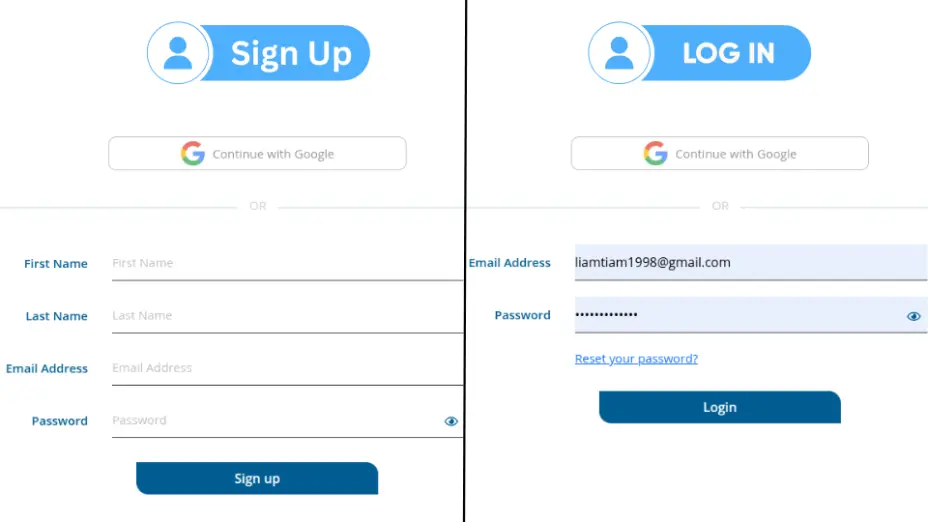
🪄 Step 1: Sign Up or Log In
Start by visiting GiftPals.com.
- If you’re new, hit Sign Up—you can register quickly using email or social accounts.
- Already a member? Simply Log In to access your dashboard.
➡️ Time required: 30 seconds
✅ Tip: Use a profile picture to personalize your
account—it shows up when you share lists.
📝 Step 2: Create Your First Wish List
Once logged in:
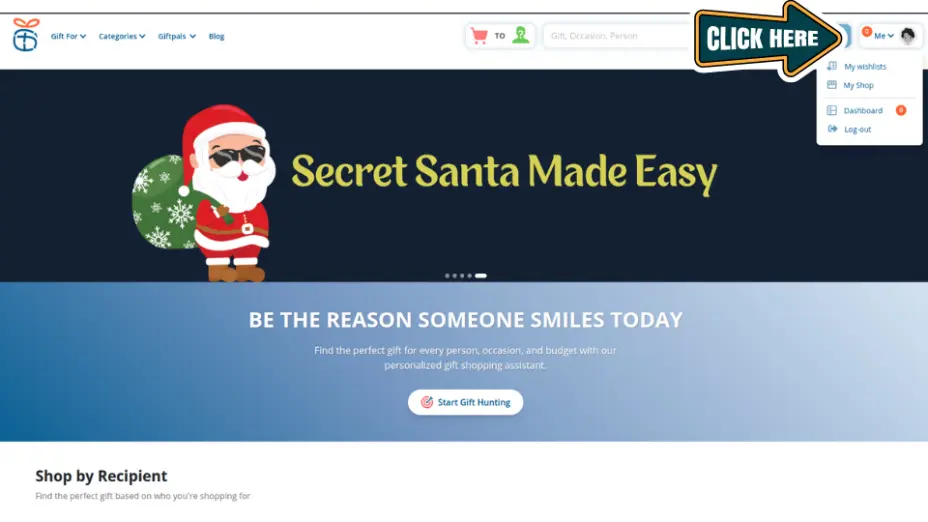
Navigate to the “Wish Lists” tab.
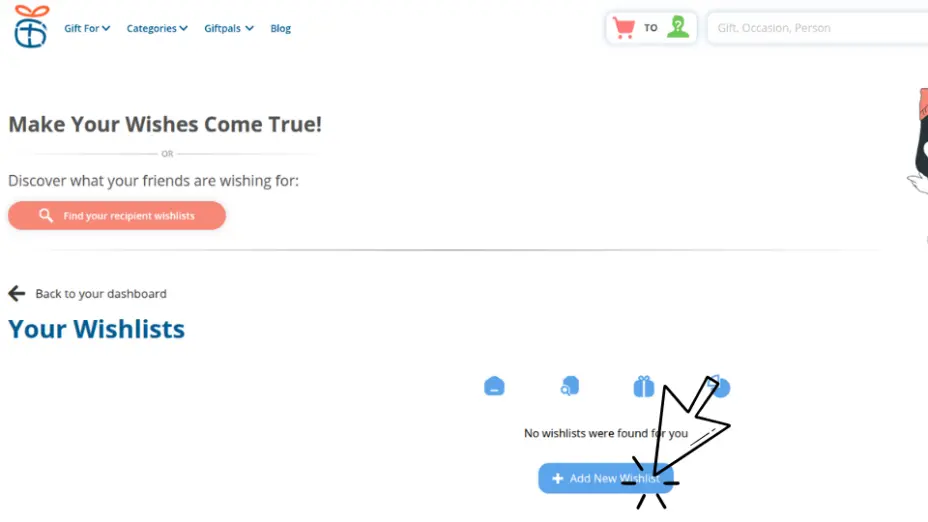
Click “Add New List”
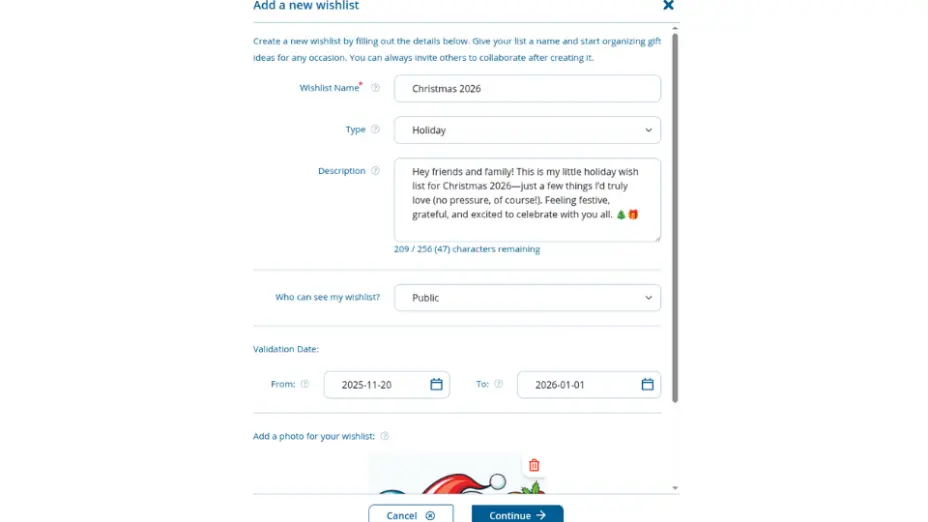
Name your list (e.g., “Christmas 2026”, “Wedding Registry”).
Choose occasion, visibility (private/public/shared), and optionally add a description.
➡️ Time required: 45 seconds
✅ Tip: Keep your list title clear and include
the occasion—it helps friends find it quickly.
1. Navigate to the “Wish Lists” Tab.
2. Click “Add New List”
3. Name your list (e.g., “Christmas 2026”, “Wedding Registry”)
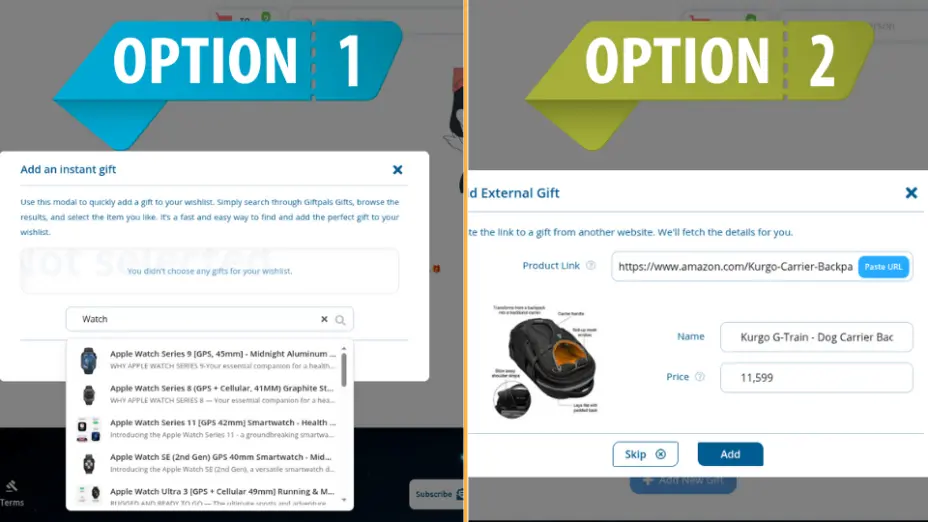
⚡ Step 3: Add Gifts Instantly with Two Easy Options
GiftPals makes it super fast to add the perfect gifts to your list—no matter how or where you find them. You have two flexible options:
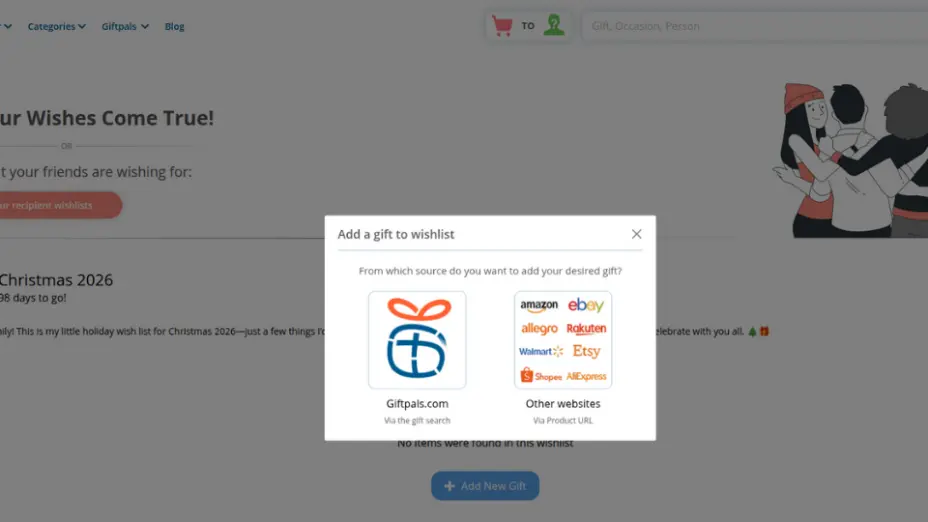
Option 1: Add Gifts Using GiftPals’ Built-In Gift Search
Don’t have a specific product URL? No problem.
- Use the Gift Search modal to browse curated gift ideas right inside GiftPals.
- Simply click “Add Gift” and search by keyword, category, or occasion.
- Scroll through results and select the gift you like—it’s added instantly to your wish list.
➡️ Time required: Under 2 minutes for 3–4
gifts
✅ Tip: Try searching terms like “tech under
$50” or “gifts for teens” to discover relevant ideas
quickly.
Option 2: Add Gifts Using a Product URL
Already found the perfect item on another website?
- Just copy the product URL (from Amazon, Etsy, Target, etc.).
- Paste it into the “Quick Add” field on your wish list page.
- GiftPals automatically pulls in the product image, name, price, and link—no manual entry needed.
➡️ Time required: 30–45 seconds per item
✅ Tip: Mix in gifts across different price
points to suit all budgets—under $25, mid-range, or premium.
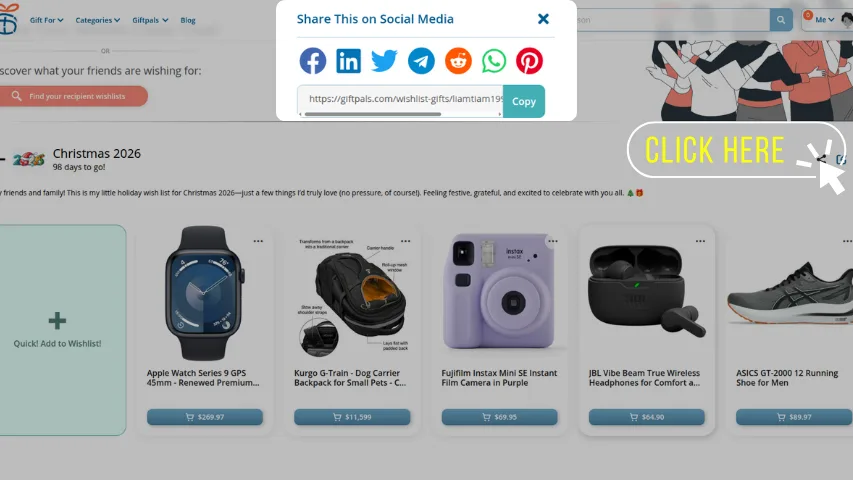
📤 Step 4: Your Wish List Is Ready — Now Share It with Friends & Family
Once your list is set, it’s time to share the joy:
- Click “Share” from your list page.
- Copy your private link, or send it directly via email or messaging apps.
- You have full control over visibility—only those with the link can view it.
➡️ Time required: 30 seconds
✅ Pro Tip: Enable the “Shared but
Hidden” setting so your list stays private from public
search but remains accessible to people you trust.
⚡ Speed Tips (to Truly Finish in 5 Minutes)
- Batch add: paste multiple product links one after another into Quick Add.
- Start small: publish with 3–5 items; you can refine later.
- Price variety: include at least one budget pick and one premium pick.
- Keep it fresh: set a reminder to review the list before key dates.
- Use tags: add simple tags like “must-have,” “nice-to-have,” “under $25.”
Why GiftPals Is the Best Place to Build Your Wish List
- ✅ Add items from any site—not just one store.
- ✅ Prevent duplicate gifts with private reservations.
- ✅ Perfect for any occasion—from baby showers to Secret Santa.
- ✅ Organize gifts by age, interest, or price.
- ✅ Easy to use on desktop or mobile.
Whether you’re planning for yourself or creating a wish list for someone else, GiftPals is built to make giving and receiving gifts more thoughtful, more organized, and more joyful.
You are done—what’s next?
Share the link with your circle today.
Return and update the list as you discover new items.
Create occasion-specific lists (e.g., Wedding Registry, Sarah’s 18th Birthday) to keep things organized.
Create your wish list on GiftPals and invite your first three shoppers now.
👉 Create
Your Wish List Now
FAQ
❓ Can I create more than one list?
- Yes. GiftPals lets you create unlimited wish lists for different occasions.
❓ Will others see what I’ve reserved?
- No. Reserved items are hidden from you, but visible to the person who reserved them.
❓ Can I add items from mobile?
- Absolutely. The Quick Add feature works on mobile browsers too.
❓ Do my friends need to sign up to view the list?
- No. They can view and reserve items using just the shared link.










 Continue with Google
Reviews