



Top 5 Kid-Friendly Tablets 2025: Top Picks for Learning & Fun
"What Are the Best Tablets for Kids in 2025?"

Tablets designed for kids have come a long way, and in 2025,
they’re smarter, more durable, and packed with educational tools.
As demand for child-friendly technology rises, manufacturers are
focusing on enhanced parental controls, AI-driven learning
applications, and improved durability to meet the needs of modern
families. With enhanced parental controls, improved battery life,
and AI-driven learning apps, tablets are more than just
entertainment devices—they're valuable learning tools.
Big players like Amazon, Apple, Samsung, and Lenovo continue to dominate the space, each bringing unique strengths—Amazon with its extensive kid-friendly content, Apple with its premium ecosystem and creative tools, Samsung with its robust parental controls, and Lenovo with budget-friendly options. Meanwhile, new contenders like TCL and Kurio are introducing affordable, durable alternatives tailored specifically for younger users. Whether you need a tablet for educational purposes, safe browsing, or pure entertainment, there's an option for every child.
Top Features to Look For:
- Durability: Kid-proof cases, shatter-resistant screens
- Parental Controls: Screen time limits, app filtering, and usage reports
- Educational Content: Access to learning apps, e-books, and games
- Battery Life: Long-lasting power for road trips and school use
- Performance & Storage: Enough speed and space for smooth usage
Now, let’s break down the best kid-friendly tablets of 2025 based on features, age groups, and budget! Whether you're looking for affordability, ease of use, or learning potential, this guide will help you find the perfect tablet for your child’s needs.

1. Best Overall: Amazon Fire HD 10 Kids Pro
💰 Price: $119.99
Best for: Everyday convenience, smart home
control, and entertainment
Why It’s Great:
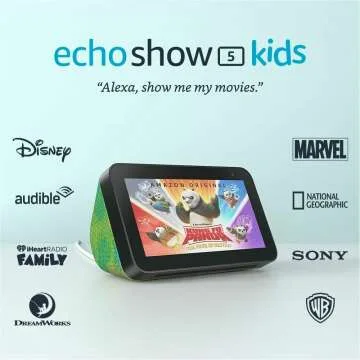
The Echo Show 8 (2nd Gen, 2021) is the perfect balance between functionality and affordability. With an 8-inch HD touchscreen, powerful speakers, and built-in Alexa, it’s great for video calls, streaming, and controlling smart home devices—all hands-free!
Key Features:
✔️ 8-inch HD display for clear visuals and video
calls
✔️ Alexa voice control for smart home, news, and
weather updates
✔️ Upgraded 13 MP camera with auto-framing for
crisp video calls
✔️ Dual stereo speakers for immersive
audio
✔️ Privacy controls with a built-in camera
shutter and mic off button
Who Should Buy It?
Perfect for anyone who wants a versatile smart display for video calls, entertainment, and home automation. Great for families, remote workers, and Alexa enthusiasts!
👉 Check it out here: Amazon Link

2. Best for Toddlers: LeapFrog LeapPad Ultimate
💰 Price: $129.99
Best for: 3-6-year-olds who need a
beginner-friendly device
Why It’s Great:
LeapFrog has long been a favorite among parents, and the LeapPad Ultimate is built for young learners. It has a completely closed system, meaning no internet worries—just preloaded educational apps and games.
Key Features:
✔️ Shockproof design for rough handling
✔️ Exclusive LeapFrog learning library
✔️ Kid-safe browser with pre-approved sites
✔️ Stylus included for interactive learning
Who Should Buy It?
If you don’t want your toddler exposed to the open
internet but still want a fun and educational
experience, this is the perfect choice.
👉 Check it out here: Amazon Link

3. Best for Creativity: Apple iPad 10.9 (2025) + Apple Pencil
💰 Price: $349.99 (Tablet) + $79.99 (Apple
Pencil)
Best for: Older kids and teens who love drawing,
designing, and note-taking
Why It’s Great:
If your child is into digital art, note-taking, or advanced learning, the iPad 10.9 (2025) is the most powerful option. The Apple Pencil support and Apple’s educational ecosystem make it perfect for creative kids.
Key Features:
✔️ Ultra-fast A15 chip for smooth multitasking
✔️ Apple Pencil 2 support for drawing & handwriting
✔️ 12MP front camera for video calls and school projects
✔️ Access to thousands of educational apps in the App Store
Who Should Buy It?
Ideal for kids 8+ who love creating, sketching,
or using advanced learning apps.
👉 Check it out here: Amazon Link

4. Best for School: Samsung Galaxy Tab A9 Kids Edition
💰 Price: $199.99
Best for: Elementary and middle school students
Why It’s Great:
The Samsung Galaxy Tab A9 Kids Edition is a solid Android alternative to the iPad, with Samsung Kids mode offering a safe learning space. It includes a kid-friendly UI, robust parental controls, and access to Google Play’s learning apps.
Key Features:
✔️ 10.5-inch HD display with Eye Comfort Mode
✔️ Samsung Kids+ with educational apps and games
✔️ 12-hour battery life
✔️ Expandable storage up to 1TB
Who Should Buy It?
Perfect for parents who want a more open Android
ecosystem with strong parental controls and
school-friendly apps.
👉 Check it out here: Samsung Link

5. Best Budget Pick: Lenovo Tab M8 Kids Edition
💰 Price: $129.99
Best for: Parents who want a cheap but
reliable tablet for their child
Why It’s Great:
The Lenovo Tab M8 Kids Edition offers solid performance for the price, with access to Google Kids Space and a durable case. It’s a great entry-level tablet for parents on a budget.
Key Features:
✔️ 8-inch HD screen with blue light protection
✔️ Preloaded with Google Kids Space
✔️ 10-hour battery life
✔️ Kid-proof bumper case
Who Should Buy It?
If you need a low-cost, reliable tablet for
basic educational apps and entertainment, this
is a great pick.
👉 Check it out here: Amazon Link
How to Choose the Best Kid-Friendly Tablet in 2025
Key Buying Considerations
When picking a tablet, consider these factors:
✅ Age & Needs: A 3-year-old needs a
toddler-friendly tablet (LeapPad), while a
10-year-old may need something more advanced
(Fire HD 11 or iPad).
✅ Durability: Younger kids need a
shockproof design with a kid-proof case.
✅ Parental Controls: Make sure you can
manage screen time and app access.
✅ Educational Value: Look for tablets with
learning apps, books, and creativity
tools.
✅ Price: Balance between budget and
features—you don’t need the most expensive tablet!
📊 Comparison Table: Best Kid-Friendly Tablets of 2025
| Tablet | Best For | Price | Screen Size | Battery Life | Key Feature |
|---|---|---|---|---|---|
| Amazon Fire HD 11 Kids Pro | Best Overall | $199.99 | 11-inch | 13 hours | Amazon Kids+, durable |
| LeapFrog LeapPad Ultimate | Toddlers (3-6) | $129.99 | 7-inch | 8 hours | Preloaded learning apps |
| Apple iPad 10.9 (2025) + Pencil | Creativity | $349.99 | 10.9-inch | 10 hours | Apple Pencil support |
| Samsung Galaxy Tab A9 Kids Edition | School Use | $199.99 | 10.5-inch | 12 hours | Samsung Kids+ |
| Lenovo Tab M8 Kids Edition | Budget-Friendly | $129.99 | 8-inch | 10 hours | Google Kids Space |
Which Kid-Friendly Tablet is Best for You?
📌 For toddlers (3-6 years old): LeapFrog
LeapPad Ultimate+—safe, educational, and easy to
use.
📌 For elementary school kids (6-12 years old):
Amazon Fire HD 11 Kids Pro—best mix of content,
controls, and value.
📌 For creative kids & teens: Apple
iPad 10.9 (2025)—perfect for drawing, note-taking, and
advanced learning.
📌 For school-focused use: Samsung Galaxy
Tab A9 Kids Edition—Google Play access with strong
parental controls.
📌 For budget-conscious parents: Lenovo
Tab M8 Kids Edition A great starter tablet without
breaking the bank.
📢 FAQ
Q1: What is the best tablet for a toddler?
A1: The LeapFrog LeapPad Ultimate+ is the best option for
toddlers, offering a closed system with preloaded educational
apps and a shockproof design.
Q2: Are Amazon Fire tablets good for kids?
A2: Yes, Amazon Fire tablets, especially the Fire HD 11 Kids Pro,
are great for kids due to their durable design, parental
controls, and access to Amazon Kids+ content.
Q3: What should I consider when buying a tablet for my
child?
A3: Key factors include durability, parental controls,
educational content, battery life, and price to ensure the best
experience for your child.
Final Thoughts
Kid-friendly tablets in 2025 are smarter, safer, and more educational than ever. No matter your budget or your child’s needs, there’s a tablet that’s the perfect fit. Which one do you think is best for your kid? Let us know in the comments! If you found this guide helpful, check out our recommended purchase links to find the best deals and get the perfect tablet for your little one today.











 Continue with Google
Reviews