


Best Tablets for Video Editing (2026): Top Picks for 4K, CapCut, iPad & Android
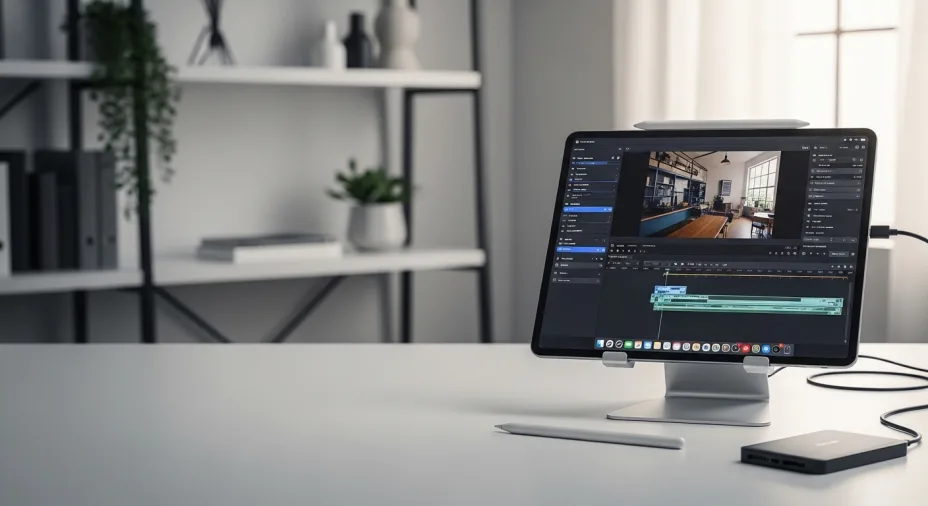
Editing video on a tablet in 2026 is genuinely viable—but only if you choose the right hardware for your workflow. The best tablets for video editing (2026) need more than a big screen: you want sustained performance for 4K timelines, enough RAM to prevent stutters, fast storage for large files, and an app ecosystem that matches how you actually edit (for example, CapCut on iPad and iPhone, plus its mobile-first toolset for social formats).
This guide focuses on the real-world needs behind smooth playback and quick exports—especially for 4K/60 footage, HEVC/ProRes-heavy projects, and external SSD workflows. If you plan to use more advanced tools, note that DaVinci Resolve for iPad is designed around higher-end iPads and is recommended for iPad Pro (M1 or newer) with at least 8GB RAM for best results. And if you prefer Android, pro-grade editors like LumaFusion can handle media up to 4K on supported tablets.
What you’ll get in this article:
- Top picks for 4K editing (smooth timelines + fast exports)
- Best options for CapCut creators (TikTok/Reels/Shorts workflows)
- A clear iPad vs Android breakdown (apps, accessories, file handling)
- A simple buying checklist (display, storage, ports, thermals, stylus/keyboard)
One more note: if you were relying on older mobile options like Premiere Rush, Adobe discontinued it (no longer available to new users after September 30, 2025), so your tablet choice should align with the editing apps you will actually use going forward.
Table of Content
Best Tablets for Video Editing : Top Picks 2026
Best Overall tablet for video editing (2026) — Apple 13" iPad Pro (M5)
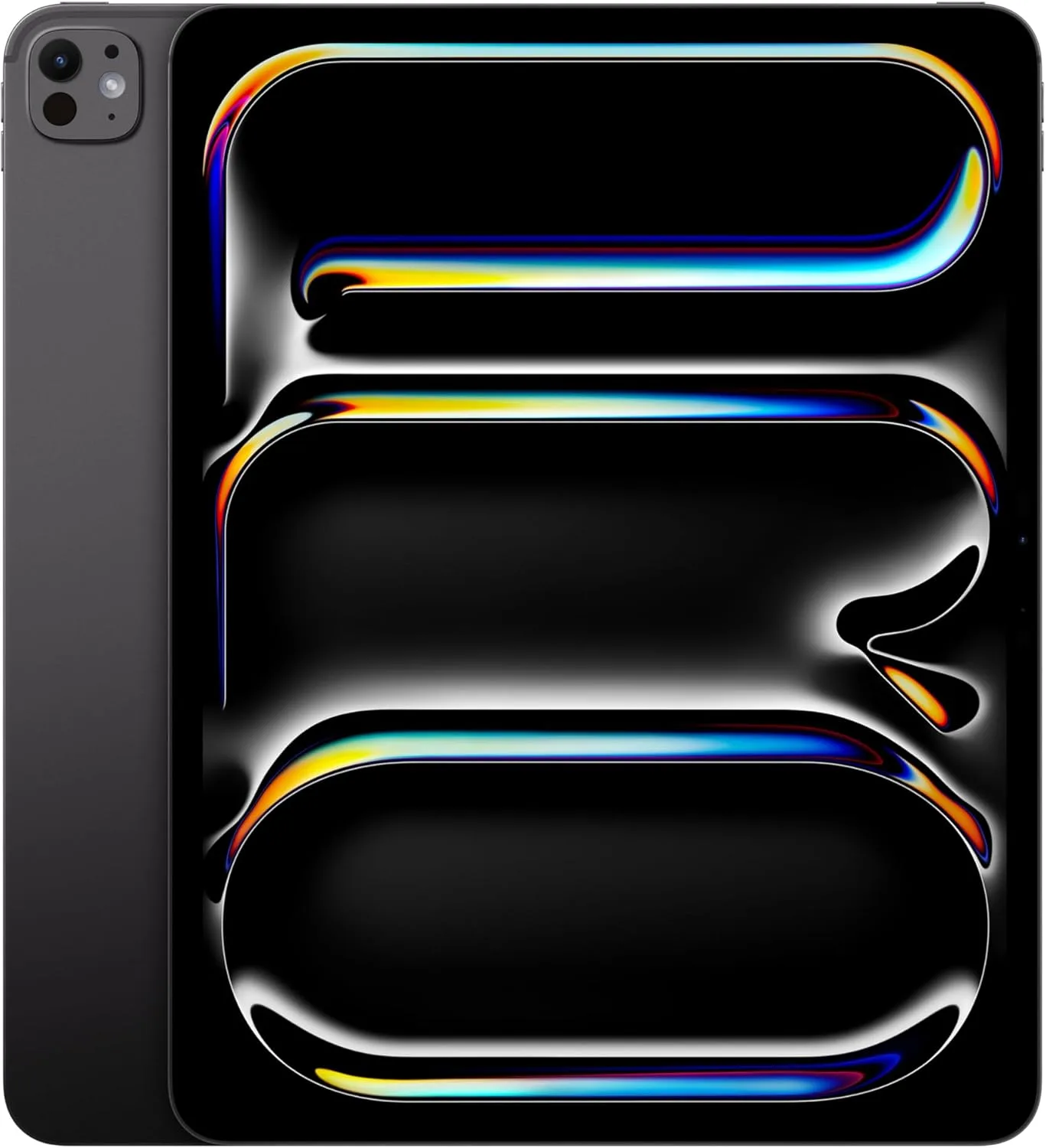
Apple’s 13-inch iPad Pro with the M5 chip is the most complete “edit anywhere” tablet: a pro-grade OLED display, strong sustained performance, and a media engine built for modern codecs. It is the closest thing to a portable 4K studio on iPadOS.
Best for
- 4K/60 workflows, HDR timelines, ProRes-heavy editing
- Creators who want external display + fast storage workflows
- Mobile editors who also do serious color and audio cleanup
What’s inside (what you’re getting)
- 13" Ultra Retina XDR (Tandem OLED) with up to 1600 nits peak HDR
- M5 chip + Pro media features (including ProRes support)
- Thunderbolt / USB 4 for fast SSD hubs and display output
Why it works (benefits)
- Smoother timeline playback with fewer dropped frames under load
- Faster exports for codec-heavy projects
- Better HDR previewing on a bright, high-contrast panel
| Pros | Cons |
|---|---|
| Top-tier performance for mobile editing | Premium price (tablet + storage + accessories) |
| Excellent HDR-capable OLED display | iPadOS can still limit certain desktop plugins/workflows |
| Thunderbolt / USB 4 improves external SSD workflows | Bigger size is less “grab-and-go” than 11" |
Best tablet for content creators — Apple iPad Air 13-inch (M3, Wi-Fi, 256GB)
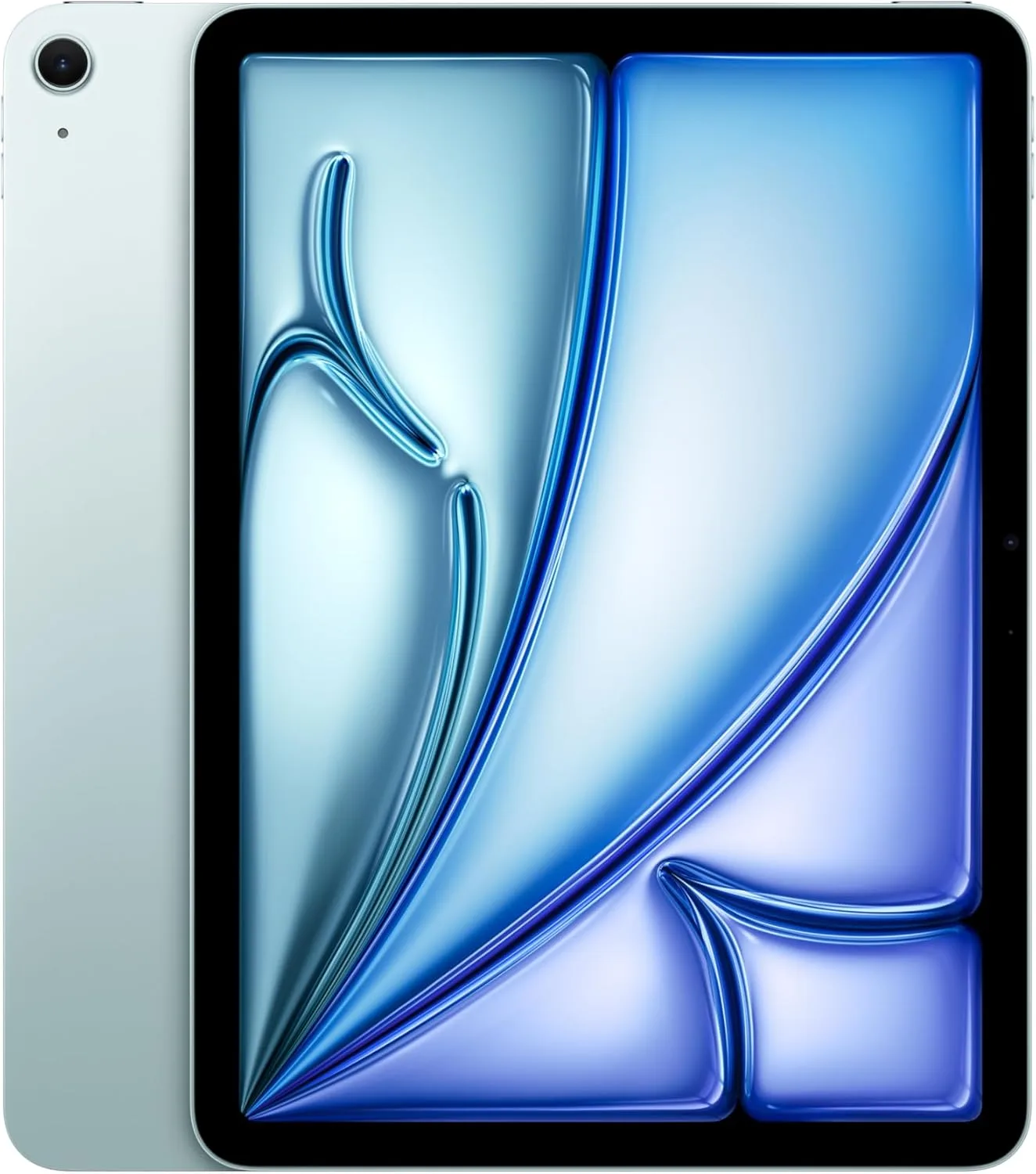
The 13-inch iPad Air (M3) is the “smart value” choice for creators who shoot, edit, and publish daily. You get a large display for timelines, strong M-series performance, and broad accessory support—without paying Pro-level pricing.
Best for
- YouTube/TikTok editors who want a big canvas
- CapCut/LumaFusion creators who do frequent social exports
- Students and travel creators who value battery + portability
What’s inside (what you’re getting)
- 13" iPad Air with M3 chip
- USB-C connectivity and Apple Pencil support (model-dependent)
- Box contents can vary by region; Apple lists cable/adapter in tech specs
Why it works (benefits)
- Big screen makes trimming, captions, and overlays easier
- M-series headroom keeps edits responsive as projects grow
- Strong “creator-per-dollar” balance for 2026 workflows
| Pros | Cons |
|---|---|
| Excellent value for serious creators | Not as “maxed-out” as iPad Pro for HDR mastering |
| Large 13" workspace helps speed up edits | Storage upgrades can get expensive |
| Strong accessory ecosystem | Some pro workflows still prefer desktop-class apps |
Best tablet for video editing (users say on Reddit) — Google Pixel Tablet (~11")
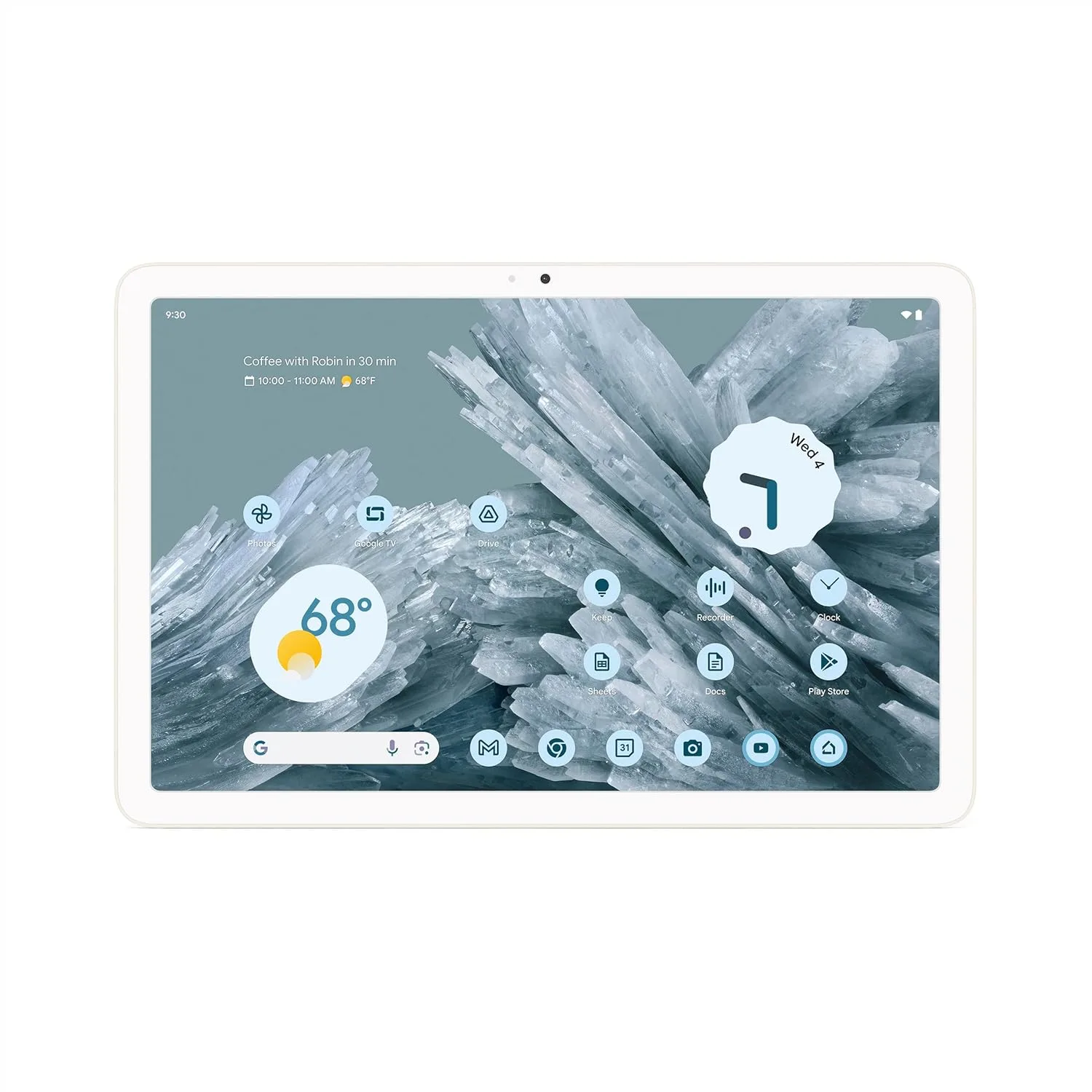
The Pixel Tablet is a clean, simple Android pick that people often recommend for casual-to-mid editing—especially if you want Google’s ecosystem and a dockable “home screen” tablet. It is best for short-form edits, not the heaviest 4K timelines.
Best for
- Light CapCut edits, trimming, captions, and quick exports
- Creators who want a tablet that also lives on a dock
- Android-first users who prefer Google UI simplicity
What’s inside (what you’re getting)
- 10.95" LCD display (2560×1600) around 500 nits
- USI 2.0 stylus support
- Optional Charging Speaker Dock (bundle-dependent)
Why it works (benefits)
- Comfortable size for on-the-go edits
- Clean Android experience, easy sharing/uploading
- Dock option makes it practical for “edit + browse + post” routines
| Pros | Cons |
|---|---|
| Clean Android experience | Not the best for long 4K sessions |
| Sharp ~11" display | Fewer “pro-grade” tablet editing options than iPad/Windows |
| Dockable living-room/desk versatility | Limited port/performance headroom for heavy external workflows |
Best 4K video editing tablet — OnePlus Pad 3 (13.2", 3.4K, 144Hz)
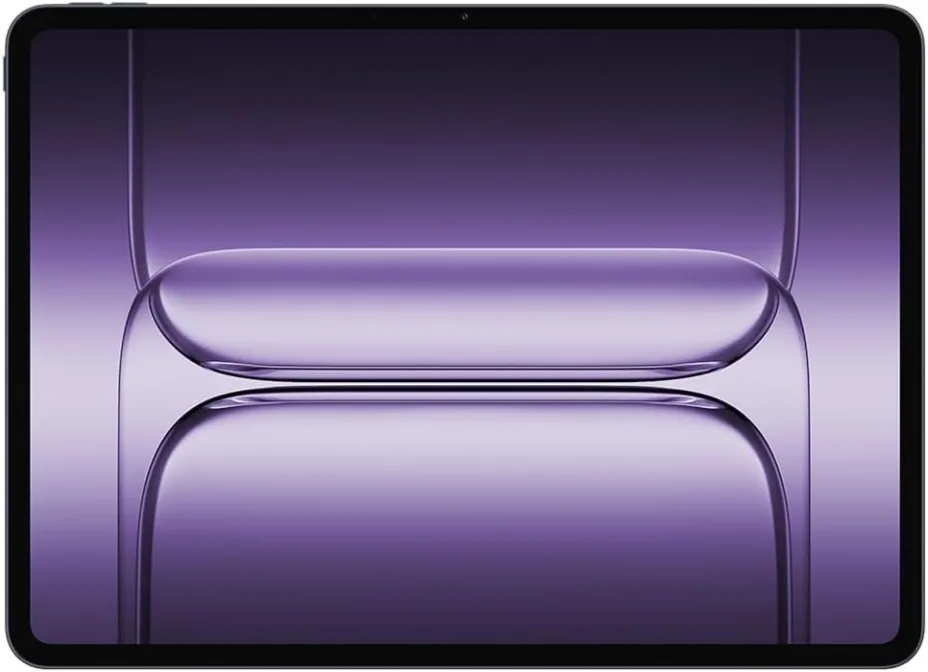
OnePlus Pad 3 is a strong 4K Android editing option because it combines a large, high-resolution 144Hz display with a flagship Snapdragon 8 Elite platform and a very large battery. It is built for smooth scrubbing, multitasking, and long sessions.
Best for
- 4K/60 social-first workflows on Android
- Multi-app editing (notes, assets, music, captions alongside editor)
- Creators who want a large screen without going Windows
What’s inside (what you’re getting)
- 13.2" 3.4K LCD with 144Hz refresh
- Snapdragon 8 Elite platform
- 12,140 mAh battery (plus fast charging support per OnePlus)
Why it works (benefits)
- Large screen improves precision cutting and captioning
- High refresh rate makes scrubbing and UI feel more responsive
- Big battery reduces throttling risk from “always plugged in” editing
| Pros | Cons |
|---|---|
| Excellent large-screen Android performance | LCD (not OLED) for HDR-critical grading |
| 144Hz improves perceived responsiveness | Android pro-editing app ecosystem can be limiting |
| Huge battery supports longer edit sessions | Accessories and USB-C hub quality matter for SSD workflows |
Best cheap tablet for video editing — Samsung Galaxy Tab A9+ (11")
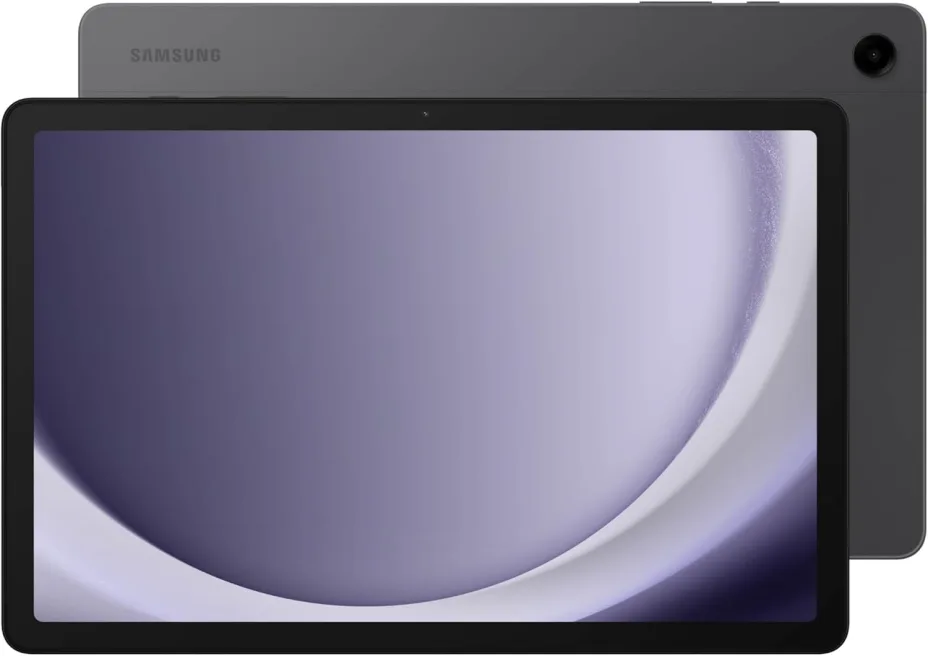
Galaxy Tab A9+ is a budget-friendly choice for basic edits: trimming clips, stitching simple sequences, and exporting social video. It is not designed for heavy 4K timelines, but it is a practical “starter editor” tablet when cost is the priority.
Best for
- Students learning editing basics
- Simple CapCut projects and short clips
- Budget buyers who still want an 11" screen
What’s inside (what you’re getting)
- 11" 1920×1200 display
- Expandable storage via microSD (model/region dependent)
- 8GB RAM / 128GB storage shown on common retail configs
Why it works (benefits)
- Low cost to start creating
- Big enough screen for basic cuts and captions
- microSD helps when phone footage fills internal storage quickly
| Pros | Cons |
|---|---|
| Very budget-friendly | Will struggle with complex 4K timelines |
| 11" screen helps compared to a phone | Display and speakers are not “pro creator” grade |
| Expandable storage can reduce pain quickly | Slower exports and more app limitations vs flagship tablets |
Best tablet for video editing in CapCut — Samsung Galaxy Tab S9 FE
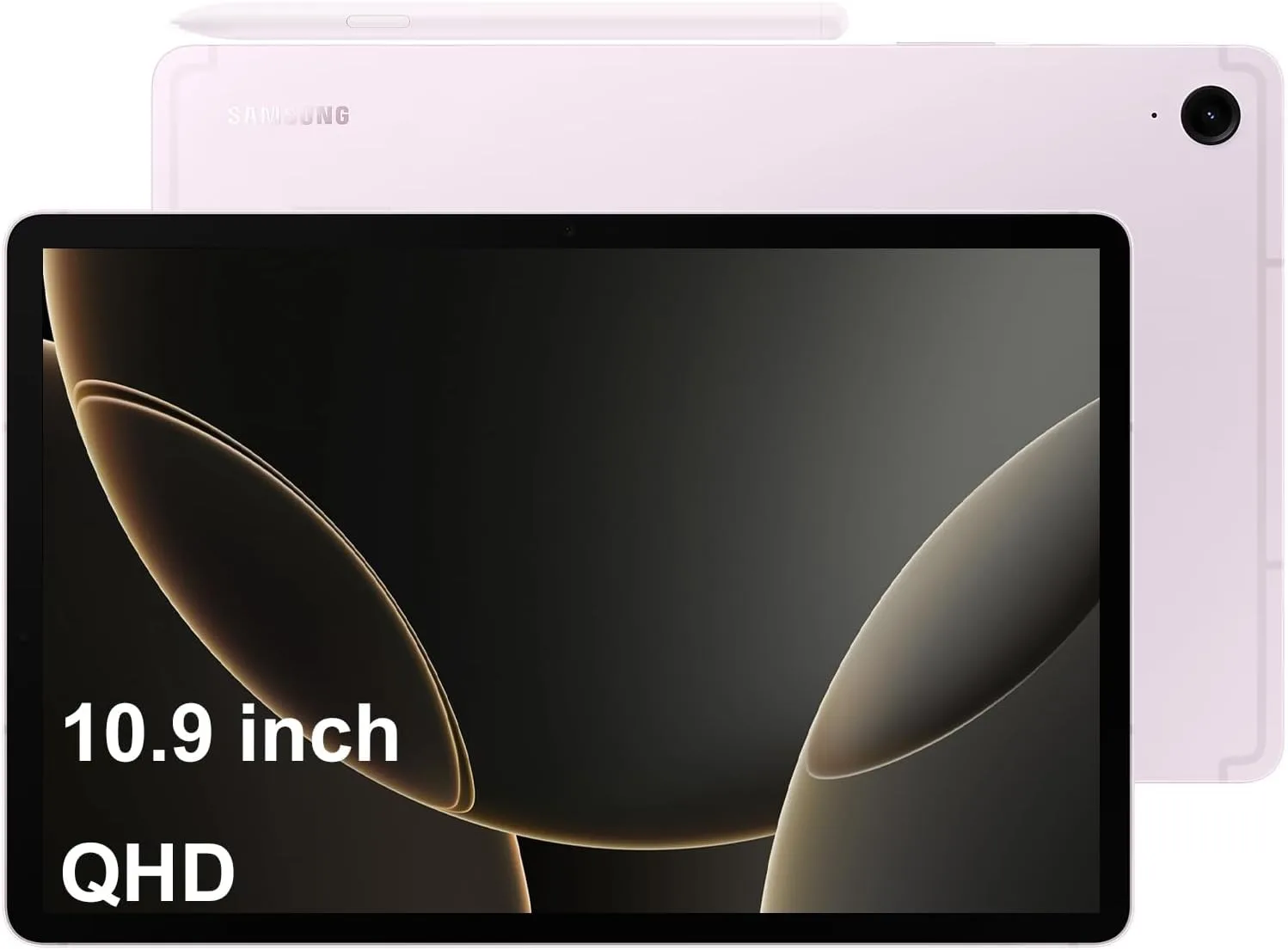
Galaxy Tab S9 FE is a strong CapCut-focused pick because it combines a bright, creator-friendly screen with an included S Pen for precise masking and keyframing. It is a capable midrange tablet for frequent short-form edits without flagship pricing.
Best for
- CapCut creators doing captions, masks, and overlays
- Travel editors who want water/dust resistance
- Creators who want pen input for precision work
What’s inside (what you’re getting)
- 10.9" display (Tab S9 FE)
- “Inbox” S Pen included (water/dust-resistant, IP68 noted by Samsung)
- Brightness up to 600 nits (and higher in HBM per Samsung notes)
Why it works (benefits)
- S Pen improves precision for cut points, drawing masks, and retouching
- Good brightness helps when editing outdoors
- Balanced performance for routine exports and daily posting
| Pros | Cons |
|---|---|
| S Pen included for precise edits | Not as fast as flagship tablets for long 4K exports |
| Bright, creator-friendly display | LCD instead of OLED for deep HDR work |
| Durable positioning (tablet + S Pen IP rating mentioned) | Android app ecosystem still varies by editor |
Best Android tablet for editing videos — Samsung Galaxy Tab S10+ (12.4")
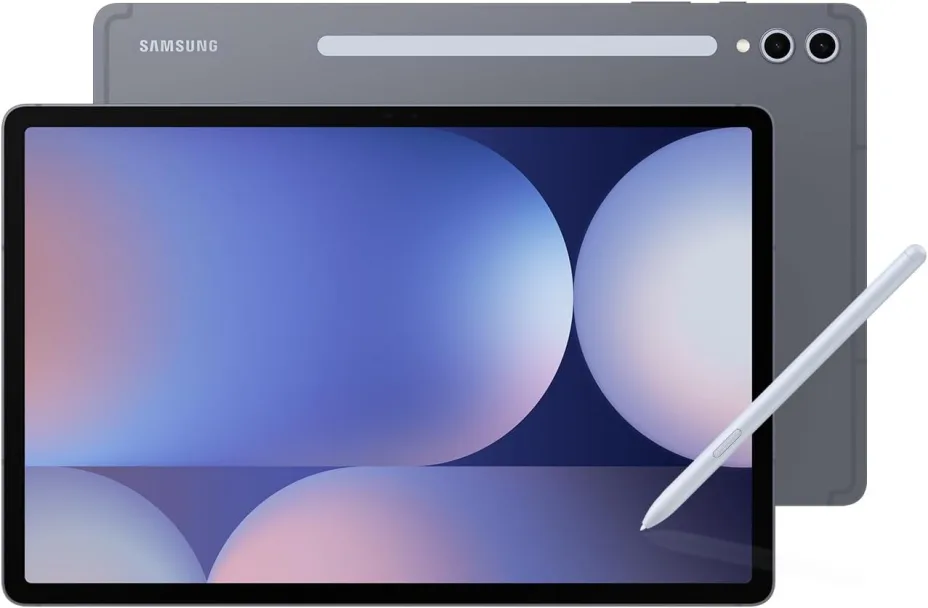
Galaxy Tab S10+ is a premium Android editing tablet built around a large 12.4-inch Dynamic AMOLED 2X display and Samsung’s S Pen-first productivity features. It is ideal if you want Android flexibility with a more “pro” screen for timeline work and previews.
Best for
- Android power users who edit frequently
- Creators who want AMOLED contrast for previewing
- Multi-window workflows (assets + editor + notes)
What’s inside (what you’re getting)
- 12.4" display (Dynamic AMOLED 2X)
- S Pen included (Samsung notes it as included on the S10 series page)
- Storage configurations vary by region (commonly 256GB/512GB)
Why it works (benefits)
- Large AMOLED helps judge contrast and edges better than typical LCDs
- S Pen improves precision edits, masking, and annotations
- Better “daily driver” feel for creators who also work in docs and email
| Pros | Cons |
|---|---|
| Premium AMOLED display for previews | Still not the same app depth as Windows desktop editing |
| S Pen included improves precision | Accessories and storage upgrades add cost |
| Strong productivity/multitasking positioning | Heavier/less portable than midrange tablets |
Best iPad for video editing — Apple iPad Pro 11-inch (M5)
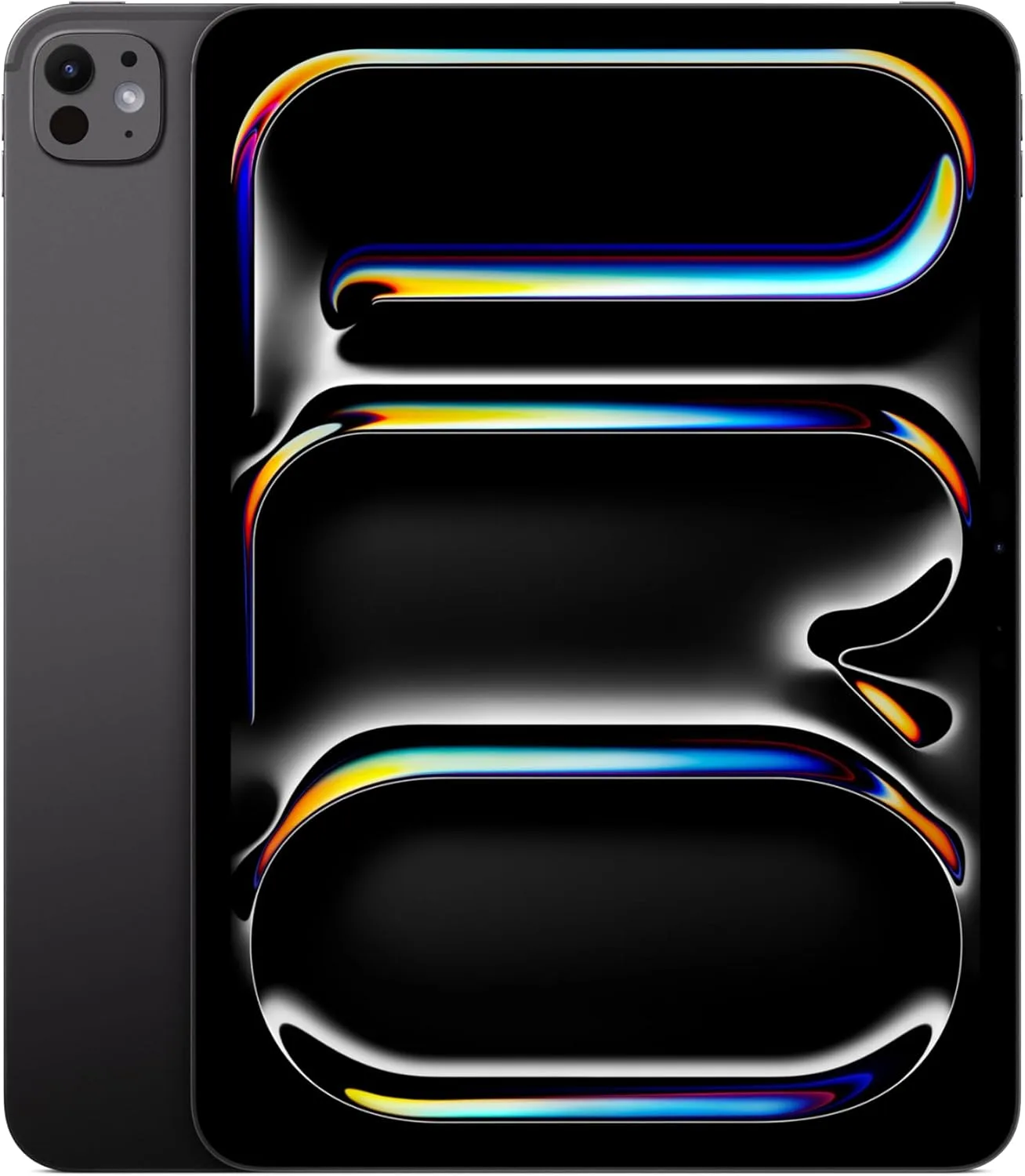
The 11-inch iPad Pro (M5) is the best “portable pro editor” choice: the same M5-class media performance in a smaller, easier-to-carry size. It is ideal when you want fast exports, external drive workflows, and pro app support in a travel-friendly form.
Best for
- Frequent travelers editing on flights and cafés
- Creators who want power without the 13" footprint
- iPad-first workflows (LumaFusion, DaVinci Resolve for iPad, etc.)
What’s inside (what you’re getting)
- M5 chip (RAM depends on storage tier)
- Thunderbolt / USB 4
- Box contents can vary by country/region; Apple lists cable/adapter on the tech specs page
Why it works (benefits)
- Strong sustained editing performance in a compact device
- Fast external SSD workflows via high-speed USB-C
- Easier handheld editing compared to larger tablets
| Pros | Cons |
|---|---|
| Best mix of power + portability | Smaller screen than 13" for dense timelines |
| Thunderbolt / USB 4 for serious external workflows | High storage tiers cost significantly more |
| Excellent “edit anywhere” device | iPadOS workflow differences vs desktop |
Best Samsung tablet for video editing — Samsung Galaxy Tab S11 Ultra (AI, Wi-Fi)
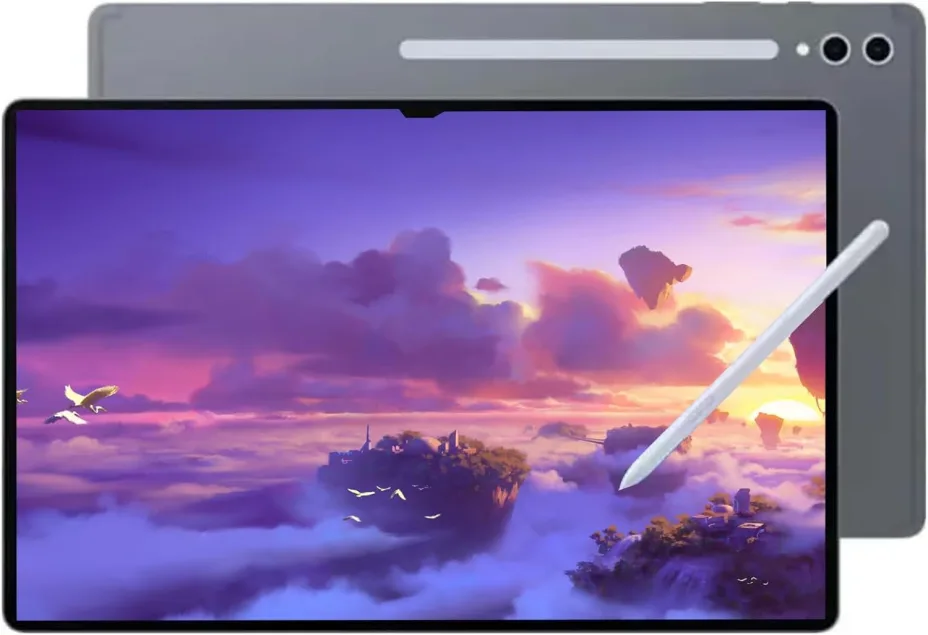
Galaxy Tab S11 Ultra is Samsung’s “max screen” creator tablet: a massive 14.6-inch Dynamic AMOLED 2X panel, high peak brightness, included S Pen, and large battery. It is best when you want a near-laptop-sized canvas on Android for editing and multitasking.
Best for
- Creators who want the biggest Android timeline workspace
- Split-screen workflows (editor + assets + notes)
- Pen-driven masking, annotations, and storyboarding
What’s inside (what you’re getting)
- 14.6" Dynamic AMOLED 2X, 120Hz, with up to 1600 nits peak (per Samsung page)
- Included S Pen (Samsung details it in the box contents)
- 11,600 mAh battery and microSD expandability up to 2TB (as stated by Samsung)
Why it works (benefits)
- Huge screen reduces “UI fighting” and speeds up precise edits
- Bright panel helps with HDR previews and outdoor use
- Expandable storage is a practical win for large footage libraries
| Pros | Cons |
|---|---|
| Enormous AMOLED workspace | Very large to carry; closer to “portable workstation” |
| Strong brightness + 120Hz smoothness | Premium pricing |
| S Pen included + microSD expansion | Android pro-editing app ecosystem varies by workflow |
Best budget tablet for video editing — Apple iPad 11-inch (A16)
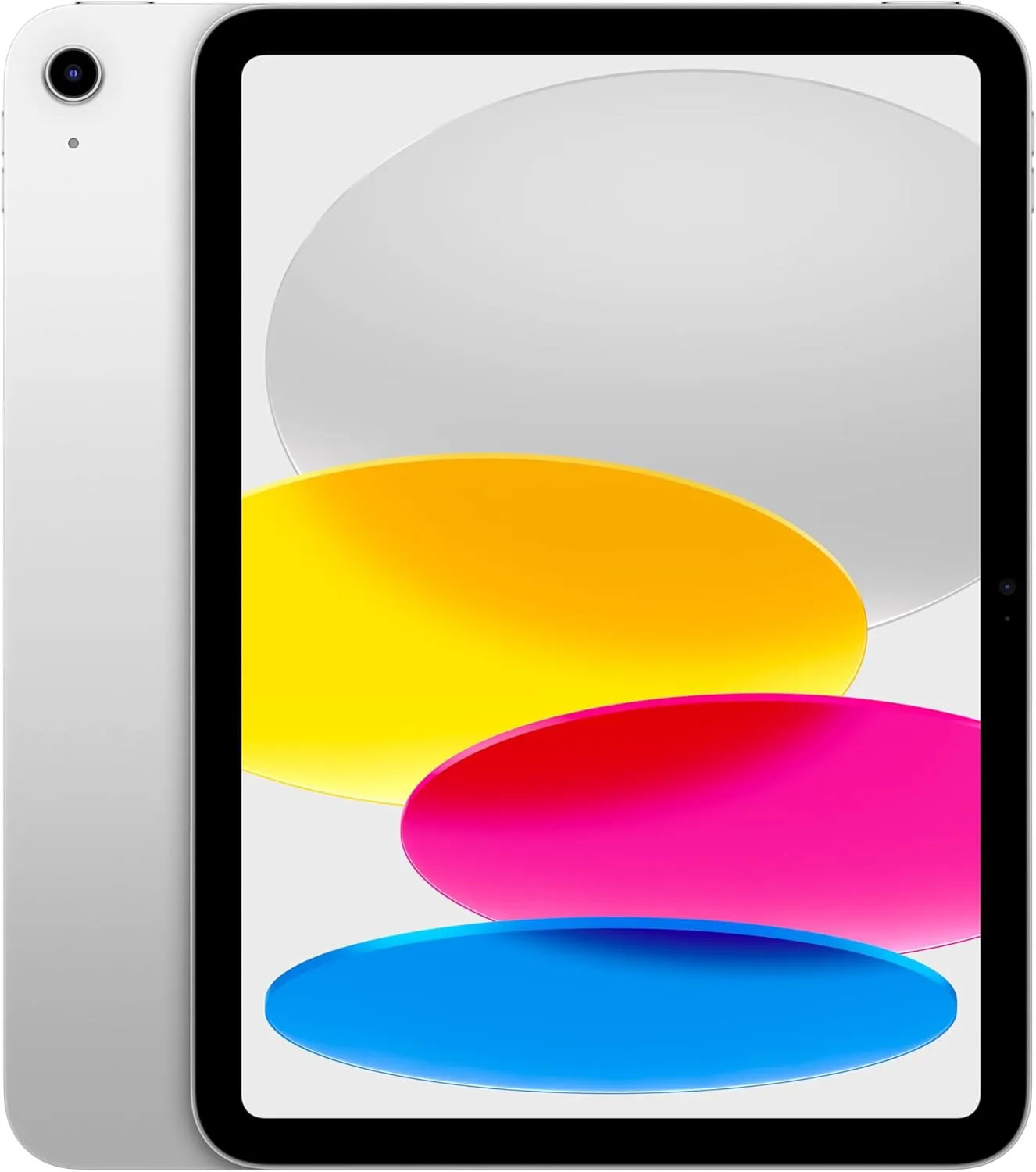
The 11-inch iPad (A16) is the best budget iPad for straightforward editing: it handles trimming, captions, and basic 4K clips better than most cheap tablets, while keeping Apple’s smooth app ecosystem. It is ideal for beginners and social-first creators who export often.
Best for
- Beginners learning editing fundamentals
- Social creators exporting short videos daily
- Students who want a reliable, affordable iPad
What’s inside (what you’re getting)
- A16 chip (5-core CPU / 4-core GPU per Apple specs)
- 11" Liquid Retina display
- In the box: iPad, USB-C cable (1m), 20W USB-C power adapter (per Apple specs page)
Why it works (benefits)
- Better responsiveness than most budget Android tablets for simple edits
- Easy Airdrop-style sharing and upload workflows
- Lower total cost to start creating on iPadOS
| Pros | Cons |
|---|---|
| Best-value entry iPad for creators | Not ideal for complex, layered 4K timelines |
| Includes cable + adapter per Apple specs | Limited “pro” port speed compared to iPad Pro workflows |
| Smooth for basic edits and daily exports | You may outgrow storage and performance sooner |
Best tablet for photo and video editing — Microsoft Surface Pro 11
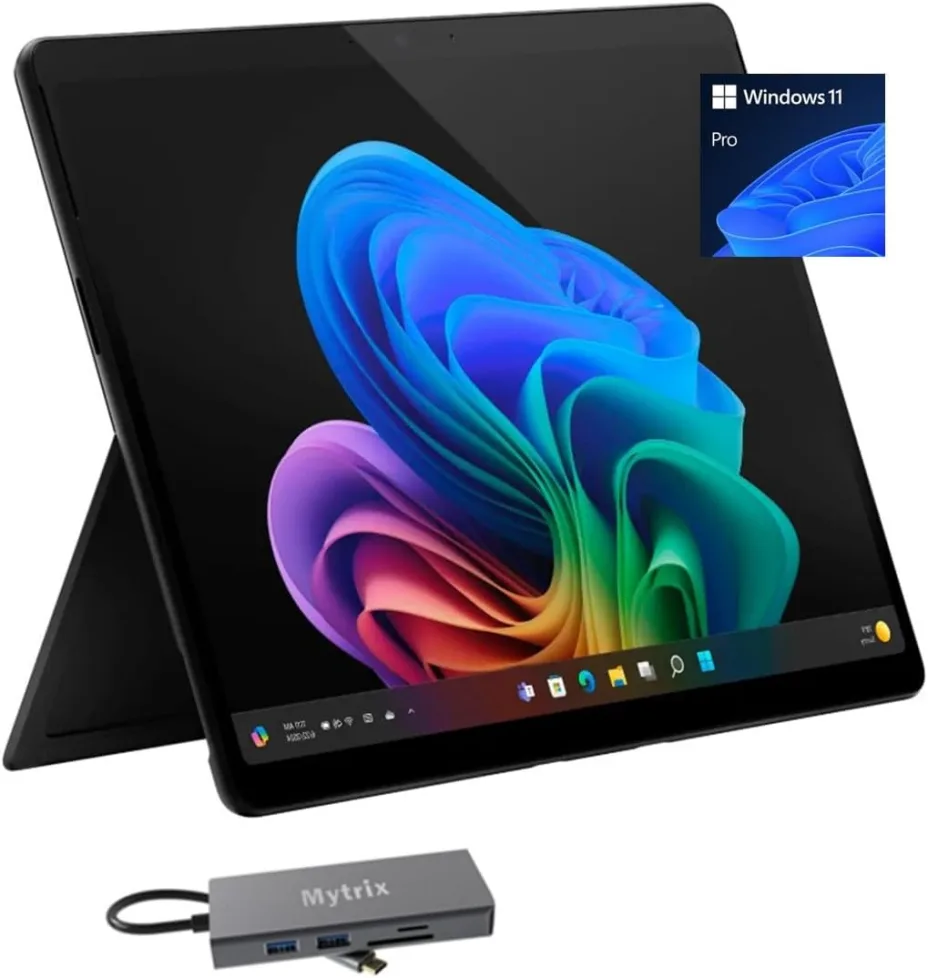
Surface Pro 11 is the best choice when you want true desktop editing on a tablet form factor. With Windows, you can run full creative applications (not mobile variants), and the OLED option plus Snapdragon X platform targets strong performance per watt—great for creators who need real software compatibility.
Best for
- Creators who need full Windows apps and plugins
- Photo + video workflows that rely on desktop file management
- Editors who want a tablet that becomes a laptop with a keyboard
What’s inside (what you’re getting)
- Snapdragon X Plus or X Elite configurations (model dependent)
- Optional 13" OLED PixelSense Flow display (2880×1920 listed by Microsoft)
- Detachable keyboard/pen are typically sold separately or bundled depending on retailer
Why it works (benefits)
- Runs the same class of apps you would use on a laptop/desktop
- Better external drive and multi-monitor workflows on Windows
- Strong “one device for everything” flexibility (edit, design, office work)
| Pros | Cons |
|---|---|
| Full desktop software compatibility | Keyboard/pen can add significant cost |
| OLED option + strong specs per Microsoft listing | Tablet-on-lap experience depends on accessories |
| Excellent file + peripheral workflow (Windows) | Battery life and thermals vary by workload and config |
How to Choose a Tablet for Video Editing in 90 Seconds
-
If you edit 4K + color grade
- Choose a top-tier chip and more RAM for smooth timelines
- Get fast storage (and enough of it) so imports/exports don’t crawl
- Prioritize a color-accurate display so your edits look right everywhere
-
If you edit CapCut / TikTok / Reels
- Pick a tablet that keeps the timeline consistently smooth (no stutter)
- Go for more storage to avoid constant deleting and re-downloading clips
- Favor strong battery life so you can edit and export away from outlets
-
If you need pro apps (Final Cut Pro /
LumaFusion)
- Start with iPad-first options for the best pro editing ecosystem
- Choose higher specs if you stack effects, titles, and multiple clips
- Make sure you have enough storage for project files and media
-
If you want Android value + OLED
- Target a flagship Galaxy Tab tier for the best Android editing experience
- OLED is ideal if you care about deep contrast and punchy visuals
- Confirm USB-C + external SSD support for bigger projects and faster transfers
Final Recommendation (Pick in 30 Seconds)
-
If you want best overall → Apple 13" iPad Pro
(M5)
The most complete best tablet for video editing choice for 2026: top-tier performance, HDR-capable display, and fast external SSD workflows. -
If you want CapCut + Shorts → Samsung Galaxy Tab S9
FE
The best “mobile-first” CapCut pick with S Pen precision for masks/captions and a solid balance of speed, screen, and price. -
If you want best budget → Apple iPad 11-inch
(A16)
The best entry option for smooth basic edits, fast social exports, and a reliable iPad app ecosystem without Pro pricing. -
If you want best Android/Samsung → Samsung Galaxy Tab
S11 Ultra (AI, Wi-Fi)
The biggest creator workspace on Android with a large AMOLED display, S Pen support, and expandable storage for large footage libraries. -
If you want best iPad Pro workflow → Apple iPad Pro
11-inch (M5)
Pro-level iPad performance in the most portable form—ideal for travel editing, fast exports, and iPad-first workflows.
In 2026, the best tablets for video editing come down to
one thing: smooth, sustained performance for your
workflow. If you want the safest all-around choice for
4K timelines, pick the best overall option from
this list. If CapCut is your daily editor, prioritize
fast exports, stable thermals, and 256GB+
storage. Prefer Apple apps and accessories? Choose the
best iPad for video editing. Want flexibility
and value? Go with the best Android tablet for video
editing. Next step: match your pick to your footage
type, storage needs, and budget.
FAQ
❓ Which Tablet is Best for Video Editing?
❓ Which Pad is Best for Video Editing?
❓ What is the 321 Rule of Video Editing?
❓ What Do Most YouTubers Use to Edit Their Videos?
❓ Best Video Editing Apps for Tablets
❓ Best Video Editing Software for Tablets








 Continue with Google
Reviews